

Solar Battery Charging Cable Heat: When to Unplug It

Solar battery charging cable heat shows up on the first sunny afternoon you leave a panel connected. A lead that is warm along its length can be doing ordinary work. A plug you cannot hold, or a jacket that has gone soft, is a reason to disconnect and look at the setup before you try again. If the lead you are judging is a phone cable rather than a panel DC lead, start with the fast charging cables collection and come back here for the solar input check.
The useful question is narrower than whether solar charging is safe. You want to know whether this cable is shedding a little heat from normal current, or concentrating heat at a bad connection. Five checks cover that. Look at the battery's input window, the panel's stated output, a fully seated plug, shade on the panel, and a cable that is not coiled into a tight bundle.
- Read the station's solar input window before you connect anything.
- Use the panel's DC output line, not the wattage printed as a headline.
- Seat the plug until it stops. A half-seated barrel connector is the usual hot spot.
- Keep the panel face in sun and the spare cable in a loose curve, not a tight coil.
- After 10 to 20 minutes, touch the plug and the jacket separately. Unplug if the plug is too hot to hold, the housing softens, or you smell burning.
Call KEUTEK at 800-919-0233 if a solar lead question is not answered on the product page.
Why does a solar battery charging cable heat up at all?
A solar panel makes direct current. That current has to travel through a conductor and two connectors before it reaches the battery or power station. Every conductor has resistance. Current through resistance becomes heat. A short, properly sized lead sheds that heat along its length, so the jacket feels warm rather than hot.
Heat piles up when the same current is forced through a smaller path. A loose plug, a half-seated barrel connector, or a crushed spot in the jacket raises resistance in one small place. That spot does the heating. The middle of the cable can still feel ordinary while the connector housing is the part you notice.
Sun on the jacket adds a second source that has nothing to do with current. A black lead lying on pale rock at midday will feel warm even at low power. Pick the cable up off the hot surface before you judge it. If it cools once it is in the shade of your hand, the ground was doing most of the warming.
The National Renewable Energy Laboratory's primer on photovoltaic DC systems makes the same basic point. A solar module's output is direct current. Irradiance and temperature change what the module produces. The cable is not a separate power source. It only carries what the panel is making in that light. The same point is in the Department of Energy's solar photovoltaic basics.
USB charging leads follow a related rule. The USB Power Delivery specification, as summarized by Renesas, includes over-voltage, over-current, and over-temperature protection, and it calls for power to be reduced when those conditions are detected. That protection lives in a compliant charger and device. It does not make a damaged plug safe to keep using. See the USB PD safety note from Renesas and the USB-IF Power Delivery library.
What should you check before you blame the cable?
Start with the battery or power station, not the panel wattage printed on the box. KEUTEK's 300W Portable Power Station Max lists solar recharging as 100W recommended, with a DC input of 12V to 28V, and it describes that input as MPPT optimized. A panel lead is a match only when its DC output sits inside that window.
The same page lists a 256Wh LiFePO4 battery, 300W continuous AC output, a 600W surge peak, one 18W USB-A port, and one 60W USB-C PD port. Those output numbers tell you what the station can run. They do not tell you how hot the solar lead should feel. Solar heat is about the input side.
Charge-time lines on that page are a practical cross-check. KEUTEK states that one 100W solar panel takes about 4 to 5 hours. A wall outlet takes about 3.5 to 4 hours. Wall plus a 100W panel takes about 2 to 2.5 hours. If your setup is far slower than the matching line, look at sun, seating, and shade before you assume the cable is failing.
The station also says it uses intelligent temperature control and heat dissipation, and that its battery management system monitors voltage, temperature, and charging behavior. That is the unit protecting itself. It is not a promise that any third-party lead will stay cool. Use the input window on the page, then confirm the panel side.
Which KEUTEK panel outputs stay inside a 12V to 28V input?
Read the DC output line, not the marketing wattage. The current KEUTEK portable panels state these DC lines.
| Panel | Stated DC output | What that means for the 300W station |
|---|---|---|
| 40W portable solar panel | The DC line is 12-15V at up to 2.6A, and a separate USB output is also listed. | The DC voltage starts at the low end of the station's 12V-28V input, and the current stays well under a 100W solar recommendation. |
| 60W high-capacity portable solar panel | The DC port is listed at 18V at up to 3.3A, with USB-A and USB-C as separate outputs. | 18V sits inside the 12V-28V window, so use the DC port for the station rather than the USB ports. |
| 100W high-capacity portable solar panel | The DC port is listed at 18V at up to 5.5A, with USB-A and USB-C as separate outputs. | 18V sits inside the window, and 18 volts times 5.5 amps is about 99 watts, which lines up with the 100W recommended solar input. |
Current prices are printed on each product page and can change, so this guide does not quote them. Confirm the page before you order. The 40W portable solar panel weighs 4.2 lb and folds to 13.6 x 9.8 x 2 inches. The 100W portable solar panel weighs 9.7 lb and folds to 20.1 x 13.98 x 2.4 inches. The 40W panel is easier to pack, but it also carries less current, which is the calmer lead.
Each of these three product pages says its monocrystalline cells convert 22% more of the sun's energy into usable output than conventional panels. That is a comparison printed on the 40W, 60W, and 100W pages, not a measured cell-efficiency percentage you should quote as 22% efficient. Each of those same pages rates that panel IPX4 water resistant. The 60W and 100W pages also say that when the panel is partly shaded, power is lost only in the shaded area rather than across the whole panel. Shade still cuts current. It does not remove the need to seat the plug.
USB ports on the panel are for charging a phone or a small battery pack directly. They are a different circuit from the DC lead that feeds the power station. Do not daisy-chain a USB phone cable into the station's solar input and then wonder why the connector is warm and the charge is poor. If you want the buying context for wattage and connectors, the portable solar panel wattage guide covers that match. This page stays on the heat check.
When is solar battery charging cable heat a reason to unplug?
Give the setup 10 to 20 minutes in real sun, then use your hand. A jacket that is slightly warm along its length, with a plug you can hold comfortably, fits ordinary resistance plus sun on the plastic. Stop and disconnect if you find any of these:
- The plug or the first inch of cable is too hot to hold, while the rest of the lead is only warm.
- The housing is soft, warped, discolored, or smells burnt.
- The connector wobbles, shows green or black deposits, or will not click or seat fully.
- The station's input wattage is far below what the panel's DC line suggests in full sun, and reseating the plug does not change it.
- You are using an adapter chain so the panel plug can be forced into a port it was not built for.
Unplug at the panel first if you can do that safely, then at the station. Let the connector cool before you inspect it. Do not wrap a hot plug in tape and keep charging. A softened housing will not recover its shape, and a loose contact will only get worse as it heats.
KEUTEK panels include an LED that indicates the output port is working. A lit indicator tells you the port is active. It does not measure the temperature of the plug. Pair the light with the hand check.
How should you lay out the lead so it can shed heat?
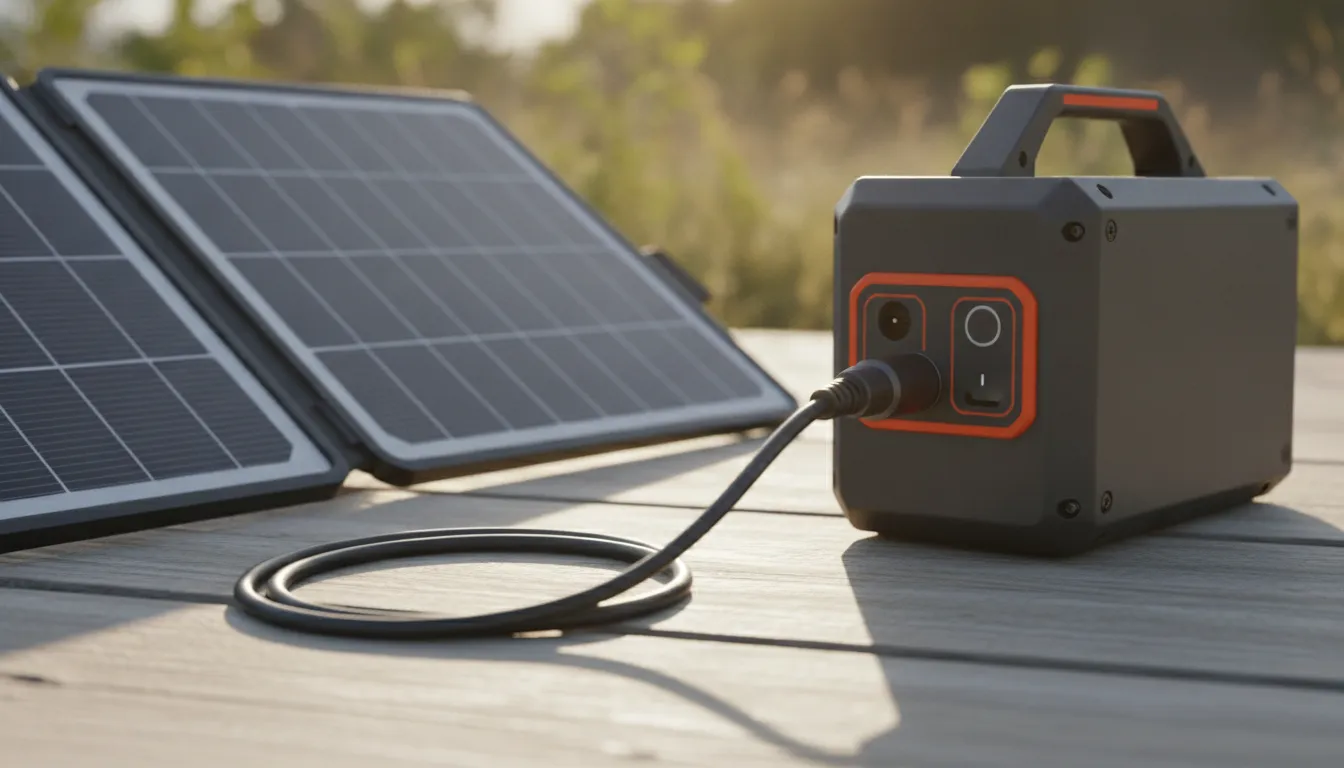
Run the cable in a loose curve. A tight coil traps the heat the conductor is trying to give off, and it also bends the jacket at the same spot every time you pack. Leave the connector housings in open air. Do not bury them under a jacket, a ground sheet, or the panel bag.
Keep the run short. Extra length is extra resistance, and extra resistance is extra heat for the same current. The leads on these panels are meant to reach a station sitting beside the array, not a battery back in a vehicle around a bend. If the station has to live in shade while the panel sits in sun, move the station closer rather than adding an unmarked extension.
Set the panel on its kickstand or straps so the face points at the sun, and keep the cable off the hottest ground if you can. The 40W, 60W, and 100W panels all include straps and a kickstand for that setup. Partial shade on the panel reduces output. It can also make a weak connection look like a slow solar day, because the input number on the station is already low.
The station's own heat matters too. Its page describes real-time input and output wattage on the LCD, plus temperature control during charging. Leave the vents clear. A station baking in a closed car, with the panel on the roof, is a different problem from a warm cable. Stuffing gear against the case will not help either one.
For a longer view of how panel, controller, and battery share the job, read the portable solar power system sizing guide. Use that when you need daily watt-hours. Use this page when the lead in your hand is the thing that feels wrong.
What is a sensible solar setup if heat is the worry?
Match one panel to the station's input instead of stacking panels the page does not describe. KEUTEK recommends a 100W solar input and a 12V-28V DC window for the 300W Portable Power Station Max. The 100W panel's 18V, 5.5A DC output is the closest listed match. The 60W panel's 18V, 3.3A DC output is inside the same window at lower current. The 40W panel's 12-15V, 2.6A DC output is the lowest current of the three and still names a voltage range that starts inside the window.
Lower current runs cooler in the same cable. If you are charging phones overnight and you care more about a calm lead than about a fast refill, the 40W panel is the gentler input. If you want the refill time the station quotes for a 100W panel, use that panel's DC port and skip extra adapters.
A few habits keep the connection boring:
- Confirm the panel's DC voltage is inside 12V-28V before the first connection.
- Seat the plug until it stops. A half-seated barrel connector is the usual hot spot.
- After 10 to 20 minutes, touch the plug and the jacket separately.
- Leave the cable uncoiled and off the hottest ground.
- Stop if the housing softens, smells, or will not seat the next time.
Storage is separate from charging heat, but it belongs in the same routine. The station page says to recharge to about 80% every 3 to 6 months during long storage so the battery and the warranty stay in good shape. Do that from the wall if the panel is packed away. Solar is the field method, not the only method.
The portable power station with solar panel guide compares what to look for in the pair. The beginner explanation of solar power covers how sunlight becomes electricity if that part is still fuzzy. Neither one replaces the hand check on the connector.
KEUTEK ships these panels and the power station from the United States. The product pages list a lifetime warranty and a 45-day return window. The current shipping cutoff, free-shipping threshold, and delivery window are on the shipping policy, so check that page before you plan a replacement lead. That helps when you are replacing a lead before a trip. It does not change the checks above.
Call KEUTEK at 800-919-0233 before you leave a hot solar lead connected.
FAQ
Is a warm solar charging cable normal?
A lead that is slightly warm along its length, after 10 to 20 minutes in sun, is usually ordinary resistance plus a hot jacket. A plug too hot to hold is not ordinary. Soft plastic or a burnt smell is not ordinary either. Unplug and inspect it.
Does a higher-watt panel always make a hotter cable?
More current can mean more heat in the same conductor. That is why the input match matters. The 100W panel lists 18V at up to 5.5A on DC. The 60W panel lists 18V at up to 3.3A. The 40W panel lists 12-15V at up to 2.6A. A bad connector can still run hotter than a healthy higher-current lead.
Can I charge the 300W station from the panel's USB port?
Use the panel's DC output for the station's solar input. The 300W Portable Power Station Max specifies a 12V-28V DC input and a 100W recommended solar recharge. The USB ports on the panel are there to charge phones and small packs directly.
Should I coil the extra cable to keep the site tidy?
No. A tight coil holds heat in and bends the jacket in one place. Lay the spare length in a loose curve, keep the connectors in open air, and keep the run as short as the setup allows.
What does the station do if it gets too hot?
KEUTEK says the 300W station uses intelligent temperature control, heat dissipation, and a battery management system that monitors voltage, temperature, and charging. That protects the station. It is still your job to disconnect a plug that is too hot to hold.


Leave a comment