

Desk Charging Station: A Clear Setup

A desk that collects a new cable every week usually has enough outlets already. What it lacks is a repeatable plan for where each device sits. A desk charging station gives the phone, earbuds, and laptop one place at the edge of the work surface, with one cable each and a charger that can actually feed them at the same time.
A desk charging station is a single-user zone on the hard desktop, off to the side of the keyboard and mouse. Count the devices that charge there together, give each one short cable, and read the charger's shared wattage before you assume every port can hit its solo maximum.
Call (800) 919-0233 to plan your desk charging station, then review an organized charging setup that fits the devices you keep nearby.
What belongs on a desk charging station?
Keep this charging zone deliberately small. It holds the devices that sit on this desk during a normal workday, one cable for each of those devices, and one wall charger. It does not hold travel spares, yesterday's adapter, or a second charger kept nearby just in case something else fails.
A shared household station is a different project. That setup uses separate bays and a return routine for several people, which is what the household charging station guide already covers. Copying that household layout onto one desk adds shelves and labels that a single work surface does not need.
| Device that stays on the desk | Where it sits | Cable plan |
|---|---|---|
| The phone that you set down whenever you sit down to work. | It sits on a tray or open corner beside the monitor, outside the mouse path. | One short cable reaches it from the charger without crossing the keyboard. |
| Earbuds or a watch that charge during the same work block. | They sit next to the phone, in a spot you can see without moving papers. | One short cable, cut to that spot, stays plugged into its assigned port. |
| A USB-C laptop, only when this desk is where it charges. | The laptop stays in its normal working position, not stacked on the phone. | One cable runs from the higher-output port along the desk edge to the laptop. |
| A spare cable you keep for travel or for a guest device. | It lives in a drawer, not as a second loop on the desktop. | Bring it out only when the cable already on the desk is the wrong one. |
If a device leaves with you at the end of the day, its cable can stay in the zone only when another device uses that same spot tomorrow. Otherwise pull the unused cable. The desktop remains a work surface first, and charging gear should not take it over.
Where should a desk charging station sit?
Place the zone on the hard desktop, to one side of the keyboard and mouse. Keep it close enough to a wall outlet that no cable crosses the typing area or drops into a walkway.
Clear the desktop before you choose the charging spot. Put back only what a normal workday needs: the computer, the keyboard, the mouse, and whatever you write with. The open edge that is left is the charging zone. Building the rest of the desk around a charger first is how the mouse ends up on top of a cable.
Charge phones, tablets, and laptops on a hard, flat surface. The National Fire Protection Association says not to charge them on a bed, a couch, or under a pillow, because soft surfaces trap heat and block airflow. The same guidance says to use the cord and charger that came with the device, or one the manufacturer approves, and to unplug a device once it is fully charged.
Keep the zone where you can see it. Stop using a device that feels very hot, looks swollen, smokes, or has a strange smell. Hiding the charger behind a monitor makes those warning checks harder, and it usually means the cable is pinched against the stand. Do not run a cord under a rug or across the floor between the desk and the outlet. If the only outlet is that far away, the zone is in the wrong place.
What if the outlet is behind the desk?
A charger plugged into the wall behind the desk is fine when the cables come up at the side and stay on the desktop. It is not fine when they drop behind the desk, coil on the floor, and come back up under your feet. Leave enough slack for a gentle curve at the device. Do not leave enough slack to make a second pile. This is a placement choice, not an electrical project. If the outlet itself is damaged, or you need a new receptacle, stop and use a qualified electrician.
How do you match ports on a desk charging station?
Count every device that will charge during the same work block. Then read the charger's shared-output rows. A port's solo maximum is what it can do alone. It is not what it still does after you plug in a second device.
The 65W wall charger has two USB-C PD ports and one USB-A QC 3.0 port. Used alone, the first USB-C port is listed up to 65W, the second USB-C port up to 33W, and the USB-A port up to 30W. The page also lists what happens when ports are used together:
- Both USB-C ports together are listed as 45W plus 18W, with a 63W maximum.
- The first USB-C port plus USB-A is listed as 45W plus 18W, with a 63W maximum.
- The second USB-C port plus USB-A is listed at a 24W maximum.
- All three ports together are listed as 45W plus 15W, with a 60W maximum.
Those combined figures are the numbers that matter once two devices share the desk charger. A laptop that needs more than the shared number will not get its solo maximum while a phone is also plugged in. If the laptop is the priority, put it on the first USB-C port and check whether the phone still fits in the remaining share. If only one device is connected, use the solo rating for that port.
The same charger is ETL certified and lists surge protection, temperature control, and automatic shut-off once a device reaches full charge. It measures 36 mm by 32 mm by 65 mm, so it can sit in a wall outlet beside a desk without a power strip. A separate guide on choosing a wall charger walks through port mix in more detail. Another guide explains what a GaN charger changes about size and heat. Do not assume every compact 65W charger uses that design. Read the product page for the one you buy.
Do not add the solo maximums and call that the desk's total power. On this charger, three busy ports top out at the published 60W combined figure, not at 65W plus 33W plus 30W.
How should cables run on a desk charging station?
Give each device that stays on the desk one cable long enough to reach its spot in a gentle curve. Keep that cable off the keyboard and off the floor.
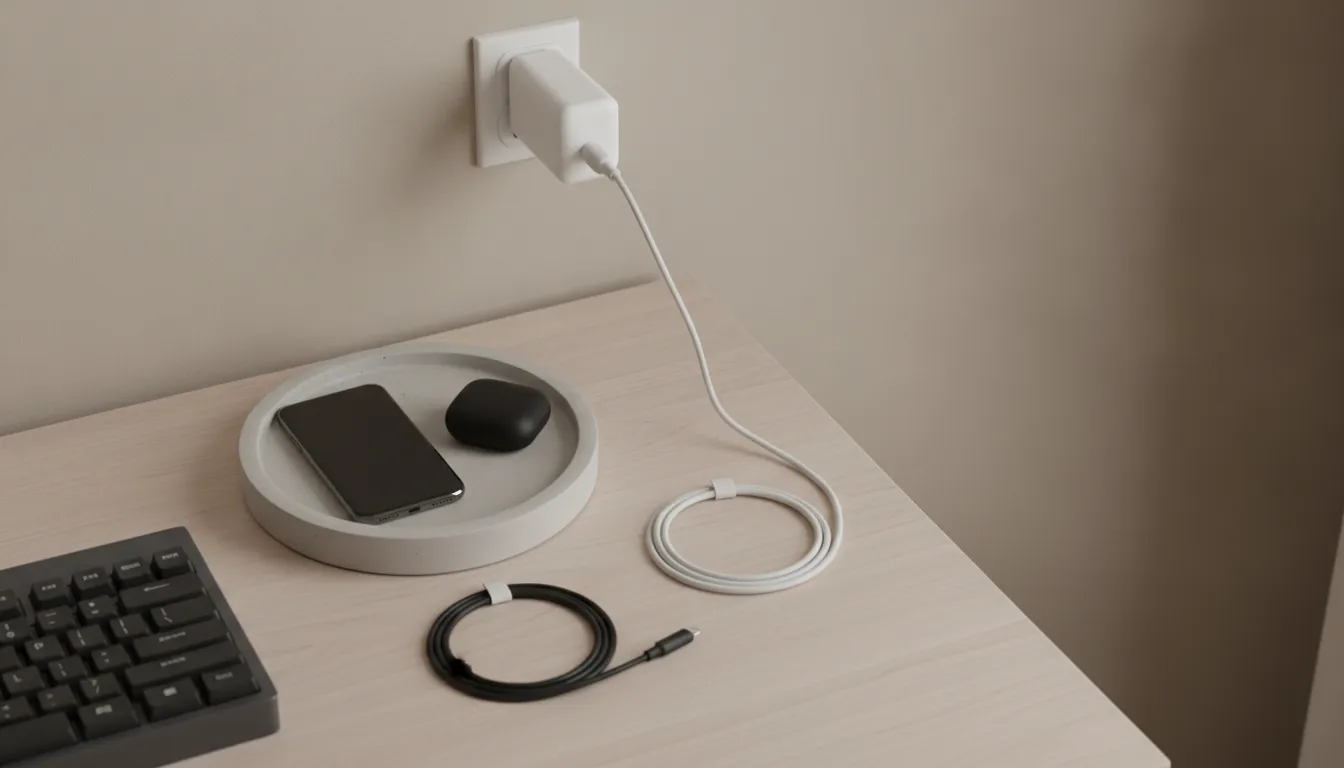
The wall charger stays seated in the outlet, and the device stays in the side zone you already chose. The cable only covers the distance between them, plus a little slack so the connector is not pulled sideways when you pick the phone up. A tight cable stresses the plug. A cable that is several feet too long becomes another pile by Friday.
A spare cable belongs in a nearby drawer rather than on the desktop. A look at using one USB-C cable across devices helps you decide whether you need a spare at all. On the desk, one run per device is the whole plan.
Match the cable to the port you assigned. A phone on the lower-output USB-C port does not need the highest-rated cable. A laptop on the higher-output port needs a cable that can carry what that port offers. The ProSeries Max cable is the USB-C option rated for 240W, with PD 3.1 and PPS support, a 30,000-plus bend rating, and a 220 lb tensile strength. The product page says to pair it with the 65W wall charger when you want the output that charger can provide. The cable rating does not raise the charger's shared wattage. It only keeps the cable from being the piece that limits the port.
Run the cable along the desk edge, not across the mouse pad. You should be able to see the plug, the bend at the device, and the whole run in one glance. If a cable has to drop to the floor to reach the outlet, move the zone before you buy clips or a longer cord.
Once a week, look for a kink at the plug, a flat spot under a monitor stand, and a connector that only works at an angle. Replace a damaged cable instead of bending it back into everyday service.
What daily reset keeps a desk charging station clear?
At the end of the workday, put the phone and earbuds back in the same edge zone, coil leftover slack into one gentle loop, and unplug anything that is already full.
This end-of-day reset should take less than a minute. If it turns into a reorganization, the zone is holding too much. Use the same order every day:
- Set the phone and earbuds case on the tray or the marked corner, not beside the keyboard.
- Seat each cable so the plug sits straight, with a curve instead of a sharp bend at the device.
- Coil extra length into one loop beside the device, not behind the monitor and not on the floor.
- Unplug a device that has finished charging. Leave the wall charger in the outlet if you will use the same zone tomorrow.
- Put any spare cable back in the drawer before you leave the desk.
A device left plugged in after it is full keeps making some heat. You do not need to pull the wall charger every night. You do need to stop feeding a battery that is already done. If a device is very hot, swollen, smoking, or has a strange smell, take it out of the zone and stop charging it.
Keep the corner, the cable, and the port the same on a short day and a long one. The point of the station is that you stop deciding where the phone goes.
See how a multi-device station differs before you add a second device to the desk.
FAQ: desk charging station
What is a desk charging station?
A desk charging station is a small zone at the edge of one person's work surface. It holds the devices that charge there during the day, one cable each, and a wall charger close to an outlet. It is not a shared family station, and it is not a portable power station for appliances.
Where should I put a charging station on my desk?
Put it on the hard desktop, to the side of the keyboard and mouse, near a wall outlet. Keep cables off the typing area and off the floor. Charge on a hard, flat surface, not on a bed, a couch, or under a pillow.
Can one wall charger run a laptop and a phone together?
Only when the charger's shared-output figure covers both at once. On the KEUTEK 65W Fast Wall Charger, both USB-C ports together are listed as 45W plus 18W, not 65W on each port. A laptop that needs more than that share will not get its solo maximum while the phone is connected.
How many cables does a desk charging station need?
One cable for each device that stays in the zone. A spare cable belongs in a drawer. Extra loops on the desk are what make the station look messy a week later.
Should I unplug devices when they are full?
Yes. Unplug a device once it has finished charging. You can leave the wall charger in place if you will use the same zone the next day. Stop using a device that is very hot, swollen, smoking, or has a strange smell.
Match the charger to the desk you use
Count the devices on the desk, check the shared wattage, and keep the cables in one side zone. If you want help matching a wall charger and cable to that list, call KEUTEK at 1-800-919-0233 or use the contact page.


Leave a comment