

Gallium Nitride Charger: What GaN Means for You

A gallium nitride charger uses GaN semiconductor components to switch power efficiently inside a smaller wall adapter. That can mean less bulk in your travel bag, more usable output from one outlet, and better thermal management. It does not mean every GaN charger charges every device at the same speed. The charger, cable, device, protocol, and number of active ports still have to work together.
See the KEUTEK 65W Wall Charger for a compact multi-port option built around USB-C PD and USB-A QC charging.
What is a gallium nitride charger?
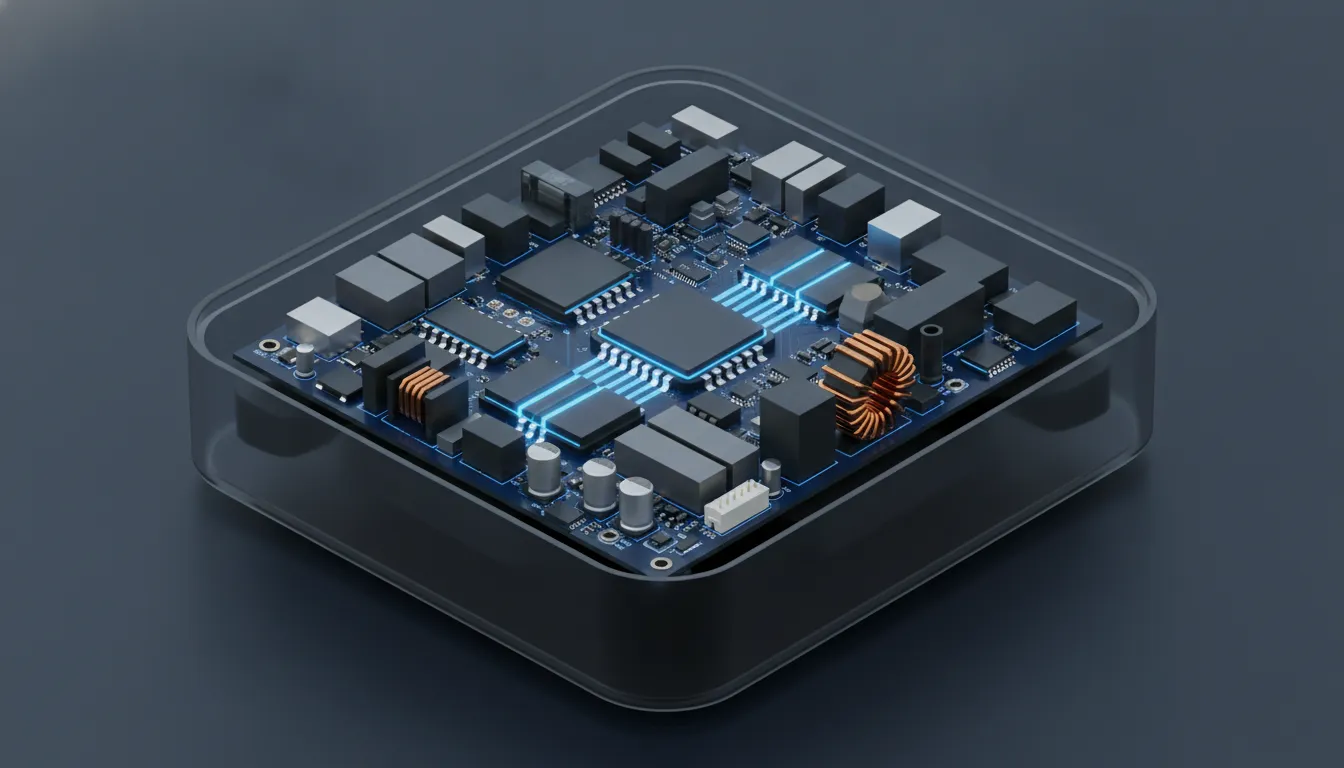
A gallium nitride charger is a power adapter that uses gallium nitride, commonly shortened to GaN, in parts of its switching power circuitry. Traditional adapters commonly use silicon-based switching components. GaN is a wide-bandgap semiconductor that can switch power at high speed and handle demanding electrical conditions efficiently. In practical terms, that gives engineers more flexibility when designing a compact charger.
GaN is a material and circuit technology, not a charging standard. USB Power Delivery, Qualcomm Quick Charge, PPS, and other protocols describe how a charger and device negotiate power. A GaN charger may support one or more of those protocols, but the word GaN alone does not tell you its wattage, port type, or device compatibility.
Why can GaN chargers be smaller?
GaN chargers can be smaller because efficient, high-speed switching lets the power supply use compact supporting components and manage energy with less wasted heat. The advantage is not simply that gallium nitride is a magic faster-charging material. The design can reduce the space needed for power conversion and thermal management, giving the manufacturer room to build a smaller adapter with meaningful output.
That smaller format is especially useful for professionals who move between a desk, meeting room, airport, and hotel. It can also make a difference at home when one outlet needs to power a phone, tablet, laptop, or accessory without a stack of separate bricks. Size is still a product-design choice, however. A large multi-port GaN charger may contain more circuitry and deliver more total output than a tiny single-port model.
Does GaN make a charger faster?
GaN can support a fast, efficient charger, but GaN by itself does not set the charging speed. The practical speed is limited by the lowest-capability part of the system: the charger's output profile, the device's input limit, the cable's rating, and the selected charging protocol. A 65W GaN charger cannot make a phone that accepts 25W draw 65W, and a laptop will not receive its expected power through an unsuitable cable or port.
USB Power Delivery is the clearest example of why the terms should be separated. USB-IF describes USB PD as a specification that allows more flexible power delivery and lets the powered device request the power it needs. That negotiation is what helps a compatible charger and device select an appropriate voltage and current. GaN can make the adapter more compact and efficient while USB PD manages the power conversation.
For that reason, compare a charger using four separate data points:
- Maximum output: the highest wattage available from the relevant port.
- Output profiles: the voltage and current combinations supported by that port.
- Charging protocols: the standards your phone, tablet, laptop, or accessory can use.
- Port and cable limits: the connector type, cable rating, and any reduction caused by using multiple ports.
For the USB Power Delivery specification and its power-negotiation model, see the USB-IF USB Charger and Power Delivery reference. The specification describes capabilities across the USB ecosystem. It is not a promise that a particular consumer charger reaches the maximum power level in the specification.
How does port sharing affect a multi-port GaN charger?
Port sharing is the most commonly overlooked detail in a multi-port charger. The headline wattage usually describes the maximum available under a specific condition, often when one port is active. When two or three devices are connected, the charger's internal power budget may be divided between ports. The exact allocation depends on the model and the ports being used.
The KEUTEK 65W Fast Wall Charger is a useful example. Its product information identifies two USB-C PD ports and one USB-A QC 3.0 port. It lists a 45W plus 15W allocation for simultaneous use of the two USB-C ports and USB-A, with a 60W maximum under that combination. That is different from assuming each port can independently deliver the headline wattage. Check the current product specification before planning a laptop-plus-phone setup.
| Charging situation | What to check | Why it matters |
|---|---|---|
| One laptop on one USB-C port | Confirm that the selected USB-C port offers enough wattage for the laptop under single-port use. | The charger can reserve more of its power budget for one demanding device when the other ports are idle. |
| Laptop and phone together | Read the model's two-port allocation and confirm that the laptop still receives an appropriate profile. | Connecting a second device can reduce the output available to the first port. |
| Phone, tablet, and accessory together | Check the three-port allocation and whether the USB-A port uses a separate fast-charging protocol. | Multiple device types may negotiate different profiles and share the total power budget. |
| Travel use with mixed cables | Match each cable and connector to the device and the port's supported standard. | A high-output charger cannot overcome a cable or connector that is not rated for the intended setup. |
The simple rule is to plan around the output you need at the same time, not the largest number printed in the product name. If your travel kit normally charges one laptop and one phone together, a two-device allocation is more useful than a single-port maximum that disappears as soon as another cable is connected.
Compare KEUTEK fast wall charger options by port count and output profile before you build your everyday charging setup.
What should you check before buying a GaN charger?
Choose a gallium nitride charger by starting with the devices you actually carry. A compact phone-only adapter has different requirements from a travel charger expected to support a laptop, tablet, phone, and earbuds. Use this checklist to compare models without treating the GaN label as a complete specification.
- List your highest-demand device. Check the input requirement for your laptop or tablet, not only your phone. Select a charger whose suitable USB-C port meets that requirement.
- Check the charging standard. Look for USB-C PD when your devices rely on Power Delivery. Confirm PPS or another protocol only when your device specifically benefits from it.
- Read single-port and multi-port output. Find the allocation table, not just the total wattage. Note what changes when the second or third port is used.
- Match the cable. The cable must support the intended connector, power level, and any required e-marker or high-power capability. A charger upgrade does not upgrade an unsuitable cable.
- Review travel details. A foldable plug, compact body, and broad input-voltage range can be valuable for frequent travelers. Confirm destination-specific plug requirements separately.
- Look for safety information. Prefer clear information about temperature control, surge protection, over-current protection, and other safeguards. Avoid making safety decisions from the GaN label alone.
- Consider physical access. A charger may be electrically capable but awkward in a crowded outlet, power strip, or hotel nightstand. Port orientation and spacing can matter.
For more help matching USB-C charger power to phones, tablets, and laptops, use KEUTEK's USB-C charger power guide as a companion resource. It covers the device-and-wattage decisions that sit alongside the GaN question.
Is a gallium nitride charger safe for phones and laptops?
A gallium nitride charger can be safe for phones, tablets, and laptops when it is properly designed, uses appropriate protection, and is paired with compatible devices and cables. The device still controls how much power it accepts through the charging negotiation. GaN does not bypass that control or force a device to accept the charger's maximum output.
Safety depends on the complete adapter, not just the semiconductor material. Look for a manufacturer that provides clear output specifications and protection information. Keep the charger ventilated, avoid damaged cables, and stop using any adapter that shows physical damage, unusual heat, odor, or intermittent operation. Warmth during conversion can be normal; excessive or rapidly increasing heat is a reason to disconnect and investigate.
It is also important to distinguish a charger from a cable. The charger converts incoming AC power into the controlled DC power your device requests. The cable carries that negotiated power to the device. Both must be suitable for the intended setup, and the device's own charging circuitry remains part of the safety system.
Is GaN worth it for frequent travelers?
GaN is most useful when smaller size, efficient power conversion, and multi-device charging solve a real packing problem. A frequent traveler may replace several older adapters with one compact charger, provided the port allocation meets the devices used at the same time. Someone who only charges one low-power phone overnight may notice less benefit from the GaN label itself.
For a travel setup, prioritize the combination of output, port arrangement, cable compatibility, and physical design. The KEUTEK 65W wall charger lists a foldable plug and AC100-240V input capability, features that are relevant to travelers who need one compact adapter across supported electrical systems. You should still use the correct plug adapter for your destination and confirm the product's current specifications before departure.

If you already own a reliable charger, do not replace it solely because a newer adapter says GaN. Upgrade when the smaller form factor, extra port, higher suitable output, or better travel design solves a specific problem. That is the practical value of the technology.
GaN charger versus a regular charger: what is the real difference?
A regular charger can work perfectly well, and a GaN charger is not automatically a better choice in every situation. The meaningful difference is usually the design opportunity: GaN switching components can help a manufacturer create a smaller, efficient adapter at a given output level. The best option is the one whose verified output and safety features match your devices.
| Decision factor | What GaN may improve | What GaN does not guarantee |
|---|---|---|
| Physical size | GaN can support a more compact design for a comparable power class. | Every GaN charger will not be smaller than every silicon-based charger. |
| Heat management | Efficient switching can reduce wasted energy that becomes heat in the conversion stage. | A GaN label does not replace ventilation, protection, or responsible thermal design. |
| Charging speed | GaN can be part of a high-output fast charger with suitable protocols. | GaN alone does not determine the device's accepted wattage or charging time. |
| Multi-device use | Compact power conversion can leave room for multiple ports in a travel-friendly body. | GaN does not guarantee full headline output on every port at the same time. |
What is the bottom line on gallium nitride chargers?
A gallium nitride charger is best understood as an efficient hardware platform for building compact power adapters. It can help deliver useful output in a smaller package, but the buying decision should be based on the complete specification: compatible protocols, port-level wattage, simultaneous-use allocation, cable requirements, safety information, and travel design. For most professionals and travelers, that complete system matters more than the GaN label alone.
When comparing a model, write down the devices you need to charge together and then check the output table for that exact scenario. That one step prevents the most common mismatch: buying a high-wattage charger that cannot provide the expected allocation once multiple ports are active.
Pair your charger with a compatible KEUTEK fast-charging cable when you are building a dependable travel or desk charging kit.
Frequently asked questions
What does GaN stand for in a charger?
GaN stands for gallium nitride. In a charger, it refers to semiconductor components used in the power-conversion circuitry. The material can support efficient, high-speed switching and compact adapter designs, but it does not by itself identify the charger's wattage or charging protocol.
Are gallium nitride chargers better than regular chargers?
They can be better when you value a compact body, efficient power conversion, or several useful ports in one adapter. A regular charger may still be the better fit if its verified output, size, and safety features already meet your needs. Compare the complete specifications rather than choosing by the GaN label alone.
Does a GaN charger charge a phone faster?
Only when the charger, phone, cable, and charging protocol support a higher suitable power level. A GaN charger may enable a compact fast-charging design, but the phone limits how much power it accepts and the cable must support the intended connection.
Can I use a GaN charger with a laptop?
Yes, when the charger has a USB-C port with enough suitable output for the laptop and the cable supports that setup. Check the laptop's power requirement, the charger's single-port rating, and the output allocation if another device will charge at the same time.
Do multi-port GaN chargers deliver full power to every port?
Not necessarily. Multi-port models often divide a shared power budget when more than one port is active. Read the manufacturer's allocation table and plan around the combined output for your actual device combination.
Sources: USB-IF USB Charger and Power Delivery reference. Product specifications referenced from the KEUTEK 65W Fast Wall Charger product page, accessed for this guide.


Leave a comment