

iPhone Charger for a Work Bag

A work bag needs a charging setup that is small enough to leave packed, capable enough for the phone you carry, and simple enough to use between meetings. The best iPhone charger for a work bag is not necessarily the highest-wattage brick or the largest power bank. It is the combination of adapter, cable, and backup power that matches your iPhone, your commute, and the outlets you can realistically reach.
Start by deciding whether you need wall power, battery power, or both. Then check the connector at your iPhone, the charger's USB ports, and the cable length. Also check whether the kit creates a new tangle in the bottom of your bag. This guide turns those decisions into a compact workday checklist.
Compare KEUTEK chargers for an iPhone work bag
What makes an iPhone charger for a work bag practical?
A practical kit solves the charging problem without becoming another bulky object to manage. For most office commutes, that means one compact wall adapter and one correctly matched cable. Add an optional small battery for days when an outlet is unavailable. If you carry a laptop or tablet too, the kit may need a charger with more than one port. The phone should remain the starting point.
Think in terms of four checks:
- Connection: the cable must fit the iPhone and the charger. USB-C on the adapter does not automatically mean that the phone end is USB-C.
- Output: the adapter should support the charging level your iPhone can use, without treating a bigger number as a guarantee of faster charging.
- Footprint: the block and cable should fit a dedicated pocket, pouch, or organizer so they do not bend against keys and pens.
- Recovery: if your workday can outlast the battery, add a power bank that you can carry and recharge safely.
That approach also keeps the kit useful when you change phones. You can replace the cable or add an adapter rather than discarding every part of the setup. For a practical starting point, compare the KEUTEK portable charger and iPhone collection against the setup you carry now.
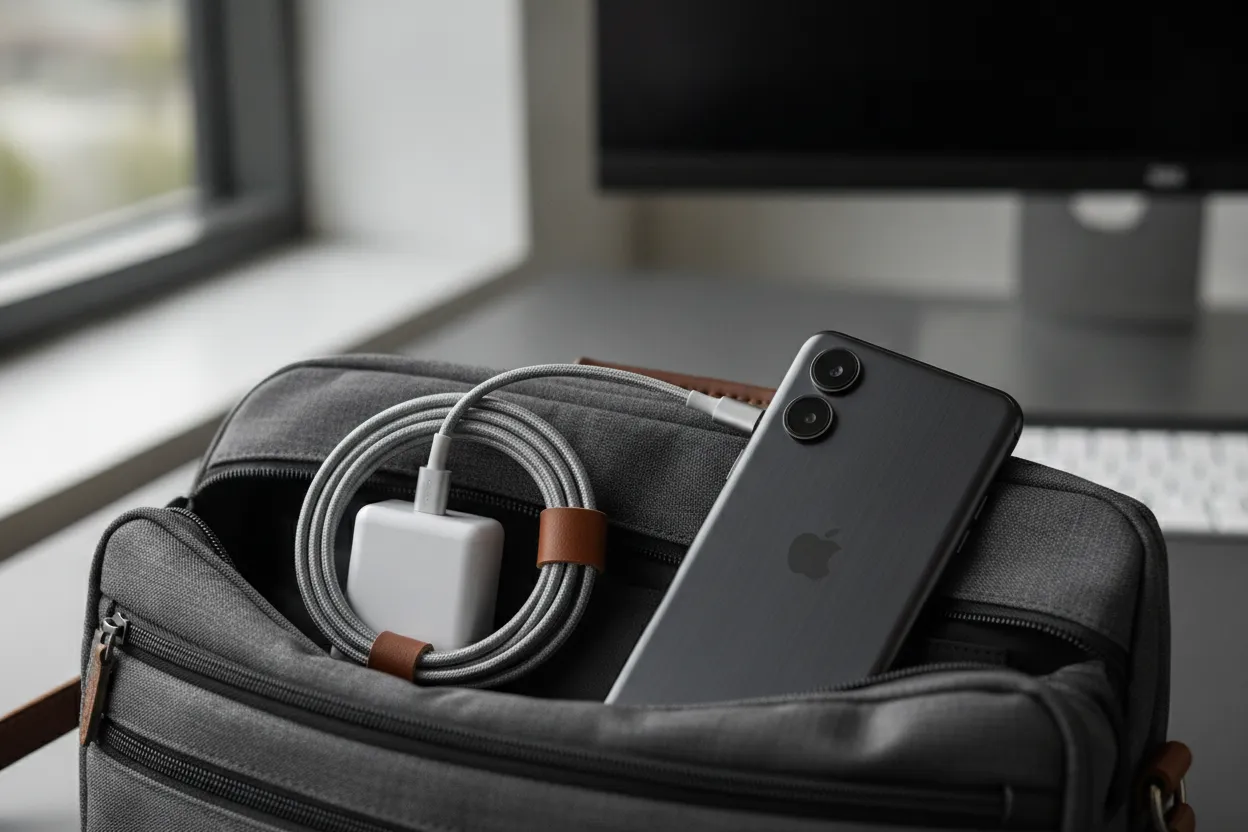
Which iPhone cable should you pack?
The iPhone connector determines the first half of the answer. An iPhone with a Lightning port needs a USB-C-to-Lightning or USB-A-to-Lightning path. An iPhone with a USB-C port needs a USB-C-to-USB-C cable for a USB-C adapter. The adapter's port and the phone's port are separate checks, so do not choose a cable from the wall plug alone.
For a work bag, cable length is a practical choice rather than a speed claim. A short cable can keep a phone close to a laptop or outlet and reduce loops in the bag. A longer cable can reach a distant outlet or a seat-side charger. It still needs a loose coil and a pouch so it does not snag. Measure the route you actually use, including the bend from the outlet to the phone, before choosing length.
If more than one person uses the bag or you carry different devices, a cable with the right interchangeable ends can reduce duplicates. Check the product's listed connector arrangement instead of assuming that a multi-tip cable supports every device or every data function. A cable that charges an iPhone is not automatically a high-speed data cable.
For a broader connector comparison, see KEUTEK's guide to a USB-C cable for iPhone and Android. Keep that guide's mixed-phone focus separate from this article's daily work-bag setup.
Is a 20W USB-C power adapter enough for an iPhone?
A 20W USB-C power adapter is a sensible baseline for many iPhone work bags. The exact result still depends on the iPhone model, the cable, and what else shares the adapter. Apple's current charging guidance identifies an Apple 20W or greater USB-C power adapter, or a comparable USB-C adapter that supports USB Power Delivery, for supported fast-charging setups. Read the current Apple iPhone fast-charge guidance for model-specific details and testing notes.
That does not mean every 20W adapter behaves the same. Look for a reputable USB-C Power Delivery implementation, a clearly labeled output, and a cable that supports the intended connection. If your work bag also needs to charge a tablet or laptop, a higher-output adapter may be more flexible. Check its shared output when two devices are plugged in.
Use wattage as a compatibility ceiling, not a promise. An adapter rated above the phone's demand does not force the phone to accept all of that power. Conversely, a low-output or poorly matched adapter can make a long break feel unproductive. The right choice is the smallest reliable adapter that covers the device mix you actually carry.
Should a work bag carry a wall charger, a power bank, or both?
A wall charger is the efficient everyday choice when you can reach an outlet. It adds little weight and can restore the phone while you work. A power bank is the resilience choice for commutes, conferences, field visits, and trains where an outlet may be occupied or unavailable. Carry both when the cost of a dead phone is higher than the small extra weight of a backup.
For a simple office commute, pack the wall adapter and cable first. Add a power bank when your day includes long travel, navigation, hotspot use, or camera work. Do the same when your schedule can run well past your normal return time. Do not carry a large emergency power station for a normal office bag; match the backup to the phone job.
A magnetic option can be convenient when you want to charge without holding the phone at the end of a cable. Verify the phone and case fit before relying on it. Start with KEUTEK's Qi2.2 Magnetic Power Bank page and read the capacity, wireless output, wired output, and cable details printed there. Match those current figures to your phone, your case, and the weight you are willing to carry. Do not copy an older capacity or price into the kit plan.
Related products


In today's interconnected world, reliable and efficient power is not just a convenience—it is a necessity.
View productHow should you compare work-bag charging setups?
Use the table below to choose by situation, not by the most impressive specification. The best setup is the one you will actually keep charged and packed.
| Workday situation | Practical setup | Why it fits | What to verify |
|---|---|---|---|
| Office or coworking desk with an outlet. | Use a compact USB-C wall adapter and one matched cable when a desk outlet is available. | It keeps the bag light and uses available wall power efficiently. | Confirm the iPhone connector, USB-PD support, and a cable length that reaches the outlet. |
| Commute with uncertain outlet access. | Pack a wall adapter, a matched cable, and a charged power bank when outlet access is uncertain. | The adapter handles routine charging while the battery covers the gap between outlets. | Check the power bank's output, recharge method, size, and battery level before leaving. |
| Phone plus laptop or tablet. | Use a multi-port USB-C adapter with a dedicated phone cable when the bag also carries a laptop or tablet. | One adapter can reduce duplicate bricks when its shared output is sufficient. | Read the per-port and shared-output figures instead of assuming every port delivers the headline wattage. |
| Conference or travel day. | Carry a small wall adapter, a spare cable, and a carry-on-safe power bank on a conference or travel day. | The spare cable prevents one damaged lead from ending the charging plan. | Review the current airline and battery rules before travel and keep spare lithium batteries in carry-on baggage. |
| Phone used for navigation or hotspot. | Use a power bank with a direct wired charging path when the phone stays on for navigation or a hotspot. | Wired power is easy to use while moving and does not depend on pad alignment. | Check heat, cable strain, battery capacity, and whether the phone case interferes with any wireless option. |
How do you keep an iPhone charger for a work bag organized?
Organization protects the charger and makes the kit easy to audit. Use a small pouch with one section for the adapter and one for the cable. Coil the cable loosely in the same direction each time. Avoid wrapping it tightly around the brick, bending it at the connector, or letting it share a pocket with keys and metal tools.
Give the kit a two-minute weekly reset. Check the cable jacket and plug ends for cuts, looseness, discoloration, or heat damage. Confirm the power bank is charged if you depend on it. Remove duplicate cables and any adapter you no longer use. A work-bag kit stays reliable because you maintain it. Do not trust a box that only says fast.
Keep the charger away from spilled drinks. Keep it out of the bottom of the bag, where it can be crushed. If the bag spends time in a hot car, bring battery-powered equipment inside rather than leaving it in extreme heat. Stop using a cable or battery that is swollen, cracked, unusually hot, or producing an odor.
What should you know about carrying a power bank to work or travel?
A power bank is a spare lithium battery, so carry it thoughtfully. The Federal Aviation Administration's PackSafe lithium-battery guidance explains the current air-travel framework. Rules can change and airlines can add restrictions, so check the airline before a flight. In general, keep spare batteries where you can protect them from damage and access them during travel rather than burying them in checked luggage.
For an ordinary workday, also consider whether you need battery power at all. A power bank that stays empty in the bag is not a backup. Charge it from the wall after use, inspect it periodically, and store it where its ports cannot be pressed against loose metal objects. If the work bag becomes an emergency or outdoor kit, reassess the capacity and safety requirements instead of assuming a phone-sized battery covers every load.
How does KEUTEK fit an iPhone work-bag charging plan?
Use the KEUTEK portable charger and iPhone collection as a starting point for comparing portable charging options. Match the product type to your actual use. Choose a wall-powered setup for an outlet-based day, a power bank for uncertain access, or a combination when both situations are common.
Then match the cable to the phone connector and read the product page for the output and charging method you need. If you are also carrying a laptop, compare the adapter's shared output rather than choosing only by its maximum single-port number. If you are carrying a spare cable, check its connector ends. Route it through the same pouch as the adapter so the pieces stay together.
For a more durable cable path, the KEUTEK ProSeries Max cable is the current cable to review. Use the published product details and your device's connector to decide whether it belongs in your kit. Do not substitute an older discontinued cable.
If the bag is phone-only, start with the 20W Fast Wall Charger. Read that page for the current USB-C and USB-A outputs, plug style, size, and price before you pack it. If the same bag also charges a USB-C laptop, compare the 65W Fast Wall Charger instead. Read its port count and the shared-output lines before you plan to charge the phone and laptop together. Check the current price on that page rather than using an older sale figure. KEUTEK ships from fulfillment centers in Chicago, Illinois, and Alpharetta, Georgia. Confirm the current free-shipping threshold on the storefront before you place the order.
See the 20W Fast Wall Charger for a phone-only work bag
Frequently Asked Questions
What is the best iPhone charger for a work bag?
The best choice is a compact, reliable adapter and a cable that fits your iPhone. Add a charged power bank when your day may not include an outlet. Choose for the devices and route you use, not only for the largest wattage number.
Is a 20W USB-C power adapter enough for an iPhone?
It can be a practical baseline for supported fast-charging setups. Confirm your iPhone model and use a compatible USB-C Power Delivery adapter and cable. Follow Apple's current guidance rather than treating 20W as a universal promise.
Should I pack a power bank every day?
Pack one when you regularly commute for long periods, use navigation or hotspot features, attend all-day events, or cannot count on an outlet. Otherwise, a wall adapter and matched cable may be the lighter routine setup.
Can I use a wireless power bank in a work bag?
You can if the phone and case support the required magnetic alignment and you have a wired fallback. Wireless charging is convenient, but a cable is often easier when the phone is in use or moving around.
How do I stop my charger cable from breaking in my bag?
Use a pouch, coil the cable loosely, keep it away from keys, and avoid sharp bends at either connector. Inspect the jacket and plug ends during a weekly reset, and replace a cable that shows damage.
Can I take my work-bag power bank on a plane?
Check the current airline and FAA guidance before flying. Protect spare lithium batteries from damage and follow the airline's instructions about where they may be carried. Never assume an old travel rule still applies without checking.


Leave a comment