

Wireless Charging Earbuds: What You Need to Know

With so many new gadgets, it's smart to question the hype. Are wireless charging earbuds a true game-changer, or just a minor convenience not worth the extra cash? The answer really depends on your lifestyle. This article breaks down the real-world differences between wired and wireless charging, looking at everything from speed and convenience to the long-term impact on your device’s battery health. We’ll explore the best earbuds available at every price point and give you the information you need to decide if going wireless is the right move for you.

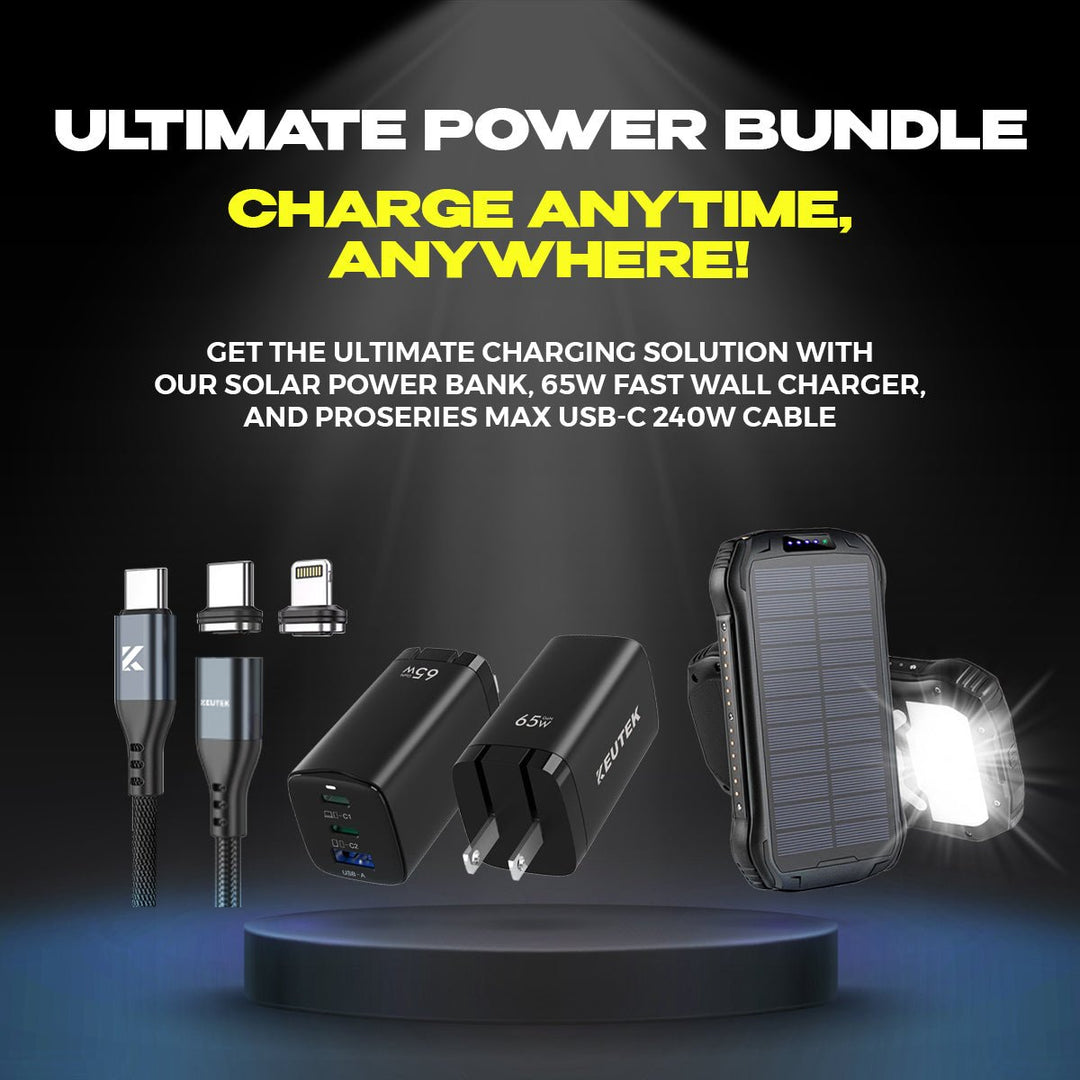
Portable Solar Power Bank 26800mAh - 99Wh Fast Charger
Lithium Polymer (Li-Po) battery. PD fast charging. Holds up to 8 days of reliable power on a single charge. Boasts a charging speed 50% faster than ordinary portable chargers.
Shop NowKey Takeaways
- Always Choose Qi-Certified Gear: This universal standard guarantees your earbuds and chargers will work together safely and efficiently, so you can charge with confidence without worrying about brand compatibility.
- Define Your Must-Haves Before You Shop: Decide which features are non-negotiable for your lifestyle, like noise cancellation for commuting or water resistance for the gym, to find the perfect pair without overspending.
- Protect Your Investment with Simple Habits: Extend the life of your earbuds by keeping the battery between 20% and 80% and cleaning them regularly; these small steps make a big difference in long-term performance.
How Does Wireless Charging for Earbuds Actually Work?
If you’ve ever fumbled for a tiny charging cable in the dark, you already understand the appeal of wireless charging. It feels a bit like magic, just placing your earbud case on a pad and watching it power up. But it’s not magic, it’s just clever technology. Understanding how it works can help you get the most out of your gear and feel confident in the accessories you choose.
At its core, wireless charging is about safely transferring energy through the air. It relies on a universal standard to ensure your devices and chargers speak the same language, and it’s surrounded by a few myths that are worth clearing up. Let’s get into how you can cut the cord for good.
The Tech Behind the Charge
Wireless charging works using a principle called electromagnetic induction. It sounds complex, but the idea is simple. Your charging pad contains a coil of wire that creates an electromagnetic field when powered on. Your earbud case has a similar, smaller coil inside. When you place the case on the pad, its coil picks up energy from that field and converts it back into electricity to charge the battery.
Think of it as a two-part system: a transmitter (the charging pad) and a receiver (your earbud case). There are no plugs or ports involved, just a seamless transfer of power when the two get close. This is what makes it possible to simply drop your earbuds onto a wireless power bank and walk away.
Why the Qi Standard Matters for Your Earbuds
You’ve probably seen the "Qi" logo on chargers and devices. Pronounced "chee," Qi is the leading global standard for wireless charging. It was created by the Wireless Power Consortium (WPC) to ensure that any Qi-certified device will work with any Qi-certified charger, regardless of the brand. This universal compatibility is a huge win for everyone.
When you use a Qi-certified charger, you can be sure it’s been tested for safety, efficiency, and reliability. The standard includes features that prevent overheating and manage power output to protect your device’s battery. It’s the reason you can use the same charging pad for your earbuds, smartphone, and other gadgets without a second thought, creating a truly streamlined and clutter-free setup.
Busting Common Wireless Charging Myths
A few misconceptions about wireless charging still linger, so let’s set the record straight. One common myth is that it’s much slower than wired charging. While that was true in the early days, modern wireless technology has made huge strides. Many wireless chargers now offer fast-charging speeds that are very competitive with their wired counterparts.
Another concern is that wireless charging overheats your devices or degrades the battery. Thankfully, the Qi standard has built-in safety protocols to prevent this. Certified chargers communicate with your device to deliver the optimal amount of power and will slow down or shut off if they detect excess heat. In fact, the habit of placing your earbuds on a charger for frequent, small top-ups can be healthier for modern batteries than running them down to zero every time.
The Best Wireless Charging Earbuds for Any Budget
Finding the right wireless earbuds can feel overwhelming, but the good news is there are fantastic options no matter your budget. Whether you’re a music lover who wants the best sound quality or you just need a reliable pair for daily calls and podcasts, there’s something for you. The key is to match your needs with the right features. Once you’ve picked your favorite pair, you’ll want a dependable way to keep them charged, whether at your desk or on the move with a fast portable power solution.
Premium Picks for the Audiophile
If you refuse to compromise on sound quality, investing in a premium pair of earbuds is the way to go. These models are designed for an immersive listening experience, often featuring best-in-class active noise cancellation that lets you tune out the world and focus. Models like the Apple AirPods Pro (2nd Gen) and Bose QuietComfort Ultra Earbuds are famous for their incredible audio and noise-canceling abilities. Other top contenders include the Sennheiser MOMENTUM TWS 3 and JBL Tour Pro 3, which deliver rich, detailed sound that audiophiles will appreciate. These are perfect for frequent flyers, commuters, or anyone who wants to hear their music exactly as the artist intended.
High-End Brands to Watch: Sony, Bose, and More
When you’re ready to invest in a top-tier audio experience, a few brands consistently lead the pack. The Apple AirPods Pro (2nd Gen) are a go-to for their seamless integration with Apple devices and impressive active noise cancellation. For those who prioritize shutting out the world, the Bose QuietComfort Ultra Earbuds offer some of the best noise cancellation on the market, making them a dream for commuters and frequent travelers. If pure audio fidelity is your main goal, the Sennheiser MOMENTUM TWS 3 delivers a rich, detailed sound that brings your music to life. The JBL Tour Pro 3 is another excellent choice, providing a well-balanced sound profile that satisfies both casual listeners and serious audiophiles.
Unique Designs for a Different Fit
Not everyone loves the feeling of an earbud sealed inside their ear canal. If you prefer to stay more connected to your surroundings, innovative open-ear designs are a fantastic alternative. The Bose Ultra Open Earbuds are a perfect example, hooking around your ear to deliver audio without blocking out the world. This design is ideal for runners who need to hear traffic, parents keeping an ear out for their kids, or anyone who wants to enjoy a podcast while remaining aware of their environment. It’s a brilliant solution that blends personal audio with situational awareness, offering a comfortable fit for all-day wear without compromise.
The Best All-Rounders for Daily Use
You don’t have to spend a fortune to get a great listening experience. Mid-range earbuds strike the perfect balance between performance and price, making them ideal for daily use. The Samsung Galaxy Buds are a popular choice, offering solid sound tuned by AKG and a comfortable fit for hours of listening. Another excellent option comes from Anker Soundcore, a brand known for packing premium features like long battery life and adaptive noise cancellation into an affordable package. These all-stars prove you can get reliable, high-quality audio and the convenience of wireless charging without breaking the bank. You can explore a full list of Qi-enabled headphones to see just how many great options are available.
Reliable Choices from Jabra, OnePlus, and Nothing
Jabra, OnePlus, and Nothing are three brands that consistently deliver impressive quality without the premium price tag. Jabra has built a reputation for durable earbuds with excellent call quality, making them a great choice for professionals who are always on the go. OnePlus offers a seamless experience for users of their phones, often with impressive battery life and fast charging capabilities. And then there's Nothing, which stands out with its unique transparent design and delivers surprisingly solid audio performance. These brands prove you don't have to stick to the biggest names to get great features like active noise cancellation and the convenience of Qi wireless charging. They are perfect for anyone who values smart design and reliable performance, especially when paired with a fast portable power source to keep them topped up.
Budget-Friendly Favorites Without Compromise
Great sound and wireless charging are more accessible than ever. If you’re on a tighter budget, you can still find excellent earbuds that deliver on performance. Brands like Earfun, Tozo, and Soundpeats offer models under $50 that consistently receive positive reviews for their sound quality and reliability. The Earfun Air and Soundpeats Air 4 Pro are standout choices that include wireless charging, a feature once reserved for more expensive models. These earbuds are proof that a small budget doesn’t mean you have to settle for less. Just pair them with a quality fast wall charger to power your charging pad, and you’re all set.
Top-Rated Models like Earfun and Tozo
Brands like Earfun and Tozo have earned their top ratings by consistently delivering features that were once exclusive to high-end models. What makes them so popular is their focus on the essentials: surprisingly clear audio, a comfortable and secure fit, and reliable Bluetooth connectivity. But the real game-changer at this price point is the inclusion of Qi wireless charging, a convenience you’d typically pay much more to get. This means you can easily power up your earbuds at home, in the office, or on the road. Pairing them with a powerful fast car charger creates the perfect setup for commuters and travelers, ensuring your music and podcasts are always ready to go. It’s this smart blend of performance and affordability that makes them a go-to choice for savvy shoppers.
Beyond In-Ear: Over-Ear Headphones with Wireless Charging
While earbuds get most of the attention in the wireless charging world, they aren’t the only option. If you prefer the comfort and immersive sound of over-ear headphones, you’ll be glad to know that some great models also offer the convenience of cord-free power. The selection isn't as wide as it is for earbuds, but the available choices are strong contenders. For many, over-ear headphones are the go-to for long work sessions, travel, or just getting lost in music at home. Adding wireless charging to the mix simplifies your setup, letting you use the same charging pad for your phone, earbuds, and headphones, all powered by a single, reliable fast wall charger.
Great Options from Marshall and Logitech
When it comes to over-ear headphones with wireless charging, a few brands lead the pack. Marshall, famous for its iconic amplifier design, offers the feature in its Major IV and Major V headphones. These models combine a classic rock-and-roll aesthetic with impressive battery life and the simple ability to drop them on a Qi pad to power up. For gamers, the Logitech ASTRO A50 X LIGHTSPEED is a top-tier choice that delivers high-fidelity, low-latency audio and comes with a base station that handles the wireless charging. These options prove you don’t have to sacrifice convenience for the superior comfort and sound isolation that over-ear headphones provide, especially for travelers who need to keep their gear ready to go with a fast car charger.
Your Buying Checklist for Wireless Earbuds
Finding the right pair of wireless earbuds goes beyond just the charging method. While the convenience of wireless charging is a huge plus, you’ll want to consider a few other key features to make sure your new earbuds fit your lifestyle. Think about sound quality, battery life, and how well they can stand up to your daily activities. Getting these details right means you’ll have a pair of earbuds you truly love, whether you’re using them for conference calls, hitting the gym, or just enjoying your favorite podcast. Let’s walk through the most important features to keep on your checklist.
Look for All-Day Battery and Quick Charging
Nothing is worse than your earbuds dying mid-commute or mid-workout. Look for a pair that offers at least four to six hours of listening time on a single charge. Just as important is the battery in the charging case, which should provide an additional 20 to 30 hours of power. This combination ensures you can get through several days of use without needing to find a wall outlet. For those times you’re in a rush, fast charging is a lifesaver. Many modern earbuds can give you over an hour of playtime from just a 15-minute charge. Topping up your case quickly is also key, so having a reliable fast portable power bank on hand is always a smart move.
Understanding Battery Life Specs
When you see specs like "6 hours + 24 hours," it means the earbuds themselves hold about six hours of charge, and the case provides an additional 24 hours. But battery performance isn't just about how long they last; it's also about how you maintain them. To truly protect your investment, it’s wise to keep the battery between 20% and 80%. Constantly draining it to zero can shorten its overall lifespan. Instead, the habit of giving your case frequent, small top-ups is much healthier for modern batteries. This is easy to do during a daily commute with a fast car charger, ensuring your earbuds are always ready to go without stressing the battery. These small habits make a big difference in long-term performance and reliability.
Don't Compromise on Sound and Noise Cancellation
Great audio quality can make or break your listening experience. You want earbuds that deliver clear, balanced sound with crisp highs and deep, rich bass. Beyond the basics, consider active noise cancellation (ANC). This technology uses microphones to detect and cancel out ambient sounds, like the drone of an airplane engine or the chatter of a busy coffee shop. It’s a game-changer for anyone who needs to focus or wants to get completely lost in their music. Even if you don’t need full ANC, look for earbuds with a snug fit that provides good passive noise isolation to block out some external distractions.
Understanding Noise Cancellation Types
When it comes to blocking out distractions, you’ll hear two terms: active noise cancellation (ANC) and passive noise isolation. Passive isolation is the simpler of the two; it’s created by the physical seal of the earbuds in your ears, much like earplugs. A snug fit can block out a surprising amount of high-frequency noise, like chatter. Active noise cancellation, on the other hand, is a more advanced technology. It uses built-in microphones to listen to low-frequency ambient sounds around you—like the rumble of a train or the drone of a plane engine—and then creates an opposite sound wave to neutralize them. For frequent travelers or anyone needing deep focus, ANC is an absolute game-changer.
Key Sound Quality Features to Look For
Sound quality is subjective, but great earbuds generally produce a balanced audio profile with clear highs, rich mids, and deep, punchy bass that doesn’t sound muddy. You want to hear every detail in your music, from crisp cymbals to smooth vocals. Many modern earbuds also come with a companion app that includes an equalizer (EQ), allowing you to fine-tune the sound to your exact preferences. While premium models from brands like Apple and Bose are known for their exceptional audio, you don’t need to spend a fortune. Reading reviews from trusted audio critics can help you discover mid-range and budget-friendly options that deliver fantastic sound for the price.
Check for Qi-Certified Compatibility
If you’re investing in wireless charging earbuds, you want to be sure they’ll work seamlessly with your charging pads. That’s where Qi certification comes in. Qi is the universal standard for wireless charging, so choosing Qi-certified earbuds guarantees they are compatible with any Qi-certified charger. This means you can drop your earbud case on a wireless charger at home, in your car, or at a coffee shop without a second thought. It’s a simple way to ensure a safe, reliable, and efficient charge every time, giving you one less thing to worry about.
Confirming Your Case is Wireless-Ready
Before you add a new wireless charger to your cart, it’s smart to double-check that your earbud case is actually equipped for it. It’s an easy mistake to make, as some brands offer wireless charging as an optional upgrade. The quickest way to confirm is to look for the official Qi logo, which is usually printed on the bottom of the case or on the original packaging. That logo is more than just a symbol; it’s your assurance that the device meets global standards for safety, efficiency, and compatibility. If you can’t find the logo, check the product’s official specifications online. The ultimate test, of course, is to place your case on a charging pad you know works. If it lights up and starts charging on a reliable Qi-certified wireless charger, you’re good to go. This simple check protects your investment and ensures you get a safe, seamless charge every time.
Finding a Pair That Keeps Up With You
Your earbuds should be able to keep up with you. If you plan on using them for workouts or outdoor activities, look for a pair with an IP (Ingress Protection) rating. This rating tells you how resistant the earbuds are to dust and water. An IPX4 rating, for example, means they can handle splashes of water and sweat, making them perfect for the gym. For more rugged use, a higher rating offers more protection. To keep them in top shape, try to store your earbuds at a moderate temperature and avoid leaving them in a hot car. A little care goes a long way in extending their lifespan.
Decoding Water Resistance Ratings (IPX)
You’ll often see an "IPX" rating on earbuds, which stands for Ingress Protection. It’s a standardized way to measure how well a device is protected against solids and liquids. The "X" is just a placeholder for dust resistance (which isn't always tested on earbuds), while the number that follows tells you everything you need to know about water resistance. For example, an IPX4 rating is the sweet spot for most people; it means your earbuds can handle sweat and light splashes from any direction, making them perfect for your gym sessions. If you’re an outdoor runner who doesn’t let a little rain stop you, you might want to look for IPX5 or higher, as that can withstand more sustained, low-pressure sprays. Understanding these IP ratings helps you pick a pair that will survive your daily routine.
Control Methods: Touch, Buttons, and Voice
How you interact with your earbuds can make a big difference in your daily experience. Touch controls are common on modern earbuds, allowing you to tap or swipe to play music, skip tracks, or answer calls. They offer a sleek, seamless look but can sometimes be triggered by accident. Physical buttons provide satisfying, tactile feedback, so you know for sure when you’ve pressed them. The downside is that pressing a button can sometimes push the earbud uncomfortably into your ear. Lastly, voice controls let you use assistants like Siri or Google Assistant for completely hands-free operation, which is great when your hands are full but can feel a bit awkward in public. Think about your primary use—if you wear gloves often, touch controls might be frustrating, making buttons or voice a better choice.
Mono Mode for Flexible Listening
Mono mode is a simple but incredibly useful feature that lets you use a single earbud—either the left or the right—on its own while the other one charges in the case. This is a fantastic way to nearly double your listening time when you’re on the go. It’s also a great safety feature for runners, cyclists, or anyone walking in a busy area, as it allows you to stay aware of your surroundings by keeping one ear free. It’s also perfect for taking calls, giving you a classic single-earpiece experience without completely tuning out the world. Not all earbuds support this feature for both buds independently, so if this flexibility is important to you, it’s definitely a feature to look for before you buy.
Advanced and Unique Features to Consider
The world of wireless earbuds is moving far beyond just audio. The latest models are packed with smart technology that can genuinely simplify your daily routine. We're talking about features that were once the stuff of science fiction, like charging cases with their own touchscreens and earbuds that can track your fitness. These advancements are turning a simple listening device into a powerful personal accessory. If you love gadgets that do more, you’ll want to pay attention to these next-level features that can help you stay connected, productive, and even healthy.
Smart Cases with LED Screens
Imagine being able to control your music and settings without ever pulling out your phone. That’s the reality with the latest smart charging cases. Some new earbuds come with a case that features a full-color LCD touchscreen, giving you direct control over functions like volume, EQ modes, and noise cancellation. You can also see the battery level of each earbud and the case itself at a glance. This is incredibly convenient when you’re on the move, whether your phone is buried in a backpack or you just want to make a quick adjustment during a flight. Just remember that a smarter case still needs power, so keeping a fast car charger handy ensures both your phone and earbuds are ready for the road ahead.
Built-in Health and Productivity Tools
Your earbuds can now be your workout partner and personal assistant. Some of the most innovative models are integrating health and productivity tools directly into the device. For fitness enthusiasts, this means built-in sensors that can monitor your heart rate and track other metrics during a run or gym session, offering a seamless way to keep an eye on your performance. On the productivity side, features like powerful noise cancellation and integrated voice assistants help you stay focused and manage your day. You can take calls, set reminders, and get directions without ever reaching for your phone, making them an indispensable tool for busy professionals and anyone trying to streamline their tasks.
Wireless vs. Wired Charging: Which Is Better?
The debate between wireless and wired charging comes down to what you value most in a given moment: convenience or speed. Both methods will get your earbuds powered up, but they offer very different experiences. Wireless charging gives you a seamless, cable-free way to top off your battery, perfect for your desk or nightstand. Wired charging, on the other hand, is the reliable workhorse that delivers the fastest possible power-up when you're short on time.
Choosing between them isn’t about finding a single "best" option, but rather understanding which one fits your immediate needs. Are you looking for an effortless way to keep your devices charged throughout the day, or do you need a rapid charge before heading out the door? Let’s break down the key differences in convenience, speed, and battery health to help you decide what works for your lifestyle.
The Freedom of Going Cable-Free
Let’s be honest, nobody enjoys fumbling with cables. The biggest win for wireless charging is its sheer convenience. You can simply place your earbuds on a charging pad and walk away, no plugging or unplugging required. This "drop-and-go" simplicity is a game-changer for keeping your workspace tidy and your devices ready to go. As experts at Zens point out, it’s a "super convenient way to power up your earbuds, getting rid of messy cables." This ease of use is perfect for anyone who wants to charge their earbuds without a second thought, making it an ideal solution for your office, kitchen counter, or bedside table.
Which is Faster: Wired or Wireless?
There's a common myth that wireless charging is painfully slow, but that’s not the full story anymore. While it used to lag significantly behind wired options, advancements in technology have made wireless charging much faster and more efficient. For everyday top-offs, a good wireless charger gets the job done beautifully. However, when you’re in a real hurry, a cable is still king. For the absolute fastest charge, pairing your device with a high-quality USB-C cable and a fast wall charger is the unbeatable combination for getting maximum power in minimum time.
The Role of a Quality Cable and Charger
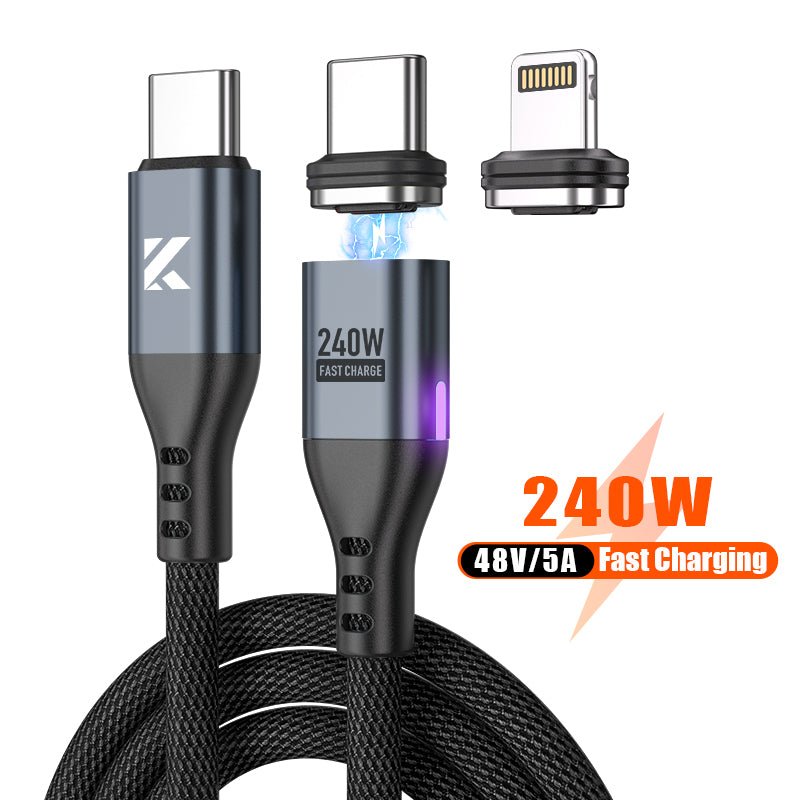
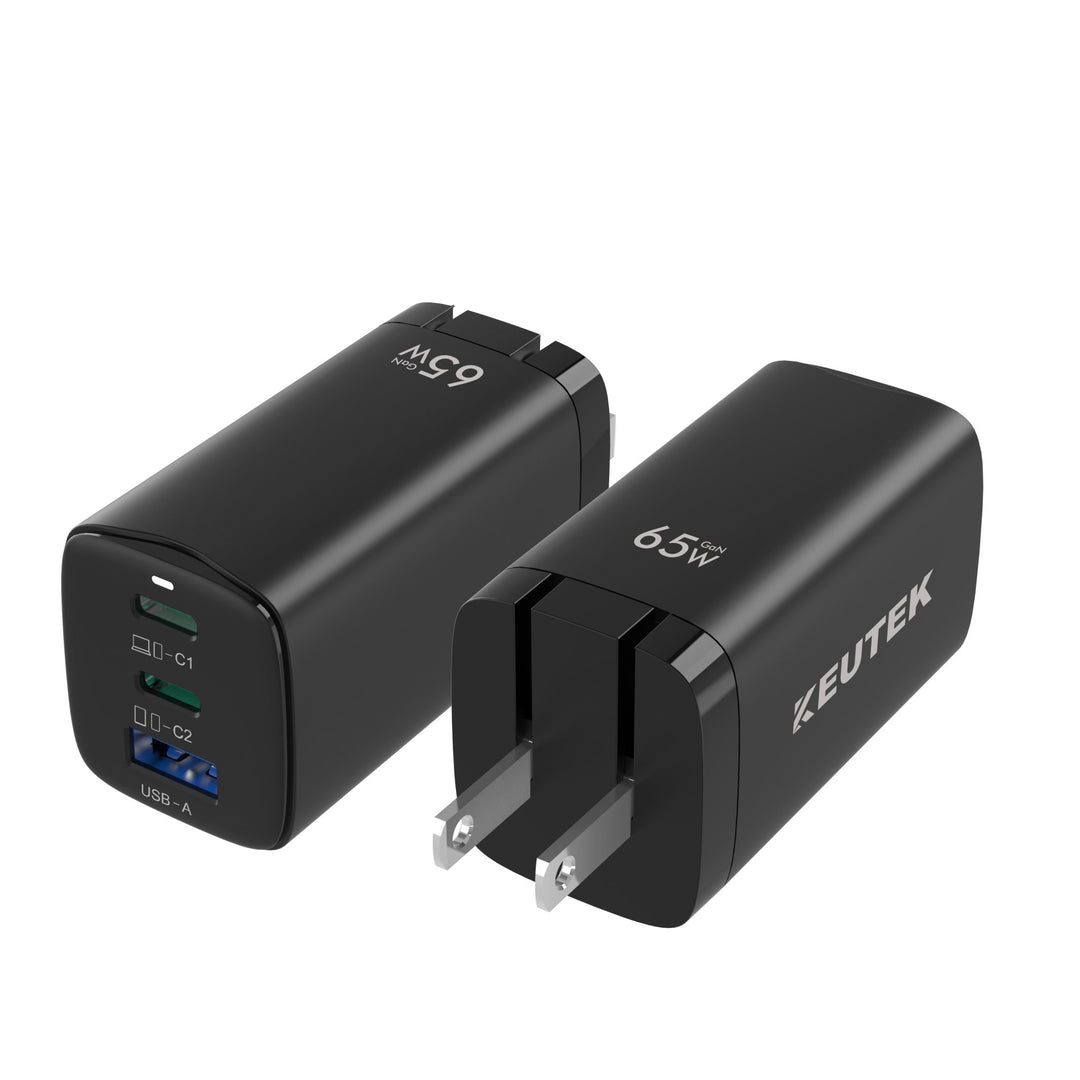
It’s not just the charging method that matters; the quality of your accessories plays a huge role, especially when you need a fast, reliable charge. You can have the best earbuds on the market, but if you connect them to a flimsy, low-quality cable, you’re creating a bottleneck. A good cable ensures a stable and reliable connection and is designed to efficiently deliver power using thicker internal wires. This isn't just about speed; it's about protecting your investment. Using a cheap, uncertified charger or cable can lead to excess heat, which can degrade your battery’s health over time. By pairing your earbuds with a high-performance fast wall charger and a quality charging cable, you ensure they charge safely and maintain their longevity, so you can count on them for years to come.
Does Wireless Charging Affect Battery Health?
Worried about how charging affects your earbud’s battery life? The truth is, the real culprit isn't the method but the habits. The most important thing is to avoid overcharging, which can degrade the battery over time. A helpful guide to maintaining your wireless earbuds suggests not leaving them on the charger for extended periods after they're full. On the safety front, you can rest easy. There are many common misconceptions about wireless charging, but it's perfectly safe when you use Qi-certified products. These devices are designed with safety standards that regulate temperature and prevent overheating, so you can charge with confidence.
How Much Should You Spend on Wireless Earbuds?
Deciding on a budget for wireless earbuds can feel a bit like a guessing game. With prices ranging from less than a dinner out to the cost of a new phone, it’s tough to know where the sweet spot is. The good news is that you don’t have to spend a fortune to get a great listening experience. The key is to match your budget with the features that actually matter to you.
Think about how you’ll use them. Are you looking for a simple pair for podcasts during your commute, or are you an audiophile who needs crystal-clear sound and total noise cancellation for deep focus? A higher price tag usually gets you better audio quality, longer battery life, and advanced features like active noise cancellation (ANC). But for many of us, a solid mid-range pair offers the perfect blend of performance and value. Let’s break down what you can expect at different price points so you can find the right fit for your wallet and your lifestyle.
Breaking Down the Price Tiers
When you’re shopping for earbuds, the market generally falls into three tiers. For under $50, you’ll find budget-friendly options like the Earfun Air or Soundpeats Air 4 Pro. These are fantastic for everyday listening or as a reliable backup pair. In the mid-range, you’ll see popular models like the Samsung Galaxy Buds FE and various Anker Soundcore earbuds. This is where you get a great balance of features, including solid battery life and good sound quality. If you’re ready to invest in a premium experience, top models like the Apple AirPods Pro or Bose QuietComfort Ultra Earbuds deliver exceptional audio, superior noise cancellation, and a more polished design.
How to Find a Great Deal on Earbuds
You can get more for your money if you shop smart. Big online retailers have a massive selection of earbuds, which means competitive pricing and frequent sales. When browsing, look for labels like "Overall Pick," which often highlights products with high ratings and low return rates, signaling a quality purchase that other customers love. It’s also a good idea to keep an eye out for seasonal sales events and limited-time deals. You can often snag a pair from a higher price tier for a mid-range price if your timing is right, giving you access to premium features without the premium cost.
Smart Shopping Tips for Online Buyers
Shopping for earbuds online is much easier when you know exactly what to look for. Before you start browsing, define what’s non-negotiable for your lifestyle. If you’re always on the move, prioritize all-day battery life and quick-charging capabilities—having a reliable fast car charger on hand can be a lifesaver. Don’t compromise on audio quality, either; look for clear, balanced sound and consider active noise cancellation if you need to tune out distractions. Above all, make sure you choose Qi-certified gear. This ensures your earbuds and chargers will work together safely and efficiently, giving you the freedom to use any compatible charging pad without a second thought.
Deciding Which Features Are Worth Paying For
Before you buy, make a short list of your non-negotiables. For most people, a compact and user-friendly charging case is essential for convenience and portability. Battery life is another big one. Remember that earbuds perform best when charged regularly, so your charging setup is just as important. Keeping your case topped off at your desk with a fast wall charger or while traveling with a portable power bank ensures they’re always ready to go. By focusing on your must-have features and adopting good charging habits, you can make any pair of earbuds a worthwhile investment that lasts.
Considering Sustainability in Your Purchase
As more of us think about our environmental footprint, it’s natural to want our purchases to reflect those values. Tech gadgets, with their fast-paced upgrade cycles, can feel especially wasteful if we aren't careful. The good news is you don’t have to choose between top-tier performance and being responsible. Many electronics brands are stepping up, building sustainability into their manufacturing from the start. By taking a moment to look beyond the specs, you can find earbuds that not only sound amazing but also come from a company that prioritizes the planet. This way, your purchase aligns with what you care about, giving you one more reason to feel great about your new gear.
Look for Eco-Friendly Certifications
So, how do you spot an eco-conscious brand? The easiest way is to look for official certifications on the packaging or product page. These labels are a clear sign that a company is taking real, measurable steps to reduce its footprint. For example, a product that is ClimatePartner Certified means the company has calculated and offset its carbon emissions. A Carbon Neutral certification from a body like SCS Global Services shows a similar commitment to balancing their impact. Another great one to find is the Global Recycled Standard (GRS), which guarantees the earbuds are made with at least 50% recycled materials. Choosing products with these labels helps you support brands that are genuinely invested in a healthier planet.
How to Make Your Wireless Earbuds Last
Investing in a quality pair of wireless earbuds is just the first step. To get the most out of them for years to come, you need to take care of them. Like any high-tech device, their lifespan depends heavily on how you use, charge, and store them. The good news is that a few simple habits can make a huge difference in preserving their battery life and overall performance. By adopting smarter charging routines, keeping them clean, and being mindful of how you use them, you can ensure your earbuds stay in top condition. It’s all about creating a routine that protects your investment and keeps your audio sounding crisp and clear.
Adopt These Smart Charging Habits
The lithium-ion batteries in your earbuds have a comfort zone. They perform best when you avoid draining them to zero or leaving them fully charged for long periods. Instead of waiting for the low-battery warning, try to keep the charge between 20% and 80%. This means shorter, more frequent charging sessions are better than one long overnight charge. Using a reliable power source is also key. A high-quality fast wall charger ensures a stable and efficient charge, which is much healthier for your battery than a low-quality, generic one. This simple habit prevents unnecessary strain and helps maintain the battery’s capacity over time.
Easy Ways to Keep Your Earbuds Clean
Earwax, dust, and pocket lint can build up on your earbuds, affecting everything from sound quality to charging capability. To keep them clean, regularly wipe down the earbuds and the inside of the charging case with a soft, dry, lint-free cloth. For the speaker mesh, gently use a soft-bristled brush or a dry cotton swab to clear away any debris. Avoid using water, harsh cleaning agents, or sharp objects, as they can cause permanent damage. When you’re not using your earbuds, always store them in their case. This not only keeps them charged but also protects them from dust and accidental drops.
How to Protect Your Earbuds' Battery Health
Beyond charging and cleaning, a few other practices can extend the life of your earbuds. Features like active noise cancellation and high-volume playback consume more power, so use them wisely if you want to conserve battery. Temperature also plays a big role. Avoid leaving your earbuds in extreme conditions, like a hot car or direct sunlight, as heat is a major enemy of battery health. If you’re on the go, a fast portable power bank can help you top off your charge safely without overdoing it. Finally, always install firmware updates from the manufacturer, as they often include optimizations for better battery management.
Understanding Smart Charging Features
It helps to think of your wireless charger as more than just a power source; it’s a smart device designed to protect your gear. When you use a Qi-certified charger, you’re getting a product that has been rigorously tested for safety and efficiency. These chargers have built-in safety protocols that act like a bodyguard for your battery, constantly monitoring temperature and managing power output to prevent overheating. This is what makes the "drop-and-go" convenience of wireless charging so reliable. You can confidently place your earbuds on the pad for frequent top-ups, knowing the charger will deliver the optimal amount of power without causing damage. To ensure this system works perfectly, always power your charging pad with a reliable power source for a stable and healthy charge.
How to Check Your Earbuds' Battery Level
Keeping an eye on your earbud’s battery level is a small habit that prevents the frustration of them dying right when you need them. Luckily, there are a couple of simple, built-in ways to check how much juice you have left, whether you have your phone in hand or just the case.
Using Your Phone or Device
The most direct way to check your earbud’s battery is right on the device they’re paired with. If you’re using an iPhone, a small battery icon for your connected earbuds will often appear in the status bar or in the battery widget, giving you a quick percentage reading. It's a seamless feature that makes it easy to monitor the battery level at a glance. On Android devices, you can typically find the battery percentage in your Bluetooth settings next to the name of your connected earbuds. Some Android phones also offer a widget for your home screen, so you always know where you stand without digging through menus.
Reading the Case's Status Light
What about when your phone is tucked away? Your earbud case has you covered. Most charging cases come equipped with a small LED status light that gives you a quick visual update on the battery level. While the specifics can vary by brand, the color code is usually pretty intuitive: green means the battery is full or nearly full, amber or yellow indicates a partial charge, and red signals that it’s time to power up. This is especially handy when you’re topping up your case with a fast portable power bank and want a quick status update. This simple battery indicator system means you never have to guess how much charge you have left.
Related Articles
- 5 Best Wireless Charging Earphones (For Any Budget)
- The 7 Best Wireless Charging Earphones (2025)
- Wireless Charging 101: Your Complete Guide
- Best 15-watt wireless charger
Portable Solar Power Bank 26800mAh - 99Wh Fast Charger
Lithium Polymer (Li-Po) battery. PD fast charging. Holds up to 8 days of reliable power on a single charge. Boasts a charging speed 50% faster than ordinary portable chargers.
Shop NowFrequently Asked Questions
Is wireless charging bad for my earbud's battery life? Not at all. The idea that wireless charging harms your battery is a leftover myth from the early days of the technology. Modern, Qi-certified chargers are designed with safety features that manage temperature and power flow to protect your device. What really matters are your charging habits. It’s healthier for your battery to have frequent, partial charges rather than letting it drain to zero and then charging it to full for hours on end.
Can I use any wireless charger with my earbuds? Yes, as long as both your earbuds and your charger are Qi-certified. Qi is the universal standard that allows devices and chargers from different brands to work together seamlessly. This means you don't need a specific charger from your earbud's manufacturer. You can use the same charging pad for your phone and your earbuds, which is a great way to reduce clutter.
When should I choose wired charging over wireless? Think of it as choosing the right tool for the job. Wireless charging is perfect for convenience, like topping off your earbuds at your desk or on your nightstand without fussing with cables. However, if you're in a hurry and need to power up as quickly as possible, a wired connection using a high-quality USB-C cable and a fast wall charger will almost always be faster.
What's the best way to clean my wireless earbuds? Keeping your earbuds clean is simple and helps them sound their best. Gently wipe the earbuds and the inside of the case with a soft, dry cloth. To clear any debris from the speaker mesh, you can use a dry cotton swab or a soft-bristled brush. Just be sure to avoid using any liquids, soaps, or sharp objects, as they can easily damage the sensitive electronic components.
Do I really need to spend a lot of money to get good wireless earbuds? Absolutely not. While premium models offer top-of-the-line features like advanced noise cancellation, you can find fantastic earbuds at very reasonable prices. Many mid-range and budget-friendly brands now include features that were once exclusive to expensive pairs, like great sound quality and long battery life. The key is to identify your must-have features and find a pair that fits your needs and your budget.


Leave a comment