

Your Guide to Choosing the Right USB-A to C Cable

Let's talk about cables – specifically, the USB A to C cable. It might seem like a simple accessory, but with so many options flooding the market, picking the right one can feel surprisingly complex. You want a cable that not only fits your devices but also delivers the fast charging and data transfer speeds you expect, all while being durable enough to handle your daily routine. If you've ever been frustrated by a slow-charging phone or a flimsy cable that frayed too soon, you know that quality matters. We're here to clear up the confusion, explain what to look for, and help you find a dependable cable that keeps your tech performing at its best.

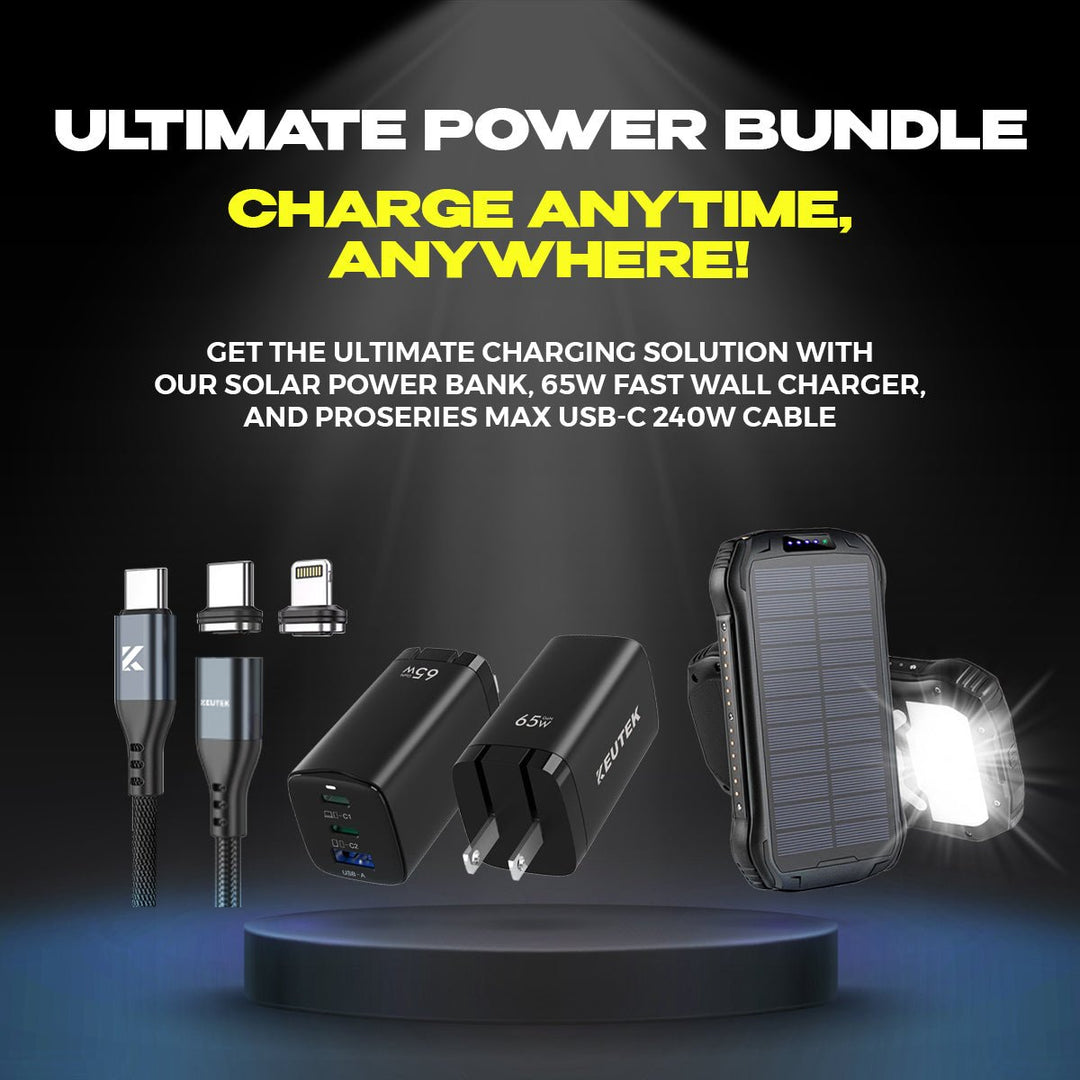
Portable Solar Power Bank 26800mAh - 99Wh Fast Charger
Lithium Polymer (Li-Po) battery. PD fast charging. Holds up to 8 days of reliable power on a single charge. Boasts a charging speed 50% faster than ordinary portable chargers.
Shop NowKey Takeaways
- Connect Across Generations: Use these cables to link older USB-A ports with newer USB-C devices, always verifying the cable matches your gadget's power and data requirements.
- Prioritize Key Features for You: Identify whether fast charging, data speed, or durability is most crucial, then select a cable with the right specs and length for your daily use.
- Choose Quality and Handle with Care: Opt for well-made cables from trusted sources, understand warranty options, and treat them gently to ensure long-lasting, reliable connections.
What Exactly is a USB-A to USB-C Cable?
Ever found yourself with a brand-new smartphone but your trusty old laptop or wall charger still has that familiar rectangular USB port? That’s precisely where a USB-A to USB-C cable comes into play. Think of it as a friendly adapter, designed to bridge the gap between your devices. It connects gadgets with those classic USB-A ports—like many computers, older power bricks, and car chargers—to your newer tech that features the smaller, oval-shaped USB-C port, common in modern smartphones, tablets, and even some laptops.
These cables are super handy for a couple of main reasons: charging your newer devices using your existing USB-A power sources, or transferring photos, files, and other data between them. For example, you could use one to connect your latest phone to your car's USB-A port with a reliable fast car charger to power up during your commute. It’s all about making sure your tech life runs smoothly, keeping everything connected and charged.
Let's Talk USB-A and USB-C Connectors
So, what’s the story behind these different connectors? USB-A is the one you’ve probably seen a million times – it’s that standard rectangular plug that’s been a staple for years. It’s pretty sturdy, but it only fits one way, which, let’s be honest, can sometimes lead to that little plug-flip-plug dance. You’ll find it on countless chargers, computers, and peripheral devices.
Then there’s USB-C, the newer, more versatile connector. This smaller, oval-shaped plug is a real game-changer, mainly because it’s reversible – meaning no more fumbling to get it in the right way! Beyond just being convenient, USB-C has truly revolutionized how we connect and power our gadgets. It supports faster charging speeds and zippy data transfers. Many of today's devices, from the latest smartphones to high-performance ProSeries USB-C cables, embrace this port. It also enables cool features like USB Power Delivery (USB PD), a smart charging technology that helps your devices get quicker charging times by negotiating for more power.
How It's Different from Other USB Cables
You might be tempted to think that all USB cables are created equal, but that’s not quite the case, especially when you compare USB-A to USB-C cables with older types like Micro USB or Mini USB. The most obvious difference is, of course, the shape of the connector. However, the improvements run much deeper than just looks. The USB-C standard was specifically developed to address the limitations of its predecessors, offering a significant step up in data transfer speeds and the amount of power it can deliver for charging.
It’s also really important to know that not all USB-A to USB-C cables perform the same. While they might look identical on the outside, the quality of the materials and how they’re built can vary quite a bit. This difference can directly impact how fast your device charges and how long the cable lasts. That’s why choosing a well-made cable from a brand you trust is key to getting reliable performance, whether you’re plugging into a fast wall charger at home or using a portable power bank while you’re out and about.
What to Look For in a USB-A to USB-C Cable
Alright, so you know you need a USB-A to USB-C cable, but with so many options, how do you choose the right one? It’s about more than just a plug; the cable itself impacts charging speed, data transfer, and how long it’ll last. Let's break down what really matters so you can find a cable that keeps up with your needs.
How Fast Can It Charge?
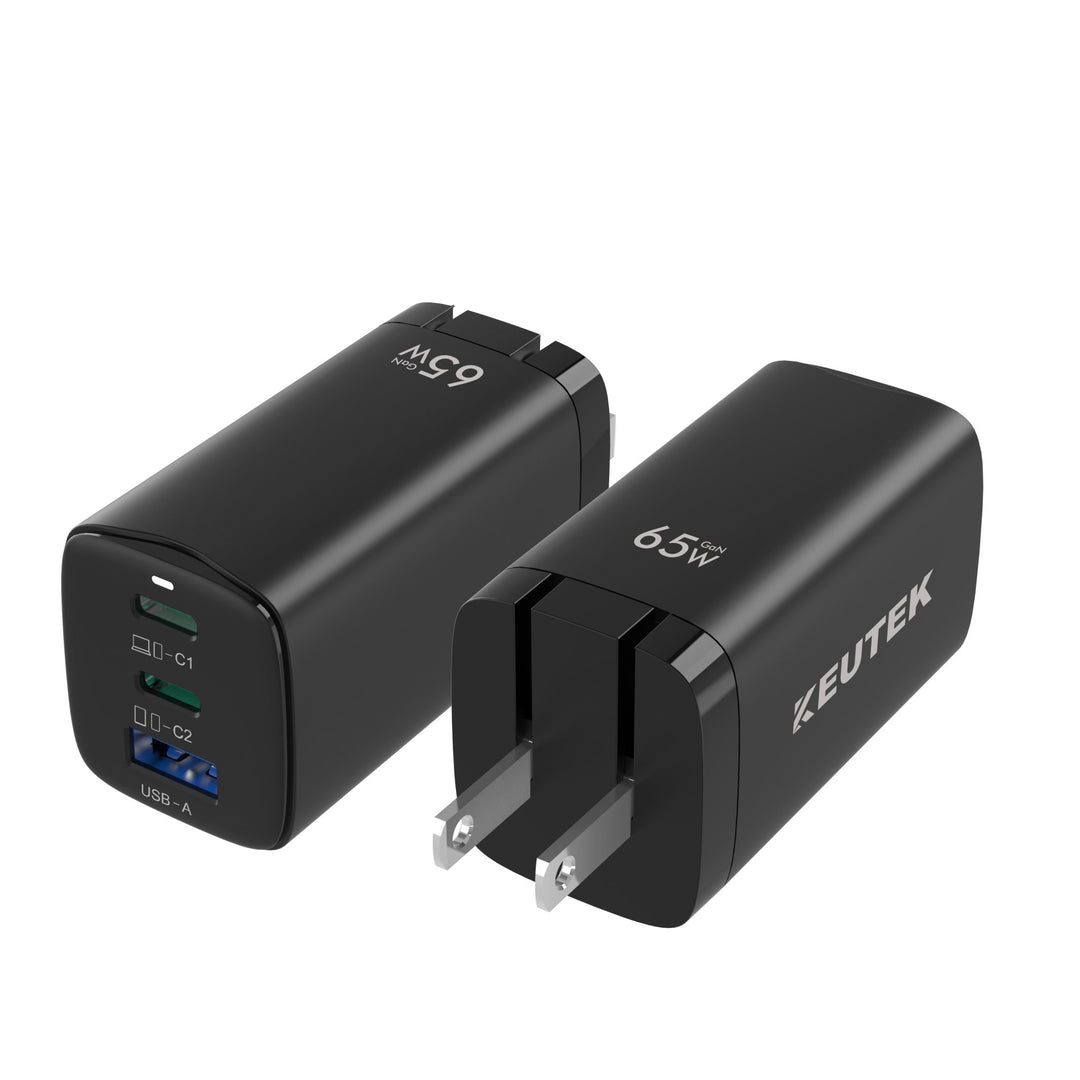
When your phone or tablet is running low, you want it to power up quickly. The cable you use plays a big part in this. Look for USB-A to USB-C cables that clearly state support for higher amperage (A) or wattage (W), as this indicates their ability to carry more power. While the USB-A connector has inherent limitations compared to a direct USB-C to USB-C connection, a well-made cable like KEUTEK’s ProSeries USB-C cables is designed to maximize the charging current your USB-C device can safely draw. For the best experience, always pair your cable with high-quality fast wall chargers that can deliver the power your devices crave.
How Quickly Does It Transfer Data?
If you’re often moving large files like photos, videos, or work projects between devices, data transfer speed is a key factor. Not all USB-A to USB-C cables handle data at the same rate. For faster transfers, seek out cables that support newer USB standards such as USB 3.0 or USB 3.1; these offer significantly quicker speeds than the older USB 2.0 standard. For example, as an explainer on USB standards will tell you, USB 3.2 can offer a maximum data transfer rate of 20Gbps. A basic cable might leave you waiting, so if speed is a priority, checking the data transfer specs is a must.
Will It Last? (Durability and Build)
Let’s face it, our charging cables often lead a tough life—tossed in bags, bent at awkward angles, or accidentally tugged. That's why durability is so important. A well-constructed cable will save you the frustration and expense of frequent replacements. Look for features like a braided nylon exterior, which adds significant strength and helps prevent tangling. Also, check for reinforced stress points where the cable meets the connector, as this is a common weak spot. At KEUTEK, we focus on creating robust cables built to withstand daily wear and tear, perfect for everyone from the outdoor adventurer to the busy professional.
Finding the Right Length for You
Cable length might seem like a minor detail, but it significantly impacts convenience. A cable that’s too short can leave you awkwardly tethered to an outlet, while one that’s too long can become a tangled mess. Think about where you’ll use your cable most. Shorter cables, around 1 to 3 feet, are ideal for use with a fast portable power bank in your bag or with a fast car charger to keep things neat. Longer cables, perhaps 6 feet or more, are great for reaching distant outlets, like the one behind your nightstand or across your desk.
Does It Support USB Power Delivery (PD)?
This is where things can get a bit nuanced with USB-A to USB-C cables. True USB Power Delivery (USB PD) is a fast-charging specification that allows devices to negotiate for much higher power levels, primarily over a USB-C to USB-C connection. While the USB-A port itself doesn't fully support the USB PD protocol for high-wattage negotiation, a high-quality USB-A to USB-C cable is still vital if your USB-C device is PD-compatible. The cable must be able to safely handle the power your device attempts to draw, ensuring it doesn’t become a bottleneck and allows your device to charge as efficiently as the USB-A source permits.
Picking Your Perfect USB-A to USB-C Cable
Alright, so you know you need a USB-A to USB-C cable, but how do you pick the right one from the sea of options? It’s not just about grabbing the first one you see. Thinking through a few key things can make all the difference in keeping your devices charged and your data flowing smoothly. Let’s walk through what really matters so you can find a cable that’s a perfect match for your needs and your gear.
Know What Your Devices Need
First things first, take a peek at the devices you’ll be using this cable with. Are you charging a smartphone, a tablet, a power bank, or maybe connecting to a laptop? Each device has its own power requirements. The USB Type-C cable has truly changed the game with its ability to handle fast charging and speedy data transfers, but not all cables are created equal in delivering that power.
Check your device's manual or specifications to see what wattage it supports for charging. Using a cable that can’t handle your device's needs might mean slower charging or, in some cases, no charging at all. For instance, if you have a phone that supports 60W charging, you'll want a cable like KEUTEK's ProSeries USB-C that can deliver that power efficiently.
Think About How You'll Use It
Next up, consider your lifestyle and how this cable will fit into it. Will it mostly live on your nightstand for overnight charging? Or are you a road warrior who needs a durable cable for your fast car charger that can withstand being tossed in a bag? Maybe you need a longer cable to reach an awkward outlet, or a shorter one to reduce clutter at your desk.
The newer USB-C standard is designed to improve data bandwidth and charging speeds, offering a slim, reversible connector for much better usability. How you plan to use your cable will guide your choice in terms of length, material, and even color if that’s your thing! For those constantly on the move or heading outdoors, a rugged, reinforced cable is a smart investment.
Quality vs. Budget: Finding the Sweet Spot
It's easy to think that if USB-A to USB-C cables look similar, they must perform the same. But as many of us have learned the hard way, that’s a common myth. While it might be tempting to go for the cheapest option, investing a little more in a quality cable often pays off in the long run with better durability and more reliable performance.
You don't necessarily need the most expensive cable on the market, but look for a balance. Reputable brands often use better materials and construction techniques, leading to cables that last longer and charge your devices safely. Consider it an investment in keeping your valuable tech powered up. You want a cable that won’t fray after a few months or, worse, damage your devices.
Does It Work with Fast Charging Protocols?
If fast charging is a priority for you (and let's be honest, who doesn't love a quick power-up?), then this is a big one. Many modern devices use specific fast-charging technologies, and USB Power Delivery (USB PD) is a common one that works over USB-C. This allows your device and charger to communicate and agree on the fastest possible charging speed.
For this to work, your charger, your cable, and your device all need to support the same protocol. So, if you have a fast wall charger that supports USB PD, make sure your USB-A to USB-C cable is also PD-compatible and rated for the wattage your device can handle. Checking the cable’s specifications for Power Delivery support will ensure you’re getting those speedy charge times you’re after.
Decoding USB-A to USB-C Cable Specs
Let's break down those cable specs. They can seem technical, but understanding a few key terms makes a huge difference in picking the right cable. Think of it as learning a few essential phrases – suddenly, it all makes sense! We'll cover what USB standards mean for you, how Power Delivery speeds up charging, what to expect from data transfer, and why high wattage support matters. This way, you can choose a cable that fits your ports and delivers the performance you need, whether for a quick charge or moving large files.
What Do USB Standards Mean?
USB standards like 2.0, 3.0, or 3.1 indicate a cable's generation, affecting data speed and sometimes power. The USB Type-C connector is a modern, universal solution. In fact, the USB Type-C cable has transformed device connectivity, allowing faster charging and data transfer. While your cable's USB-A end is traditional, the USB-C end offers versatility. Knowing the standard helps you understand its basic performance capabilities.
Understanding Power Delivery
Power Delivery (PD) is a big plus with USB-C, crucial for fast charging. This smart technology lets your device and charger negotiate the optimal power flow. This means your device can safely draw more power, leading to significantly faster charging speeds. PD can deliver up to 100W, so it can charge phones and even laptops quickly when paired with compatible fast wall chargers, like those in our ProSeries.
Getting a Grip on Data Speeds
Beyond charging, your USB-A to USB-C cable moves data, measured in gigabits per second (Gbps). Cables supporting USB 3.1 Gen 2, for instance, can hit 10Gbps – great for quick transfers of photos or large files. This means less waiting around. If you often move big files, checking the cable's supported data transfer speed is important for efficiency, ensuring your workflow isn't held back by slow transfers.
What About High Wattage Support?
For the quickest charge times, especially with larger devices or fast portable power banks, high wattage support is essential. USB-C cables are designed for this, allowing more power for faster recharges. However, not all USB-C cables are the same. Your device, charger, and cable must all support the higher wattage for fast charging to work. A USB-C end doesn't automatically mean it will fast charge every device optimally; the cable needs the correct power rating.
Great Cable Options to Check Out
Alright, so you're on the hunt for a great USB-A to USB-C cable, and let me tell you, finding the right one can feel like a bit of a quest with so many choices out there! The good news is, this variety means there's almost certainly a perfect match for your specific needs and how you use your tech. Think about it – the cable that’s ideal for a rugged outdoor adventurer who needs something super durable to charge their portable power bank in the wild might be different from what a busy professional needs for quick top-ups at their desk with a fast wall charger.
We're going to look at several standout options that consistently get high marks. My goal here is to give you a clear overview so you can feel confident picking a cable that won’t just work, but will actually make your tech life a bit easier. We'll cover brands known for their robust build, those that prioritize cutting-edge speed, and some that offer a fantastic balance of quality and value. Remember, the right cable isn't just a simple accessory; it's a crucial link that keeps your devices powered up and connected. Investing a little thought now can save you a lot of frustration down the line from slow charging or flimsy cables that give out when you need them most. At KEUTEK, we believe in performance and reliability, and that philosophy extends to understanding the whole ecosystem of charging, including the cables that deliver that essential power.
KEUTEK ProSeries USB-C: Power Up Your Devices
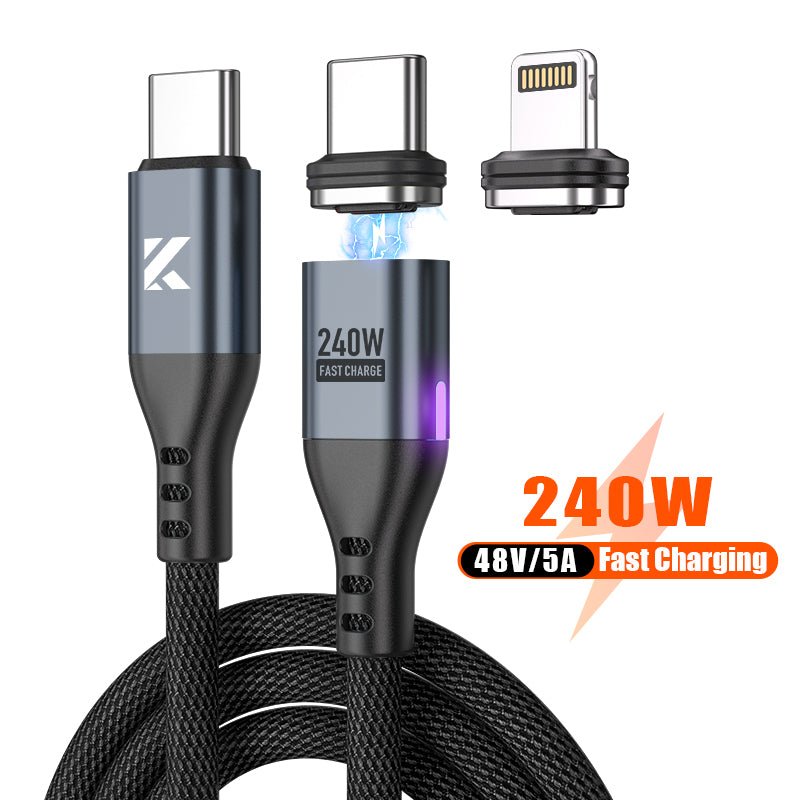
When it comes to powering your essential gadgets, you want something you can count on, and that's where the KEUTEK ProSeries USB-C cables really shine. These are designed for people who need reliable, fast charging, whether you're a busy professional, an outdoor adventurer relying on your gear, or someone who likes to be prepared for anything. KEUTEK focuses on high-quality materials and construction, so you're getting a cable built for durability and top-notch performance. They understand that you don’t have time for flimsy cables that fray or charge at a snail's pace. If you’re looking for a robust cable that supports fast charging and is built to last through all your adventures and daily demands, this series is definitely worth your attention.
Anker PowerLine+ III
Anker is a name many of us recognize, and for good reason. They have a wide array of USB-C cables, and their PowerLine+ series is particularly noteworthy. As one source mentions, "Anker's PowerLine+ series stands out for its durability, reinforced with double-braided nylon, ensuring longevity." This focus on robust construction means you're getting a cable designed to withstand the daily grind of plugging, unplugging, and even the occasional tug. If you've had cables fray on you in the past, exploring Anker's offerings could be a smart move for a longer-lasting solution. They aim to combine that toughness with reliable charging and data transfer capabilities.
Belkin BoostCharge
Belkin is another established player in the accessories market, and their BoostCharge line of cables is a popular choice for many. While I don't have a specific quote for this one, Belkin has built a reputation for producing reliable charging products that often meet stringent quality standards—you'll frequently see their gear in major retail stores. The BoostCharge cables are generally designed to offer a solid balance of charging speed and durability, making them a dependable option for everyday use with a variety of devices. If you're looking for a cable from a brand with a long track record, checking out Belkin's BoostCharge series is a good idea.
Aukey CB-CD5
Aukey often comes up in conversations about cables that deliver good performance without an excessively high price tag. While specific details on the CB-CD5 weren't in my immediate research, Aukey cables are generally known for providing a solid mix of features, including decent charging speeds and durable builds. They tend to cater to users who want reliable functionality and are looking for value. If you're searching for a cable that hits that sweet spot between performance and affordability, Aukey is a brand that many tech users trust for their charging needs. They often incorporate features found in more premium cables, making them a competitive option.
Amazon Basics
Sometimes, you just need a cable that works reliably without any extra frills, and that’s where Amazon Basics often fits the bill. These cables are typically straightforward, no-nonsense options designed to get the job done at an affordable price point. If your primary concern is having a functional USB-A to USB-C cable for everyday charging or basic data transfer, and you're perhaps looking to equip multiple locations or just need a spare without a hefty investment, Amazon Basics provides a very accessible solution. They offer various lengths and pack sizes, making it easy to grab what you need without overthinking it.
Cable Matters
The world of USB-C is all about progress, and Cable Matters is a brand that stays on top of these advancements. As one industry insight highlights, "The USB Type-C cable has revolutionized the way we connect and power our devices... manufacturers are pushing the boundaries to enhance the performance, durability, and versatility of USB Type-C cables." Cable Matters often focuses on providing cables that support the latest standards and offer robust performance for both charging and high-speed data transfer. If you're keen on getting a cable that's designed with future-proofing in mind and leverages current tech, looking into Cable Matters is a worthwhile step.
How People Use Them (And Some Common Myths)
USB-A to USB-C cables are pretty much everywhere these days, aren't they? They’re the unsung heroes connecting our reliable older gadgets to our shiny new tech. From juicing up your phone to linking up your essential accessories, these cables do a lot of heavy lifting. But, let’s be honest, with all this versatility, it’s easy to get a bit mixed up. You’ve probably heard a few conflicting things about what these cables can actually do, or maybe you’ve found yourself staring at a tangled mess of them in a drawer, wondering if they’re all just the same. It's time to set the record straight! We're going to look at how these cables fit into our daily tech lives and, more importantly, bust some common myths. Getting a clearer picture means you can pick the right cable for the job, keeping your devices powered up and running smoothly, whether you're working from your home office, out on an adventure, or just trying to stay prepared.
Everyday Charging and Data Moves
First things first, USB-A to USB-C cables are your go-to for two main jobs: getting power into your devices and shuffling data between them. Just think about how many times a day you might reach for one to charge your smartphone, tablet, or even some of the newer laptops. Many of these cables are designed to support fast-charging specifications like USB Power Delivery (USB PD). This clever tech allows your device and charger to talk to each other, agreeing on the best voltage and current to get you powered up much faster than older USB standards could manage. It’s a real game-changer when you’re in a hurry!
Beyond just keeping your battery full, these cables are also essential for moving your digital life around – think photos, videos, music, and important documents. Whether you're backing up your phone’s precious memories to your computer or loading up a presentation onto a portable drive, a good quality USB-A to C cable ensures that the connection for data transfer is stable and quick.
Hooking Up Peripherals and Adapters
Another super handy way people use USB-A to USB-C cables is for connecting all sorts of peripherals to their main devices. Still love your trusty USB-A mouse, keyboard, or that external hard drive packed with files? No problem! You can easily link them up to a newer laptop or tablet that only has USB-C ports using one of these cables. This ability to accommodate older USB connectors is fantastic because it means you don’t have to rush out and replace all your perfectly good accessories just because you’ve upgraded your computer.
However, there's a common belief that as long as you have a USB-A to USB-C cable, you can connect any device without a second thought. While they offer great compatibility, the cable's own quality and specs really do matter, especially if you're looking for speedy data transfers or reliable power for more demanding add-ons.
Clearing Up Compatibility and Performance Myths
Let's tackle a big one: the idea that all USB-A to USB-C cables are basically the same. It’s an easy assumption to make – if the ends fit, it should just work, right? Well, not quite. One of the most persistent myths is that every cable will give you identical quality and performance. The reality is, things like the thickness of the wires inside, the shielding that protects against interference, and the quality of the actual connectors can differ hugely. This is especially true when you compare a generic, no-name cable with a well-engineered one, like KEUTEK’s ProSeries USB-C cables.
It's also important to remember that not every USB-C port is the same, and neither is every cable. Some ports on your devices are built for super-fast data, while others might be more basic. Similarly, some cables are designed to handle high-speed data, others are all about delivering power efficiently, and some aim to do both well. Using a subpar cable can mean slower charging, frustrating data transfer glitches, or, in worst-case scenarios, it could even risk damaging your precious devices over time. That’s why choosing a reliable cable from a brand you trust is always a smart move for keeping your tech happy.
What's Next for USB-A to USB-C Cables?
Even though USB-A to USB-C cables are pretty common now, they're not done evolving. Manufacturers are constantly finding ways to make them better, tougher, and more efficient. Think about it – the tech world never sits still, and that includes the trusty cables we rely on every day. For those of us who need our gear to keep up, whether we're on an outdoor adventure, traveling frequently, or just want reliable power at home, these upcoming improvements are definitely something to watch. From stronger builds to even faster charging, the future looks bright for these essential connectors. We're seeing a push for cables that not only perform well but also last longer and align with more eco-conscious practices. This means you can expect cables that are not just a utility, but a smart investment in your tech ecosystem.
Making Cables Tougher
One of the biggest pushes we're seeing is in cable durability. Let's be honest, nobody likes a frayed or broken cable, especially when you're relying on it. Companies are using materials like double-braided nylon to seriously reinforce their cables. For instance, some brands highlight how their cables are "reinforced with double-braided nylon, ensuring longevity." This focus on robust construction is a huge plus for anyone who’s ever had a cable give up on them at the worst possible moment – and I know I have! At KEUTEK, we also prioritize durability, which you can see in our ProSeries USB-C cables, designed to withstand the rigors of daily use, whether you're a busy professional or an outdoor enthusiast. This means fewer replacements and more reliable connections when you need them most.
Speeding Up Data Transfers
While USB-A to USB-C cables are often associated with charging, they're also workhorses for data transfer. The good news is that we can expect these speeds to keep getting better. The USB Type-C cable itself has significantly changed how we "connect and power our devices, offering fast charging, high-speed data transfer, and universal compatibility." This ongoing improvement means less time waiting for files to move and more time getting things done. If you're transferring large photo libraries, video projects, or important work documents, every bit of speed helps. This is especially true for professionals and creatives who need efficient workflows. The aim is to make data syncing as seamless and quick as plugging in your device.
Better Power Delivery on the Horizon
Fast charging is a game-changer, and it's only getting more sophisticated. USB Power Delivery (USB PD) is a key technology here, as it "allows devices to negotiate a higher voltage and current draw, enabling faster charging speeds." This means your future USB-A to USB-C cables, when paired with compatible chargers like KEUTEK's fast wall chargers, will be even smarter about delivering the optimal amount of power to your devices in the shortest possible time. Imagine plugging in your phone or tablet and getting a significant charge in just a few minutes. This is fantastic for anyone on the go, from frequent travelers needing a quick battery top-up with a fast car charger to families juggling multiple devices. The goal is to make "battery anxiety" a thing of the past.
Greener Cable Choices
Sustainability is becoming a bigger factor in tech, and cables are no exception. There's a growing awareness and "demand for...reduced environmental impacts," which is influencing how charging technology, including cables, is developed. We're seeing that "manufacturers focus more on eco-friendly developments." This could mean using more recycled materials in cable construction, designing packaging that’s less wasteful, or creating products that are built to last longer, thereby reducing electronic waste. For those of us who care about making more environmentally conscious choices, this trend is a welcome one. It’s about finding solutions that are not only good for our devices but also a bit kinder to the planet, ensuring our tech habits are as responsible as they are efficient.
Keep Your USB-A to USB-C Cable Happy
Your trusty USB-A to USB-C cable works hard for you, from juicing up your phone to zipping files between devices. To make sure it keeps performing at its best, a little bit of care can go a really long way. Think of it like any other essential tool you rely on – treating it right will extend its life and keep you connected without a hitch.
Store It Right
How you store your cable when it's not in use significantly impacts its lifespan. USB Type-C cables are true workhorses, handling charging, data, and sometimes video, so keeping them in good shape is vital for their functionality. Instead of just stuffing it into a bag where it can get tangled or crushed, try loosely coiling your cable. It's crucial to avoid sharp bends, especially near the connector ends, as this is a common stress point. Using a simple cable tie or an organizer can prevent frustrating tangles and protect the delicate internal wires. This small habit can save you from dealing with a prematurely frayed or broken cable.
Dodge Common Damage
We’ve all been guilty of yanking a cable by the cord or accidentally rolling an office chair over it. These common mishaps are major culprits for cable damage. While robust cables like KEUTEK's ProSeries USB-C are built with extra durability, like reinforced nylon, even the toughest ones appreciate careful handling. The USB-C design, while convenient, has some inherent vulnerabilities if not treated gently. Always grip the connector head firmly when plugging or unplugging. Also, be mindful of how your cables are routed to prevent them from getting pinched or stepped on. A little awareness can significantly reduce wear and tear.
Know When It's Time for a New One
Even with great care, cables don't last forever. If your device charges slowly, the connection drops, or you see visible wear like fraying or a loose connector, it’s time for a new one. Using a damaged cable can be risky for your devices. Plus, with advancements in USB Type-C technology offering better speed and durability, an upgrade can improve your experience. An older cable might not be damaged but simply can't meet the demands of newer gadgets. It's a common myth that any USB-A to USB-C cable works for all devices; compatibility and performance vary, especially with fast charging. If your current cable isn't cutting it, a new, high-quality one is a smart move.
Ready to Buy? Here’s How to Decide
You’ve learned a lot about what makes a great USB-A to USB-C cable, from charging speeds and data transfer capabilities to durability. Now, you’re at the final step: choosing the specific cable that will become a reliable part of your tech toolkit. This decision is important because the right cable ensures your devices are always ready when you are, whether you're a professional relying on seamless connectivity, an adventurer needing rugged gear for the outdoors, or someone who simply values dependable fast portable power for everyday life.
Making this choice doesn't have to be complicated. With the information you have, you're well-prepared to select a cable that not only meets your technical requirements but also offers real value. Think of these final considerations as your checklist to ensure you’re investing in a product that will perform consistently and last. We’ll cover how to compare prices effectively, get the most out of customer reviews, and understand the importance of warranties and return policies. These steps will help you confidently pick a cable that you’ll be happy with for a long time to come, ensuring your gadgets stay powered up and connected, no matter where your day takes you.
Compare Prices and Snag Deals
As you start looking at specific USB-A to C cables, you’ll find that prices can differ quite a bit. Some cables are available for just a few dollars, while premium options with advanced features can cost much more—industry examples show a range from under $4 to over $140. This wide spectrum means there’s likely a cable that fits your budget.
However, it’s wise to look beyond just the price tag. Consider the overall value. A cable that costs a bit more, such as one from KEUTEK’s ProSeries USB-C line, often includes benefits like faster charging, superior durability, or a better warranty. These features can save you money and prevent frustration down the road. Also, keep an eye out for special offers or bundles, especially if you need multiple cables or plan to pair your new cable with a fast wall charger. Your aim is to find that perfect balance where cost aligns with the performance and quality you need.
Read Customer Reviews (The Smart Way)
Customer reviews are an incredibly useful resource, offering real-world insights from people who have already purchased and used the cables you’re considering. Think of it as getting firsthand advice. When a product consistently receives high ratings, like some well-regarded adapters on the market, it’s often a strong indicator that the cable is reliable and performs as advertised.
When sifting through reviews, look for consistent feedback. Are many users praising its robust construction or quick charging speeds? Conversely, are there repeated mentions of issues like premature fraying or a loose connection? Pay special attention to comments from individuals whose usage habits mirror your own—whether they are frequent travelers who need durable gear or tech enthusiasts who prioritize data transfer speeds. Specific details about how a cable performs with certain devices can also be very telling. This approach helps you look past just the star rating and truly understand the practical user experience.
Check Warranties and Return Policies
Before you finalize your purchase, take a moment to review the warranty and return policy for the cable. This is a crucial step because these policies act as your assurance if the product doesn’t meet expectations or has a defect. Many reputable cables come with a warranty; some might even offer a lifetime guarantee, while others provide coverage for a set duration, such as five years. Knowing you’re protected against manufacturing flaws offers valuable peace of mind.
A straightforward return policy is also a good sign. Some brands allow for refunds or replacements within a certain timeframe, often 30 days, if the product is faulty or simply not what you needed. This demonstrates that the company is confident in its products and values customer satisfaction. For instance, ensuring our customers are happy with the durability and performance of KEUTEK gear, like our fast car chargers, is a core part of our commitment. Always checking these details is a small effort that can make a significant difference in your buying experience.
Related Articles
- Braided USB C Cable: Your Ultimate 2024 Guide
- C-Type Fast Charging Cable Guide: Top Picks & Tips
- Best USB-C Fast Charging Cables: 2023 Guide
- What Is New In Tech? USB Type C Charging
- Does the USB Cable Have Any Effect on Fast Charging?
Frequently Asked Questions
Why would I actually need a USB-A to USB-C cable these days? Think of these cables as super helpful connectors for when your older gadgets, like laptops or wall chargers with those familiar rectangular USB-A ports, need to talk to your newer tech, like phones or tablets that use the smaller, oval USB-C port. They're perfect for charging your new devices with your existing power bricks or for moving files between them.
I've seen super cheap USB-A to USB-C cables. Are they just as good as more expensive ones? It's really tempting to grab the cheapest option, but when it comes to cables, you often get what you pay for. A well-made cable will generally charge your devices more reliably, transfer data without glitches, and, importantly, last much longer. Investing a little more upfront can save you from the frustration of slow charging or a cable that frays after just a bit of use.
Will a USB-A to USB-C cable charge my new USB-C phone as fast as possible? These cables are great for charging, but the USB-A end does have some built-in limits compared to a full USB-C to USB-C setup, especially for the super-high speeds of Power Delivery. A high-quality USB-A to USB-C cable will definitely help your phone charge efficiently from a USB-A port, but for the absolute top charging speeds your device might support, you'll typically need a USB-C charger and a USB-C to USB-C cable.
I have a bunch of older wall chargers with the rectangular USB-A port. Can I use these cables to charge my new phone that has a USB-C port? Absolutely! That's one of the most common and handy uses for these cables. They act as a bridge, allowing you to connect your newer USB-C devices to those trusty USB-A chargers you already own, so you don't have to replace all your power adapters right away.
What should I look for to make sure a USB-A to USB-C cable will last and not break after a few weeks? To find a cable that can handle the daily grind, look for signs of sturdy construction. Features like a braided nylon exterior often mean better protection against wear and tear, and reinforced material where the cable meets the plug can prevent those annoying frays. These details usually point to a cable designed for durability.


Leave a comment