

Portable Power Tools: Safe Off-Grid Power Guide

A cordless drill may work anywhere, but its battery eventually becomes the limit. A portable power station can extend that flexibility to a workbench, campsite, vehicle, or emergency repair area, provided the electrical match is checked before the tool is connected.
Review KEUTEK's 300W portable power station before planning a compatible off-grid tool setup.
What Are Portable Power Tools and Where Does a Power Station Fit?
Portable Power Tools can run from a power station when continuous output covers the tool's demand. Peak capacity must cover startup surge. The connector and input type must match. Available capacity must support the planned runtime.
The safest approach is to treat every job as a small power-planning exercise. Start with the tool label and the station specifications, then account for motor startup, conversion losses, duty cycle, and any other loads sharing the outlet. That makes it easier to choose the right setup for outdoor work without overpromising what a particular station can handle.
Portable power tools are tools designed to move with the job rather than stay connected to a fixed workshop outlet. The category includes drills, saws, sanders, grinders, and similar equipment used for construction, home repair, camping projects, and field work. Some run from removable battery packs, while others use a standard AC power cord.
That distinction matters when choosing a portable power source. A cordless tool draws power from its dedicated battery system. In that setup, the power station may be useful for recharging the battery, provided the charger input, connector, and station output are compatible. The tool does not necessarily connect directly to the station. Check the charger label and the power station specifications before use.
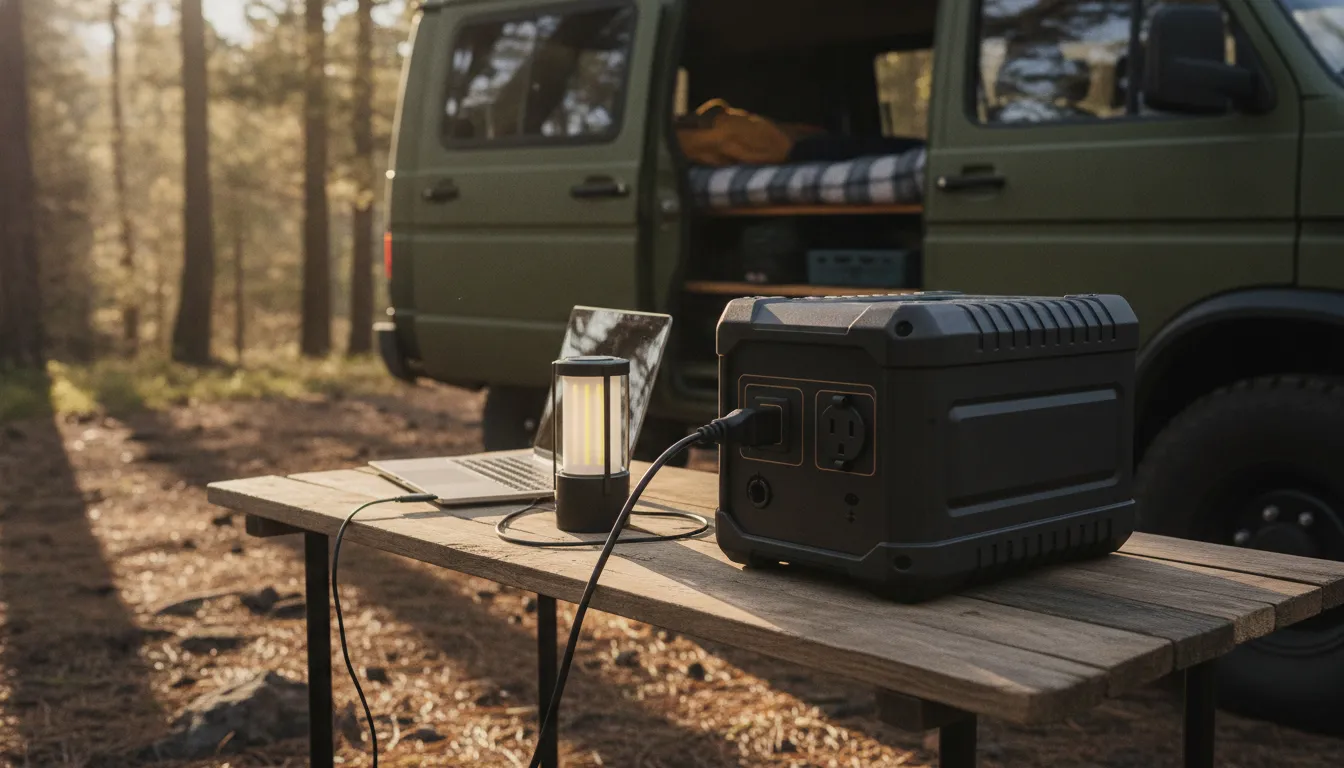
An AC tool works differently. Its cord connects to the power station's AC outlet, so the station must provide the appropriate voltage, continuous wattage, connector, and waveform for that tool. Motorized equipment can also require a brief startup surge above its normal running demand. A tool that appears within a station's continuous rating may still be unsuitable if its startup requirement exceeds the station's peak output.
How does a power station help outside a workshop?
For outdoor work, a portable power station can provide a convenient source for compatible AC tools or for charging cordless tool batteries where grid power is unavailable. Academic equipment guidance notes that portable power stations are increasingly used for tools in camping, emergencies, and home projects. The practical takeaway is not that every tool will run from every station. Compatibility depends on the specific tool, charger, station outputs, and available energy.
At home, a station can support a repair workflow when an outlet is inconvenient or during a short power interruption. In an emergency, it may help keep a compatible charger or small repair tool available, while preserving capacity for higher-priority devices. Plan the complete load instead of judging one tool in isolation, especially when charging several batteries or devices at once.
Start by reading both labels, then compare continuous output and startup surge. Estimate how long the job may take, account for conversion losses and cycling, and test the setup before relying on it outdoors or during an outage. For a compact option, review KEUTEK's reliable 300W portable power station, but treat its listed output as a specification to compare against your equipment, not a guarantee of compatibility.
A generator sizing guide also explains why both wattage and peak surge capacity matter when powering electric tools.
How Do You Match Tool Wattage to a Portable Power Station?
Start with the tool label, then compare its requirements with the power station's output specifications. A successful connection depends on more than the number printed on the station. You need to account for the tool's normal running demand, its startup surge, the type of output it uses, and the connector or input standard required.
Running watts are only the starting point
Running watts describe the power a tool typically consumes while operating. Find this information on the tool's rating plate, power adapter, owner's manual, or battery charger. Some labels list amps and volts instead of watts. In that case, a basic estimate is volts multiplied by amps, but use the manufacturer's stated wattage when it is available.
Motorized equipment can briefly draw more power when it starts than it uses after reaching operating speed. That temporary demand is called startup or peak surge. A power station must have enough continuous output for the running load and enough surge capacity for the starting event. A generator-sizing guide likewise identifies both wattage rating and peak surge capacity as important when powering electric tools: review the wattage and surge guidance before making a final choice.
Match AC or DC output to the tool
Next, identify how the tool expects to receive power. A corded tool generally uses AC through a standard wall-style outlet, while a USB-powered device or compatible accessory may use DC. Do not assume that a physical connector makes two devices compatible. Confirm the voltage, amperage, polarity where applicable, and connector type before plugging anything in.
Battery-powered tools require a separate check. The tool battery may not connect directly to the station. Instead, you may need the manufacturer's charger, and that charger must match the station's available output. Charging a battery also creates a different load from operating a corded tool directly, so plan around the charger's label rather than the tool's marketing name.
Leave conservative headroom
Do not select a station whose listed output barely matches the tool's label. Allow practical headroom for startup demand, changing loads, and the fact that real-world operation may differ from a nominal rating. If you will run more than one device, add their expected simultaneous loads and compare the total with the station's continuous rating. For outdoor work, evaluate every planned tool before connecting the first one, rather than relying on trial and error.
KEUTEK's 300W portable power station lists 300W of continuous output, but that figure does not guarantee that every tool will run. Confirm the individual tool's running wattage, startup requirement, output type, and connector needs against the station documentation. When any specification is missing or unclear, choose a lower-demand workflow or consult the manufacturer before use.
Related products

At the core of this bundle is KEUTEK's dedication to providing solutions that exceed expectations.
View product

How Can You Estimate Runtime Before Starting a Job?
Runtime is an estimate, not a guarantee. The result depends on the station's usable battery capacity, the tool's actual draw, conversion losses, and how often the tool runs. A label showing maximum wattage is useful for compatibility planning, but it may not reflect the energy consumed during an entire job. Start with the tool label and the power station display or manual, then calculate conservatively.
Keep the units separate: watts describe the rate of energy use, while watt-hours describe an amount of stored energy. Dividing Wh by W gives hours only when the load is steady and the conversion is ideal. Real work requires a downward adjustment, so the result is best used to compare plans and identify a comfortable reserve.
- Record the available energy. Find the station's battery capacity in watt-hours (Wh). Use the published usable capacity when the manufacturer provides one. If only a nominal capacity is listed, treat it as a starting point rather than energy you can necessarily draw at the outlet.
- Estimate the tool's consumed power. Use the tool's rated watts when available. For a variable-speed tool, use the expected working draw, but do not assume the lowest possible number. A motorized tool can consume more during startup or under load. The basic relationship is runtime in hours = watt-hours divided by consumed watts, a method also described in the University of Colorado Denver battery guidance: runtime guidance.
- Apply a conversion adjustment. When a station converts battery power to AC, some energy is used by the conversion system. For a practical estimate, reduce the theoretical result instead of treating every stored watt-hour as tool output. The station manual is the authority for its efficiency information and operating limits.
- Account for duty cycle. Tools rarely run continuously for the full job. A saw may run only while cutting, while a charger or light may draw power for longer. Write down the expected active minutes per hour. For example, a clearly illustrative calculation of 500 Wh divided by a 250 W load produces two theoretical hours before losses. If that tool runs only half the time, the elapsed job window could be longer, but the starting and stopping pattern still affects real consumption.
- Recheck conditions before connecting. Include other loads, temperature, cable length, and any battery charging that will happen at the same time. If the plan is close to the station's limits, choose a lower-demand workflow or a larger-capacity unit rather than relying on the best-case estimate. For broader planning, review choosing the right portable power station.
Repeat the calculation for each tool and total the energy for the complete job. Keep the example separate from product performance claims: a station's advertised capacity does not promise a specific runtime for any particular tool setup. Confirm the connector, output type, continuous rating, and manual guidance before work begins.
What Load-Planning Steps Make Outdoor Work Safer?
A dependable setup starts before you plug in a tool. Outdoor work changes quickly, so plan for the tool you intend to use. The way it starts, the surrounding conditions, and what you will do if the power station limits output. Clemson Extension recommends evaluating the power requirements of all tools involved when creating an outdoor work station. Review the load-planning principle, then apply it to your Portable Power Tools setup.
- Read every label first. Record the tool's input voltage, running wattage or amperage, connector type, and any manufacturer warnings. Confirm that the station's matching output is rated for that input. If a label is unclear, do not guess. Check the tool manual or contact the manufacturer.
- Plan one tool at a time. For a saw, drill, sander, or similar motorized tool, start with a single connected load. This makes the station's output easier to monitor and reduces the chance that two devices will compete for available power. Do not assume that a station can run multiple tools simply because their listed running watts appear to fit.
- Account for combined loads and startup surge. Add the expected running demand of every device that may operate simultaneously, including chargers, lights, or other accessories. Motors can briefly draw more power at startup than they use while running. Leave conservative headroom under the station's continuous and peak limits, and follow the station manual when those ratings differ from a tool label.
- Choose a protected work location. Keep the station and connections dry, shaded from direct exposure when possible, and away from standing water, dust, sparks, and heat sources. Never claim a station is weatherproof or safe in rain unless its documentation specifically says so. Maintain ventilation around the equipment, and never cover vents during operation.
- Route cables deliberately. Place the station where cords will not cross walkways, sharp edges, wet ground, vehicle paths, or cutting areas. Use only compatible, undamaged cables. Keep connectors fully seated, but never force a plug or use improvised adapters.
- Know the overload response. If the station alarms, shuts off, or displays an overload warning, stop the tool and disconnect the load. Do not repeatedly reset it without finding the cause. Recheck the tool requirements, startup behavior, cable condition, and combined load before trying again.
- Prepare for interruption. Keep a flashlight, first-aid supplies, a phone, and a safe manual backup plan nearby. Before starting, tell someone where you are working and test the setup briefly with the actual cable and tool. Stop immediately if conditions become unsafe, the equipment overheats, or a cable becomes damaged.
A short pre-start check should confirm:
- The output and input ratings match.
- The planned load stays below continuous and startup limits.
- Cables are intact, visible, and kept clear of hazards.
- The station can be stopped quickly if conditions change.
Which Portable Power Tools Are Better Fits for a Power Station?
The best match depends less on the tool category than on how the tool draws power. A cordless drill may only need a battery charger, while an AC saw draws directly from the station and may demand a brief startup surge. Portable power stations can support tools for camping, emergencies, and home projects when the tool input and station output match.
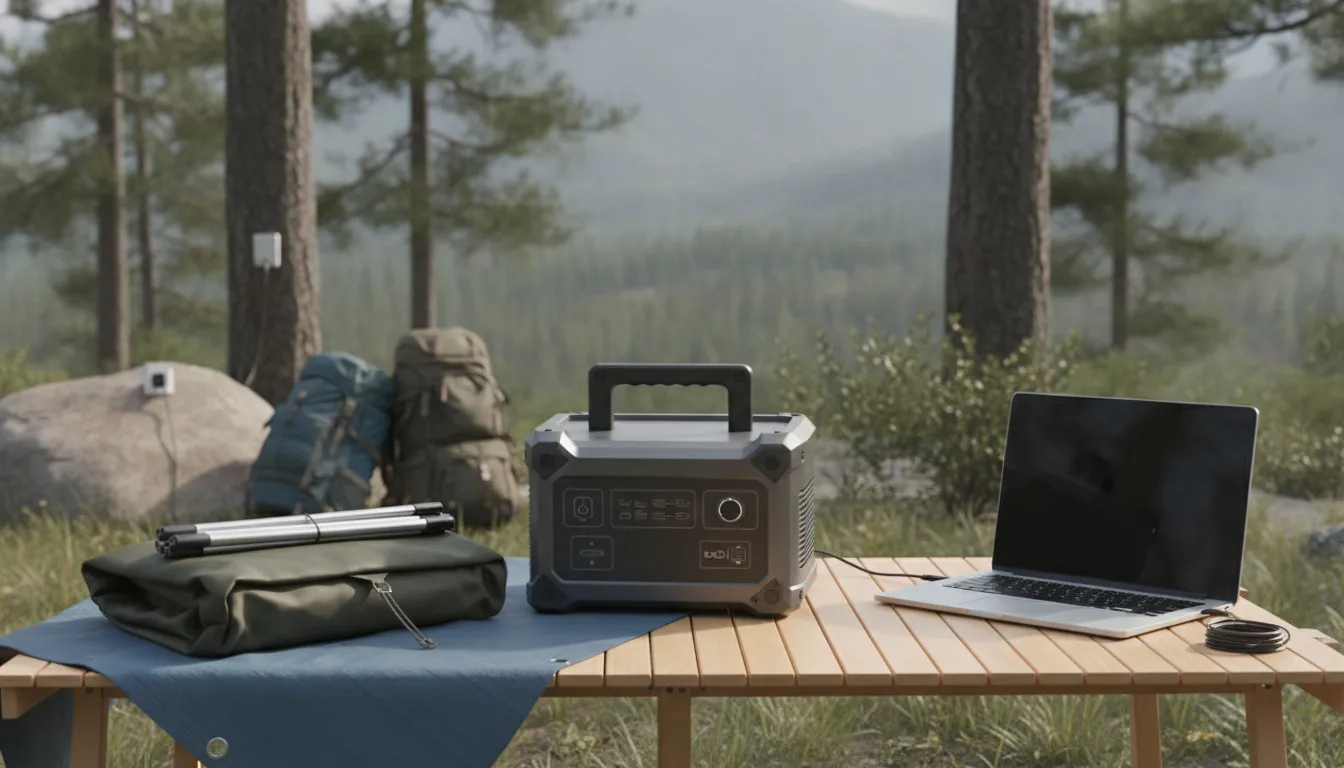
Use the tool's label and the station manual as the final authority. A category name alone cannot establish compatibility, and a listed station output is not a universal promise for every tool.
| Demand category. | Typical workflow | When it can be a good fit | What to verify first |
|---|---|---|---|
| Lower demand | Charging cordless drill, driver, light, or other tool batteries from the station. | This is often the simplest workflow when the charger's input fits the station's available AC or DC output. | Confirm the charger input, connector, output type, and the station's continuous rating. |
| Moderate demand | Running a small AC tool for short, intermittent tasks | This may work when the tool's running wattage stays below the station's continuous output with conservative headroom. | Read the tool label and account for the charger or tool's actual input, not only its marketing category. |
| Higher demand | Operating a saw, grinder, compressor, or other motorized AC tool continuously | This is a conditional fit only when both the running load and motor startup surge are within the station's limits. | Check peak or surge capacity, continuous wattage, duty cycle, and the manufacturer's instructions before connecting. |
The label and startup behavior decide compatibility. A tool can appear modest while its motor briefly pulls more power when it starts. That is why wattage and peak surge capacity matter when powering electric tools, as outlined in this generator sizing guide. If the station cannot supply that initial demand, it may shut down even when the tool's running wattage looks acceptable.
Plan one load at a time unless the station manual confirms that combined loads are supported. Check every tool and charger label before heading outdoors, then compare the total planned demand with the station's continuous output. For a broader setup, review KEUTEK's portable power solutions for off-grid use. Treat any runtime as an estimate: available watt-hours divided by consumed watts must be adjusted for conversion loss and the tool's cycling. When the label, connector, or surge requirement is unclear, choose battery charging instead of direct AC operation or consult the station manufacturer.
How Should You Prepare a Portable Power Setup for Emergencies?
An emergency repair is easier to manage when your power setup is planned before the outage, storm, or equipment failure. Start with an inventory of the tools you may need, such as a charger, light, fan, or repair device. KEUTEK does not sell power tools, so use each tool manufacturer's label and manual as the authority for its electrical requirements.
Record the requirements for every tool
Write down each tool's input voltage, running wattage, connector type, and any stated startup or peak requirement. Motorized tools can draw more power briefly when they start. A power station's continuous output and peak surge capacity both matter, and the tool must also match the station's available AC or DC connection. Never assume that a listed station output guarantees compatibility. Check the complete combination before connecting it.
For smaller, lower-demand equipment, review whether a reliable 300W portable power station fits the recorded requirements. Treat 300W as the product's listed continuous-output descriptor, not as a promise that every emergency tool will run.
Prioritize loads and test the setup
Rank your loads by urgency. Emergency lighting, communications, medical equipment, and a device needed to complete a repair may come before convenience items. Add the requirements of anything you expect to operate at the same time. Evaluating the power needs of individual tools and the combined load helps prevent an avoidable overload. If the station supports one device safely but not two together, plan to use them one at a time.
Charge the station before severe weather arrives, then perform a brief test with the actual cable, connector, and intended load. Confirm that the display, output mode, and charging indicators behave as expected. A test also reveals damaged cords, loose plugs, or adapters that do not fit. If runtime matters, use the station's watt-hour capacity and the device's consumed watts as a starting estimate, then allow for conversion losses and cycling. Actual results vary by load and operating conditions.
Store it safely and reassess conditions
Keep the station, cables, and adapters together in a dry, protected location where you can reach them quickly. Follow the product manual for storage temperature, charging, and inspection guidance. Before use, reassess weather, moisture, ventilation, and cord placement. Keep connections protected from water, avoid damaged cables, and maintain clear airflow around the station. Do not use a portable power station in a location or manner prohibited by its manual.
Explore portable power solutions for emergency and off-grid readiness.
Frequently Asked Questions
Can a portable power station run every portable power tool?
No. Compatibility depends on the tool's running wattage, startup surge, connector or input type, and the station's continuous and peak output ratings. Check both labels and the station manual before connecting a motorized tool. High-demand tools may exceed the station's limits even if they appear to operate briefly.
Why does startup surge matter for motorized tools?
A motor can draw more power for a short period while starting than it uses during normal operation. That startup surge can trigger overload protection if it exceeds the station's peak rating. Compare the tool's startup requirement with the station's peak capacity, and leave conservative headroom rather than planning around the maximum.
How can I estimate runtime before using a tool?
Start with the basic estimate: battery capacity in watt-hours divided by the tool's consumed watts. For example, a 500 Wh station paired with a tool drawing 250 W gives a theoretical two-hour estimate. Actual runtime will be lower because of conversion losses, battery limits, and the tool's duty cycle, so treat the result as a planning estimate, not a guarantee.
Can I use multiple portable power tools at the same time?
Only when the combined running load remains within the station's continuous output and each tool's startup demand is supported. Add the requirements for every device that may operate simultaneously, then check the total against the manual. Using one tool at a time is often the simpler and safer plan for outdoor work.
Are portable power tools useful during an emergency?
They can support emergency repairs when the station, tool, cables, and available capacity are properly matched. Before an outage or storm, charge the station, inspect connections, identify priority loads, and perform a test run. Keep the setup dry, ventilated as directed, and follow the tool and power station safety instructions.
Get started with the right portable power setup
Choosing a station by continuous output, startup surge, and estimated runtime can help you plan portable power tools with fewer surprises. Review KEUTEK portable power solutions and compare the listed specifications with your tools, load, and runtime needs. Get started by reviewing KEUTEK portable power solutions.


Leave a comment