

Portable Power Generator for Home: Outage Checklist

A power outage is easier to manage when you decide what must stay running before the lights go out.
Start with the refrigerator, phones, internet equipment, essential lighting, and other necessary low-load devices. Then check each device's requirements instead of assuming one backup source can run everything.
A Portable Power Generator for Home can be a practical fit for essential electronics, communications, lighting, and carefully verified small loads. Choose it by matching output in watts to device demand and stored energy in watt-hours to the time you need, while following the unit's indoor-use instructions.
The right plan is not about powering the whole house. It is about prioritizing critical loads, understanding startup demands, protecting battery capacity, and knowing how you will recharge. Begin by building a simple home-outage load plan that separates must-have devices from convenient extras.
See the KEUTEK 300W Portable Power Station and match its output and capacity to your essential outage loads.
What Should Your Home-Outage Load Plan Include?
A useful outage plan starts with the devices that protect food, preserve communication, and help your household function safely. List each item, record its input wattage from the label or manual, and note whether it needs continuous power or can be used intermittently. This simple audit is more dependable than choosing a backup unit by appearance or assuming every appliance has the same demand.
Portable power stations are suitable for essential household items such as refrigerators and communication devices. But the right setup depends on your actual loads and the station's rated output and watt-hour capacity. Organize your list into three tiers so you know what to connect first when available energy is limited.
Tier 1: Keep safety and communication available
- Communications: Include a phone, emergency radio, and any required charging cables. Keep at least one phone ready for calls, alerts, and local updates.
- Medical devices: Identify any electrically powered medical equipment before an outage. Do not assume a compact station can operate it. Confirm the device's starting and running requirements, the power station's specifications, and guidance from the equipment provider or clinician. Arrange an appropriate backup plan for any medically essential equipment.
- Lighting: Prioritize LED lamps, flashlights, and rechargeable lights rather than trying to power every fixture in the home.
Tier 2: Protect food and basic home connectivity
- Refrigerator: Record the refrigerator's operating and startup requirements. Because a compressor cycles, its demand can change, so allow for startup surge and avoid treating a single label number as a runtime promise.
- Networking: Add the modem, router, or mesh node if internet access supports work, emergency communication, or household coordination. Power only the networking equipment you actually need.
Test this tier before storm season or another likely outage. Connect the refrigerator and networking equipment separately, observe whether the station accepts the load, and verify that each device restarts normally. A test can reveal an incompatible plug, an unexpected startup demand, or a cable that needs replacing while there is still time to correct it.
Tier 3: Add convenience loads only after essentials
Once the first two tiers are accounted for, consider laptops, tablets, small fans, personal electronics, or other low-load devices. These are useful, but they should not displace refrigeration, lighting, communications, networking, or verified medical needs. Keep a written priority order near the equipment and label the cables so anyone in the household can follow it.
For a clearer distinction between small-device charging and broader outage planning, review refrigerator and communication planning. The goal is not to energize the whole home. It is to match a universal, rugged backup solution to the specific loads that matter most, then manage those loads deliberately.
How Do Watts and Watt-Hours Change Your Backup Plan?
Two numbers shape whether a backup setup can run an essential device: watts and watt-hours. Watts describe the power a device needs at a given moment. Watt-hours, or Wh, describe how much energy a battery can store and deliver over time. Keeping those measures separate prevents a common planning mistake: choosing a unit with enough stored energy but not enough output, or enough output but too little capacity.
Start with running watts. This is the ongoing demand after a device is operating normally. Motors and compressors can also create a startup surge, which is a brief demand above the running level. A refrigerator is a useful example because its compressor may need more power when it starts than it uses while running. Check the appliance label, manual, or manufacturer specifications for both figures when available. Add the running watts for devices you expect to use at the same time, then compare that total with the power station's continuous output and surge capability.
Next, plan energy capacity. A battery rated in Wh can support a load for a period of time. But the result depends on the actual device draw, conversion losses, operating cycles, and other connected equipment. KEUTEK emphasizes understanding total Wh capacity as part of practical outage planning. That makes Wh a planning metric, not a promise that every device will run for the same number of hours.
Illustrative runtime formula
Estimated runtime in hours = battery capacity in Wh multiplied by an efficiency factor, divided by device draw in watts.
For example, if you use an illustrative 80% efficiency assumption. A 300 Wh battery serving a 30 W load works out to 300 Wh x 0.8 / 30 W, or about 8 hours. Confirm the efficiency factor through real testing or the manufacturer's published specifications. This formula is illustrative only, not a product guarantee.
A cycling appliance, such as a refrigerator, will not draw its maximum running wattage continuously. Its actual result requires measurement and conservative planning.
| Measure. | What it tells you. | How to use it in a backup plan. |
|---|---|---|
| Running watts. | The ongoing electrical demand while a device operates normally. | Confirm that the power station can support the combined demand of devices used at the same time. |
| Startup surge. | The brief extra demand some motors or compressors require when starting. | Check the station's surge rating before connecting equipment that may start under load. |
| Watt-hours. | The stored energy available for supplying loads over time. | Estimate operation time while allowing for efficiency losses and changing demand. |
For a deeper sizing walkthrough, review this portable power station for home emergency guide.
A compact backup plan works best when every connected device has a documented role. Keep the load list with the station, update it when you replace an appliance, and retest the setup after any change.
Then list each essential device, record its watts, identify possible startup demand, and decide which loads can be staggered. That simple audit gives your backup plan a measurable foundation without treating a rating as a guarantee.
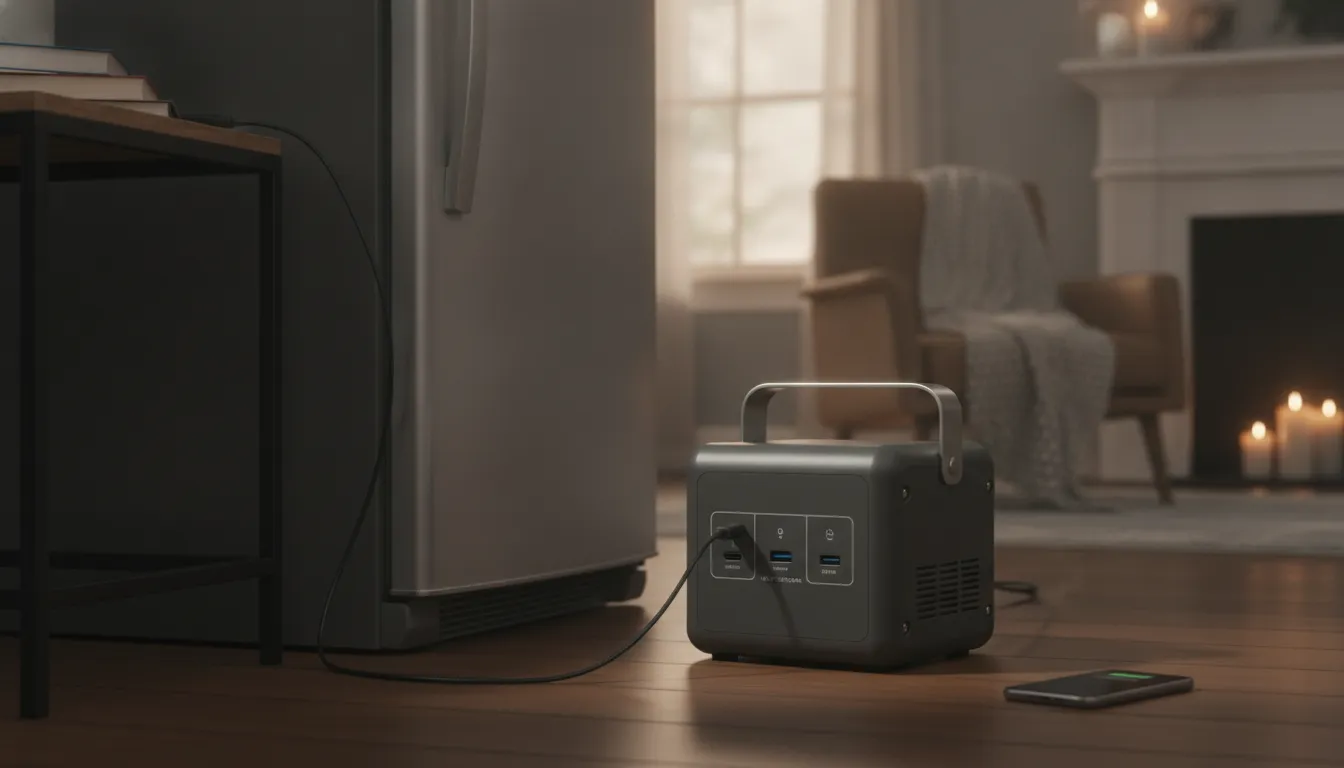
Can a Portable Power Station Keep a Refrigerator and Communications Online?
A refrigerator and a communications setup serve different purposes, so plan them as separate loads rather than assuming one outlet or one operating pattern. A refrigerator may draw power intermittently as its compressor cycles on and off. Phones, a modem, router, or small radio may use a steadier, lower load. Portable power stations can support essential household items such as refrigerators and communication devices. But the actual result depends on the equipment labels, the station's output limits, and its available watt-hour capacity.
Start with the labels, not an assumed runtime
Before an outage, record the rated watts for each device you may connect. Look at the refrigerator data plate or owner manual, and check the input information on networking equipment, chargers, and radios. The running figure is only part of the assessment. A refrigerator compressor can require a higher startup demand than its normal operating draw. So compare both the station's continuous output and its surge capability with the appliance requirements.
Then estimate the energy pattern in watt-hours. Wattage describes power being delivered at a moment, while watt-hours describe stored energy over time. A device that uses modest watts can still consume meaningful capacity when it runs continuously. A refrigerator that cycles may use power in bursts, but its cycle length varies with temperature, contents, room conditions, and door openings. Treat any runtime calculation as a planning estimate, not a guarantee.
Use a priority order when capacity is limited
Write a simple outage order before you need it. Use this sequence:
- Preserve food by connecting the refrigerator only after confirming input and startup compatibility.
- Maintain communications by charging a phone, then powering only needed network equipment or a radio.
- Add a small light or other convenience load after the first two categories are covered.
This order also makes it easier to conserve watt-hours. Keep the refrigerator closed as much as possible, charge phones in batches, and disconnect idle adapters. If networking equipment is not needed continuously, power it during scheduled check-in periods instead of leaving every device active.
Test the setup before an outage
Do a controlled test while utility power is available. Confirm that the refrigerator starts without an overload warning, observe whether the station remains stable through at least one compressor cycle, and verify that communications equipment reconnects normally. Test each load alone before combining them. This can reveal a missing cable, an incompatible plug, a startup surge issue, or a station output limit while there is still time to adjust the plan.
Do not treat this setup as approval for medical-device operation. Medical equipment requires its own manufacturer guidance and verified power requirements. For general household readiness, a label-based load list and a pre-outage test provide a more dependable foundation than an unverified promise of runtime.
Related products


Is a Battery Power Station Safer Indoors Than a Fuel Generator?
For indoor backup power, the key difference is exhaust. A portable battery power station stores energy in a lithium-ion battery and produces no engine exhaust or carbon monoxide during normal operation. A fuel generator burns gasoline or another fuel, so it produces carbon monoxide, an odorless, colorless gas that can kill without warning. That makes these products different tools, even when both are described as portable generators.
A battery station may be suitable for indoor use when the product instructions permit it and the unit is operated as directed. Keep it on a stable, dry, ventilated surface, away from heat, moisture, and anything that could block its vents. Do not assume that every battery device has identical charging, clearance, or temperature requirements. Product instructions control, especially for charging, extension cords, storage, and use around children or pets.
Why can a fuel generator not be used inside a home?
Never operate a gasoline-powered generator inside a home, basement, garage, shed, or other enclosed structure. Opening a door or window does not make indoor operation safe. The Centers for Disease Control and Prevention also advises keeping a generator at least 20 feet from any window. Door, or vent, with the exhaust pointed away from the building. Read the CDC power outage safety guidance before an outage, and follow local fire and electrical requirements.
Place the generator outdoors in a clear location, then connect only equipment and cords approved for the generator and the intended load. Never backfeed a home through a wall outlet. If whole-home connection is needed, use a qualified electrician and equipment designed for that installation.
What CO precautions should every household take?
Install battery-powered carbon monoxide detectors, or detectors with battery backup, in the home. Test them regularly and replace batteries according to the detector manufacturer's guidance. Treat an alarm as an emergency. Move everyone to fresh air and contact emergency services from a safe location. Do not re-enter until responders say it is safe.
Know the symptoms of carbon monoxide poisoning: headache, dizziness, weakness, nausea, vomiting, chest pain, and confusion. Anyone experiencing these symptoms after a generator has been running should leave immediately and seek medical help. A battery power station eliminates combustion exhaust, but it does not eliminate every electrical or battery risk. Inspect cables, stop using damaged equipment, keep liquids away, and use only approved chargers and accessories. Safety comes from the technology plus correct placement, charging, and operation.
How Should You Plan Recharge Options Before an Outage?
Recharge planning starts before the weather turns or the utility warning arrives. A portable power station is only as useful as its available watt-hours, so treat stored energy as a limited reserve rather than an unlimited outlet. KEUTEK emphasizes watt-hour capacity as a core part of emergency planning, while its lithium-ion power solutions are designed for reliable, universal use across home and travel environments.
Charge from the wall while utility power is available
Keep the station connected to a reliable wall outlet according to the manufacturer's instructions when an outage is possible. Do not wait until the power is flickering to locate the adapter, choose an outlet, and confirm that the unit accepts a charge. Once full, store the station in the recommended conditions and check its charge level as part of your household preparedness routine.
Keep every required cable with the station, not in a separate drawer or travel bag. Labeling the cable set can help other household members identify the correct input and outputs without guesswork. If the station uses separate cables for wall, solar, or vehicle charging, keep those paths distinct and inspect connectors for damage before an emergency.
Use solar or vehicle charging only as supported contingencies
Solar charging can extend your options when grid power remains unavailable, but it depends on compatible equipment, available sunlight, and the station's input specifications. Review voltage, connector, and input limits before pairing a panel with the unit. For a practical overview of equipment considerations, see these recharge options for home backups.
Vehicle charging is not universal. Use a car connection only when the manufacturer explicitly supports that method and provides the required cable or adapter. Never improvise a connection because a plug appears to fit. Confirm the vehicle-side requirements, keep the vehicle in a safe outdoor location, and follow both product manuals.
Protect watt-hours and rehearse the plan
Conservation matters when recharge access is uncertain. Prioritize the refrigerator, communications equipment, and essential lighting. Turn off idle outputs, unplug devices that are not needed, reduce display brightness where practical, and avoid using the station for high-draw appliances that are outside your plan. Because appliances can cycle and devices have different input demands, use the station's displayed readings and your equipment labels rather than assuming a fixed runtime.
Run a short test before outage season. Confirm that the station powers each priority device and that the refrigerator starts as expected if it is part of the plan. Also verify that phones or network equipment can be connected without searching for cables. Record the order of priorities and the approved recharge methods. A tested setup reduces decisions during the outage and helps reveal compatibility issues while you still have time to solve them.
How Does a Portable Power Generator for Home Fit a 300W Backup Plan?
A compact 300W station fits a home backup plan when your priority is keeping essential, relatively low-load electronics available rather than powering an entire property. It can be a practical choice for phones, tablets, Wi-Fi equipment, a modem. LED lights, radios, and other small electronics that help you communicate, work, and navigate an outage. A KEUTEK 300W Portable Power Station can also suit travel and preparedness kits because rugged, portable equipment is easier to keep close, charge in advance, and deploy where it is needed.
The 300W figure describes power output, not how long the battery will last. Before connecting anything, check each device label or manual for its running demand and look for startup surges on equipment with motors or compressors. Add the loads you expect to use at the same time, then compare that total with the station's output rating. For energy planning, review watt-hours as well. KEUTEK emphasizes total Wh capacity because a station must have enough stored energy for the duration and pattern of use. Not merely enough output for a device to turn on.
What can a compact station reasonably support?
Start with the simplest loads. Phones and tablets are typically easy to prioritize, while a modem, router, or mesh node can preserve connectivity when the network itself remains available. LED lamps and small personal electronics can help maintain basic visibility and communication. You may also consider other low-load equipment, but verify its wattage, connector, voltage requirements, and any startup demand first. Universal compatibility is useful only when the electrical specifications match.
A compact station is not a whole-home solution. Do not plan to run central HVAC, electric heaters, space heaters, electric ranges, water heaters, or other high-draw appliances from a 300W unit. It is also not a basis for an unverified medical-device claim. If someone relies on powered medical equipment. Consult the device manufacturer and qualified medical or electrical professionals for a documented backup plan that includes its startup requirements and approved power source.
Think of the unit as a targeted layer in a broader outage plan. It can keep communications and lighting organized while you conserve stored energy for the most important devices. A compact battery power station may be the right category when portability, quiet operation, and flexible device support matter more than high-output appliance operation.
Are you ready to use a 300W station?
- Have you listed the devices that must stay powered first?
- Have you checked their running wattage, startup demand, connectors, and voltage?
- Does the combined simultaneous load stay within the station's rated output?
- Have you reviewed watt-hour capacity and planned how to conserve it?
- Have you excluded whole-home loads, HVAC, electric heat, and unverified medical-device use?
Explore the KEUTEK 300W Portable Power Station for focused, travel-ready backup power.
Frequently Asked Questions
What is the difference between a portable power station and a portable gas generator?
A portable power station stores electricity in a battery and delivers quiet, exhaust-free power. A portable gas generator burns fuel and can provide higher output for longer durations, but it produces carbon monoxide and must be operated outdoors under the manufacturer's instructions.
How much wattage do I need for home outage backup?
Add the running watts of the devices you want to use at the same time, then account for any startup surge listed by the appliance manufacturer. Choose an output rating that exceeds that combined demand. Check watt-hours separately because wattage determines what the unit can power, while watt-hours indicate how much stored energy is available.
Can I use a portable power station indoors during an outage?
A battery power station can be appropriate indoors when its manual permits indoor use because it does not create engine exhaust. Keep it dry, ventilated as directed, and away from heat or damaged cords. Never use a gasoline generator inside a home, basement, or garage, or within 20 feet of a window, door, or vent. The CDC provides this generator safety guidance.
What appliances can a portable power station run?
It can support compatible essential loads such as phones, communication equipment, lights, and, when the output and startup requirements are verified, a refrigerator. Confirm each device's wattage and plug requirements first. A compact unit should not be treated as whole-home backup for HVAC, electric heat, or unverified medical equipment.
How long does a portable power station last during an outage?
Run time depends on the station's watt-hour capacity, the connected load, startup demands, and how often cycling appliances operate. Estimate your total energy needs, prioritize essential devices, and conserve capacity by switching off nonessential loads. Test the setup before an outage rather than relying on a generic runtime promise.
Explore the KEUTEK 300W Portable Power Station to build a compact, carefully sized home-outage backup setup.


Leave a comment