

Multiple Device Charging Station vs Wireless Charging Mat: Which Is Right for You?

A multiple device charging station is the best choice for users who need to power several electronics at top speeds while keeping their desk organized. These stations charge three to ten devices from a single wall outlet. They deliver up to 100W per port through USB-C Power Delivery. A wireless charging mat offers cable-free convenience but typically caps at 15W and handles only one or two devices. Making it best suited for nightstand use or single-phone households.
What Is a Multiple Device Charging Station?
A multiple device charging station is a single power hub that turns one wall outlet into a centralized charging center. Most stations support three to ten devices at once using USB-A and USB-C Power Delivery ports. Total power outputs range from 65W to 150W.
A multiple device charging station is a single hub that powers many gadgets at once. It turns one wall outlet into a busy power center for all your gear. This tool helps you group your charging needs and cuts down on the mess of many plugs. Most stations handle between three and ten devices at the same time. These units help clear your desk by keeping all your cords in one spot. They are great for home offices where you need to keep your work gear ready to use.
USB-A and USB-C PD Ports
Modern stations use two main types of ports. USB-A is the older style that most people know. It works well for mice, keyboards, or older phones. USB-C Power Delivery (PD) is the newer way to get fast power. It can send much more power than the old ports. This allows you to charge a modern phone at 30W or a large tablet at 60W. Some high-end stations even reach 100W to power a pro laptop. A good fast charging wall station has both types of ports to cover all your gear.
Range of Devices and Support
These units do much more than just charge a smartphone. You can use them for:
- Smartphones and tablets of all brands and sizes
- Smartwatches, wireless earbuds, and Bluetooth headphones
- Gaming handhelds like Nintendo Switch and Steam Deck
- Power banks and portable battery packs
- Laptops and ultrabooks that support USB-C charging
- Digital cameras and action cameras
- Kindles, iPads, and other ereaders or tablets
This wide range of use makes a station a key tool for people with a lot of tech. The station acts as a smart bridge for all your devices. Whether you have a small watch or a large laptop, the station can handle the load. A high-quality USB-C fast charging cable helps you get the best speeds from your station.
How the Power Is Shared
Power sharing is how the station splits its total power. If you plug in four things at once, the unit decides how much power to give each one. Most stations have a total wattage limit, such as 100W or 150W. When you add a new device, the station re-checks the power needs of every port. It then shifts power to make sure every item gets what it needs.
Smarter units give more power to a dead laptop and less to a phone that is almost full. This keeps your gear safe while getting everything back to full strength quickly.
Why Power Users Pick Stations Over Mats
Power users often choose a wired station over a wireless mat. Here is why:
- Raw speed. USB-C PD at 100W fills a laptop in under two hours. Wired stations provide steady, fast power that mats cannot match.
- Cable control. Stations keep cables neat in a small space instead of spreading adapters across your desk.
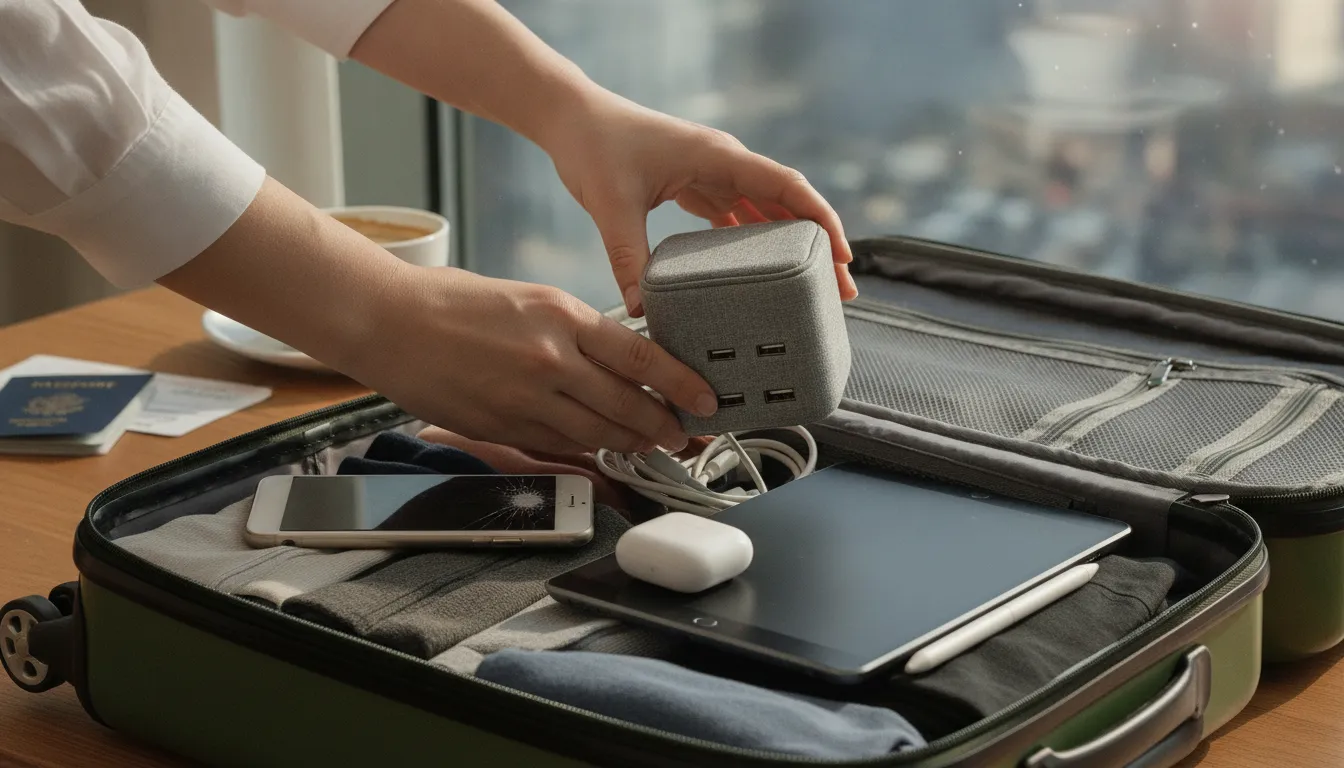
- Travel friendly. Pack one station instead of five separate power bricks. It saves space in your bag and keeps all your gear in one spot.
- Multi-device support. Most stations handle three to ten devices at once. A mat tops out at one or two.
Wireless Charging Mats: Convenience and Limitations
Wireless charging mats use Qi inductive technology to transfer power through the air. They offer a cable-free drop-and-go experience. They are best for single-device overnight charging or deskside convenience. Most mats are limited to 5W-15W (up to 25W on Qi2) and charge only one or two devices at a time.
Wireless charging mats offer a simple way to power your phone without plugging in a cable. These tools use a magnetic field to send power through the air. You just drop your phone on the pad and the battery starts to fill up. They look sleek on a desk or nightstand. But they have trade-offs compared to a multiple device charging station.
The Ease of Cable-Free Power
The main reason people choose a charging mat is ease of use. You do not have to hunt for the end of a cord in the dark. This 15W fast wireless charging pad shows how clean a desk can look without extra wires. It keeps a single phone full of power during the day. Mats are very helpful for small spaces where you only need to charge one item. They keep your desk clear and make it easy to grab your phone and go.
Because they have no moving parts, they tend to last a long time. This makes them a solid choice for a nightstand where you only power one device while you sleep.
Speed and Placement Issues
Even with new tech, wireless pads are often slower than a wired hook up. Most pads give between 5W and 15W of power. Some high-end models hit 25W with MagSafe. But this is still less than what a wired station can do. If you are in a rush, a cable is often the better tool.
Placement is another common issue. Your phone must sit right on the charging coil to get power. If it slides a few inches away, charging slows down or stops. Most mats only work with one phone at a time. This makes them less useful for people with a phone, a watch, and earbuds.
Safety Rules for Wireless Pads
Modern wireless tech is built with strict safety rules. Makers must follow the SAE J2954 standard to ensure their tools are safe. This rule sets limits on electromagnetic fields and keeps the power flow stable. These safety checks make sure the mat will not clash with other tech in your home.
Some systems use adaptive frequency hopping to improve power flow. This helps the pad stay cool and work well even in a busy room. These safety features give you peace of mind while your phone charges.
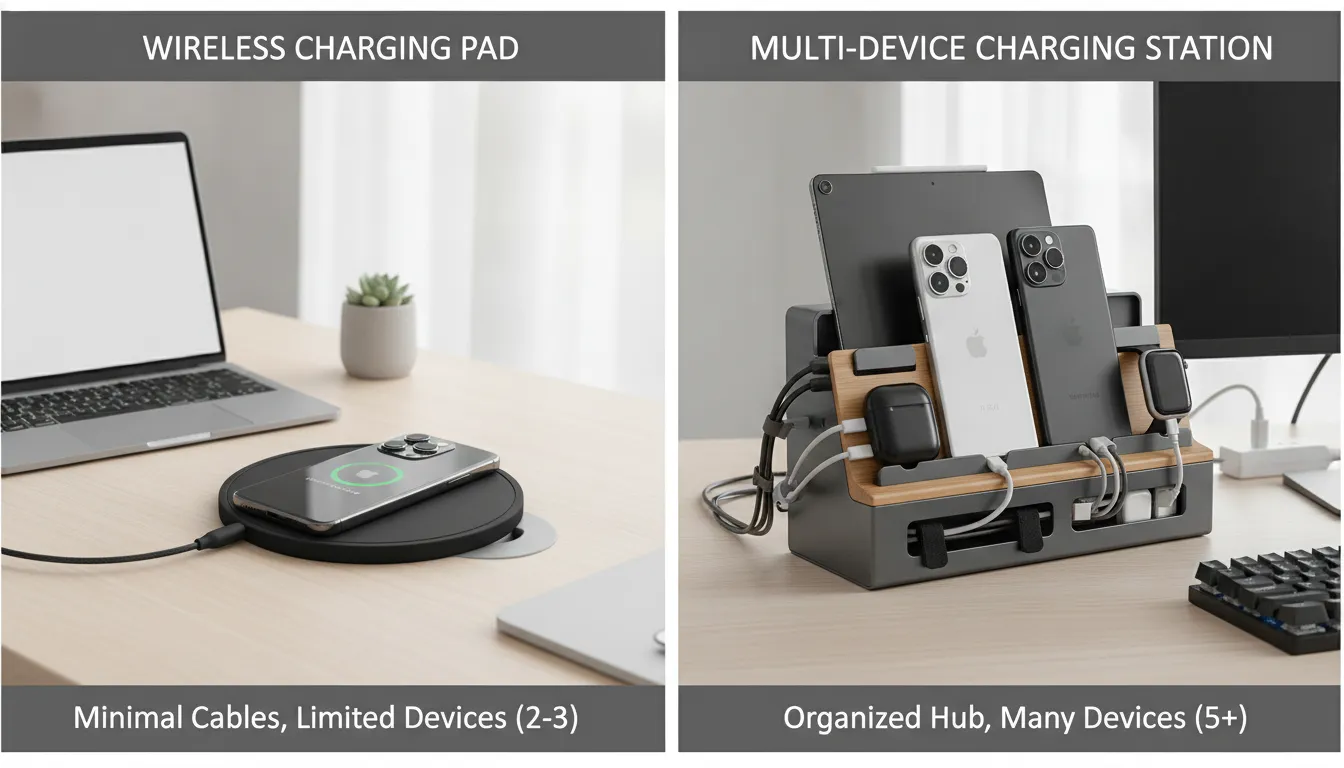
Multiple Device Charging Station vs Wireless Charging Mat: Key Differences
The biggest difference is power and capacity. A multiple device charging station delivers 65W to 100W per port through USB-C PD and handles three to ten devices. A wireless mat delivers 5W to 15W and handles one or two devices. Choose a station for speed and multi-device use. Choose a mat for bedside simplicity.
You might want a multiple device charging station for its high power and port count. Or you may like the clean, flat look of a wireless mat. The best pick depends on how much gear you have and how fast you need to charge it each day. Check the table below for a quick comparison.
| Feature | Charging Station | Wireless Mat |
|---|---|---|
| Charging Speed | Fast (USB-C PD up to 100W) | Standard (Qi up to 15W) |
| Device Count | Powers 3 to 10 devices | Powers 1 to 3 devices |
| Cable Setup | Central hub with cables | Cable-free pad surface |
| Best Use | Main home or office hub | Nightstand or side table |
| Portability | Compact travel models | Slim for pockets |
| Phone Case Friendly | Works with any case | May require case removal |
Speed and Power Delivery
A fast charging wall station uses USB-C Power Delivery (PD) to send a lot of juice at once. This is vital for fast charging phones, tablets, and even laptops. Wired ports can offer 100W or more. Wireless pads offer 5W to 15W. If you are in a rush, a wired station is the clear winner for raw speed.
Device Count and Desk Layout
If you have many things to charge, a station is the better choice. A single wall outlet can power a station that charges up to ten devices at once. This saves space and keeps your desk neat. You do not need a large set of wall bricks taking up every plug in the room.
Mats look very sleek and do not have cords sticking out. But they get crowded fast if you have a watch, buds, and a phone. Good cable control is a key benefit of a multiple device charging station. It keeps all wires in one tidy hub.
Browse Portable Power Solutions at KEUTEKSafety and Daily Use Cases
Both types of chargers are very safe. Wireless pads use inductive charging to move power through the air. Safety experts say these systems must pass strict tests for human health. This ensures the fields they create do not cause harm during daily use.
Mats work best for a quick drop-and-go charge on your nightstand. Stations are better when you need to power a full set of tech tools quickly. Many people find having one of each in different rooms works best.
Travel and Portability Needs
A wireless mat is thin and light enough to slide into a small bag. This makes it a good pick for a light traveler who only needs to charge one phone. It takes up very little room.
But many modern stations are also built for travel. They balance high power with a small form factor. You can charge all your gear from one hotel plug. This is much better than carrying several small wall plugs. For a heavy tech user, a compact station is the better travel partner.
How to Choose the Right Charging Solution for Your Devices
Selecting between a station and a mat comes down to three factors: device count, charging speed needs, and where you charge most often. If you have three or more devices or need to charge a laptop, a multiple device charging station is the right choice. For single-device bedside charging, a wireless mat works well.
If you have three or more items to charge at once, a fast charging wall station is often the best choice. These hubs offer more ports and higher power than simple pads. For only one or two devices, a wireless mat may be enough.
Assess Your Device Count and Power Needs
The number of devices you own is the first thing to check. Most multi-device hubs power three to ten items from one wall outlet. This helps if you use a mix of phones, tablets, and headphones. To charge a laptop, look for a hub with a high-power USB-C port.
Power speed matters for people who work with video or play games. Modern hubs quickly fill up device batteries. This high-wattage power is key for fast charging. While a wireless pad is easy to use, a corded multiple device charging station provides faster speeds for heavy users.
Choose Between Desk Use and Travel
A larger station works well for a home office to keep cables in one place. If you are often on the move, you need a more compact design. Many portable fast charging solutions are built to be light and small for travel.
Safety is another big factor. High-quality hubs have built-in ways to stop overheating and overcharging. This keeps your expensive gear safe from power spikes. For wireless pads, engineers follow strict safety rules for electromagnetic fields.
Manage Your Cables and Space
A wireless mat offers a clean, wire-free look that some people prefer. However, mats can be slow and may not charge through thick cases. A dedicated station helps you organize cables so they do not tangle your desk. This centralized hub removes the need for many separate plugs.
For car trips, a fast charging car charger for multiple devices keeps everyone happy. These chargers fit into your car power port and provide fast speeds for several phones. Whether at home or on the road, the right choice depends on your need for speed versus a simple, cable-free look.
Fast Charging: Wired vs Wireless Speeds Compared
USB-C Power Delivery wired charging delivers 18W to 100W per device. It fills a phone from zero to 50% in 30 minutes and a laptop in under two hours. Wireless Qi charging maxes out at 15W (25W on Qi2) with about 20% energy loss due to heat and distance.
When you look for a new way to power your gear, speed is a top goal. A good fast charging wall station can give you the best of both worlds. To pick the right one, you need to know how these two methods stack up.
The Power of USB-C PD Wired Charging
Wired charging is still the king of speed. Most top hubs now use USB-C Power Delivery, or PD, to move a lot of power fast. This tech is a key part of any high-speed multiple device charging station. While a small phone might only need 18 watts, a large laptop can pull 60 watts or even 100 watts.
A high-power station handles both your laptop and your phone at once. This makes a wired setup the best choice for quick top-ups before you leave the house. A ProSeries Max fast charging cable delivers the best speeds. For travelers, the fast charging car charger keeps your gear ready on short trips.
Wireless Charging Limits and Safety
Wireless pads offer a clean look, but they are slower than a cord. Most pads offer about 5 to 15 watts of power. Some new Qi2 units can reach 25 watts, but they lag behind wired hubs. These pads use magnetic fields to send power through the air. While easy to use, this creates more heat and loses some power.
All wireless charging pads must follow strict safety rules. Systems must meet SAE J2954 standards for safety and power. These rules make sure the tech does not harm people. Due to heat limits, wireless speeds will likely stay lower than wired ones.
When to Use Each Method
- Morning rush, need a quick top-up. Use a wired station. 30 minutes delivers 50% battery on most phones.
- Overnight charging on nightstand. Use a wireless mat. Slow charging preserves long-term battery health.
- Working at a desk all day. Use a wired station. Keeps laptop, phone, and headphones ready simultaneously.
- Traveling with multiple gadgets. Pack a compact station. One plug replaces three or four separate bricks.
- Hotel stay, single phone user. Choose a wireless mat. One small pad, no cables to lose.
Safety and Desk Organization: Protecting Your Devices
A quality multiple device charging station protects your gear with overcharge protection, temperature control, and smart power distribution. These features prevent battery degradation by switching to trickle mode at full charge. The station automatically adjusts wattage based on each device needs.
A quality multi-device charging station does more than power your gadgets. It protects them. High-end stations include safety features that guard against overheating, overcharging, and short-circuiting. These protections keep your smartphone, tablet, and laptop safe while charging together from one outlet.
Most modern stations use smart power management. This distributes power across ports based on what each device needs. A laptop pulling 60W gets priority while a watch needing 5W gets less. The station adjusts the load to prevent any device from drawing too much current. This keeps temperatures in check during extended charging.
Overcharge protection is another key safety layer. Once a device reaches full charge, the station switches to maintenance mode. This prevents battery stress that happens when a device stays at full power for hours. For overnight chargers, this extends battery lifespan and reduces long-term wear.
Desk organization is a major practical benefit. A charging station turns a tangle of cables into one clean hub. You replace six separate wall chargers with a single power cord. Your desk stays neat, cables stay visible, and you always know where to put your devices.
Shop KEUTEK Fast Wall Chargers NowFrequently Asked Questions
What is the best charging station for multiple devices?
The best station offers high-power USB-C PD ports with enough USB-A ports to cover all your gear. Look for 65W minimum total output, port intelligence that adjusts power, and safety certifications for overcharge and overheat protection.
Is a wireless charging pad or a multi-device charging station better?
It depends on your needs. A wireless pad is better for single-device overnight charging where convenience matters more than speed. A multi-device station is better when you need to charge three or more devices at top speed, especially if you need to power a laptop alongside your phone.
How many devices can a charging station charge?
Most multi-device stations charge between three and ten devices at once. The exact number depends on the number of ports and total power output. Higher-end models with 100W or more can handle more devices at fast charging speeds.
Are multi-device charging stations safe for all devices?
Yes, high-quality stations are safe for all standard electronics. They include overcharge protection, temperature control, short-circuit prevention, and smart power distribution. These features adjust output to match what each connected device can handle.
Ready to clean up your daily charging routine?
A multiple device charging station is the smarter choice for most households. It delivers faster speeds, supports more devices, and keeps your workspace organized. Whether you need a desktop hub for your home office or a compact travel companion for the road, KEUTEK has the charging solution that fits your lifestyle.
Browse KEUTEK Charging Solutions


Leave a comment