

Magnetic Charging Tips: Care, Cleaning, and Storage Guide

A magnetic charging system is only as reliable as the small tip that stays in your device. Dust, pocket lint, and rough handling can gradually interfere with the connection, especially when a cable travels between a desk, vehicle, campsite, or emergency kit.
Magnetic charging tips work by leaving a compatible connector in the device while a cable snaps onto it magnetically. This helps reduce the wear caused by repeated plugging and unplugging. With the right connector, routine cleaning, and organized storage, the system can remain convenient and dependable across your everyday devices.
Explore the ProSeries Max magnetic charging cable.
The key is understanding what happens at the connection point. Once you know how the magnetic interface transfers power and what the tip is designed to do, it becomes easier to choose the right fit, keep debris from disrupting charging, and recognize when replacement is the smarter option.
How Do Magnetic Charging Tips Work?
Magnetic charging tips use a two-part connection. A small connector tip fits into the device's charging port and can remain there between charging sessions. The matching cable end contains a magnet that pulls itself into position when it comes close to the installed tip. Once the magnetic surfaces meet and the contacts align, electrical energy can pass through the connector and into the device.
The magnetic force provides the connection, while the metal contact points provide the conductive path. That distinction matters: the cable is not charging the device through open air. It is using magnetic alignment to make the electrical connection quickly and consistently, without requiring you to push a plug into the port each time. For a deeper visual explanation, see KEUTEK's guide to how magnetic charging cables work.
The tip stays in the port
Unlike a standard cable, a magnetic system separates the device-side connector from the cable. The tip is designed to stay in the charging port, where it can also help limit exposure to everyday dust and debris. To charge, you bring the cable close to the tip rather than searching for the port and inserting a connector. This is especially convenient in a car, at a bedside table, or when connecting a device in low light.
The magnetic connection also reduces the repeated mechanical action of plugging and unplugging a conventional cable. That can help protect the device port from wear caused by frequent cable changes, although the tip and port still need to be kept clean for a reliable connection.
Connector type determines compatibility
Magnetic charging tips are not automatically universal. Compatibility depends on the connector type and the pin configuration built into the tip. USB-C, Lightning, and Micro-USB devices use different physical interfaces and electrical layouts, so the selected tip must match the device. A tip that fits the opening is not necessarily the right tip for charging or other functions.
Some magnetic cable systems support multiple tip types, allowing one cable to serve several compatible devices when the correct tip is installed on each one. Before buying or replacing a tip, confirm both the connector standard and the device requirements. This is important for households, travel kits, and business deployments where a single cable may be shared across phones, tablets, accessories, or other equipment.
Charging and data transfer are separate considerations
Many magnetic connectors are designed for charging and may also support data transfer. However, data performance can be lower than with a direct, non-magnetic cable. If you need to move large files, synchronize a device, or connect to a computer for troubleshooting, check the cable system's data specifications and use a direct connection when necessary. For everyday power delivery, the key priorities are correct tip compatibility, clean contacts, and a secure magnetic alignment.
How to Clean and Maintain Your Magnetic Charging Tips
Magnetic charging tips work best when their contact surfaces remain clear. Lint, dust, and small particles from pockets, bags, desks, or outdoor environments can interrupt the connection or create the impression that a tip is failing. A quick inspection each week is a useful habit when your devices regularly travel in dusty or crowded spaces. Clean the tip and the device port together, using light pressure and non-metal tools.
-
Check for visible debris buildup
Disconnect the charging cable and inspect the magnetic tip, its contact points, and the surrounding device port under good lighting. Look for lint, dust, grit, or fibers clinging to the magnet. Regularly checking the tip for debris helps preserve a reliable connection and can prevent magnetic interference. If you see damage, bent components, or moisture, stop and address that issue before cleaning.
-
Turn off the device before cleaning
Power down the phone, tablet, or other device before attempting to remove particles. This simple precaution reduces the chance of disturbing an active connection while you work. Northwestern University also recommends turning devices off before cleaning and using gentle methods around sensitive hardware. Do not clean while the cable is attached or while the device is actively charging.
-
Use compressed air for loose particles
Use a short, controlled burst of compressed air to loosen dust and other particles. Keep the nozzle slightly away from the port rather than pressing it against the opening. Work from an angle so debris can escape instead of being driven farther inside. Avoid flooding the port with forceful, continuous blasts, and do not use liquids or household cleaners on the magnetic contacts.
-
Remove stubborn lint with a non-metal tool
If compressed air does not remove a compacted fiber, use a wooden or plastic toothpick with a dull edge. Gently lift the lint out without scraping across the contacts or applying significant force. UCSB advises using a toothpick or another thin, non-metal object for charging-port debris, while Northwestern specifically recommends a dull wooden or plastic toothpick. Never use a needle, paper clip, knife, or other metal object, which could scratch contacts or create an electrical short.
-
Wipe the magnetic tip contacts dry
After loose debris is gone, wipe the magnetic tip and contact area with a clean, dry, lint-free cloth. Use a light touch and avoid leaving fibers behind. The goal is to remove surface residue, not polish the contacts aggressively. If the tip or port is damp, allow it to dry completely before reconnecting anything.
-
Test the connection
Reconnect the cable after the device and tip are clean and dry. Confirm that the magnetic connection seats evenly and that the device begins charging normally. If charging remains intermittent, disconnect it and inspect again for hidden lint, a loose fit, or visible wear. Continued connection problems after careful cleaning may indicate that the tip or cable needs replacement rather than additional scraping.
For routine prevention, inspect magnetic charging tips weekly when they spend time in pockets, backpacks, workshops, vehicles, or dusty outdoor settings. A few seconds of maintenance can keep the connection dependable without putting unnecessary strain on the device port.
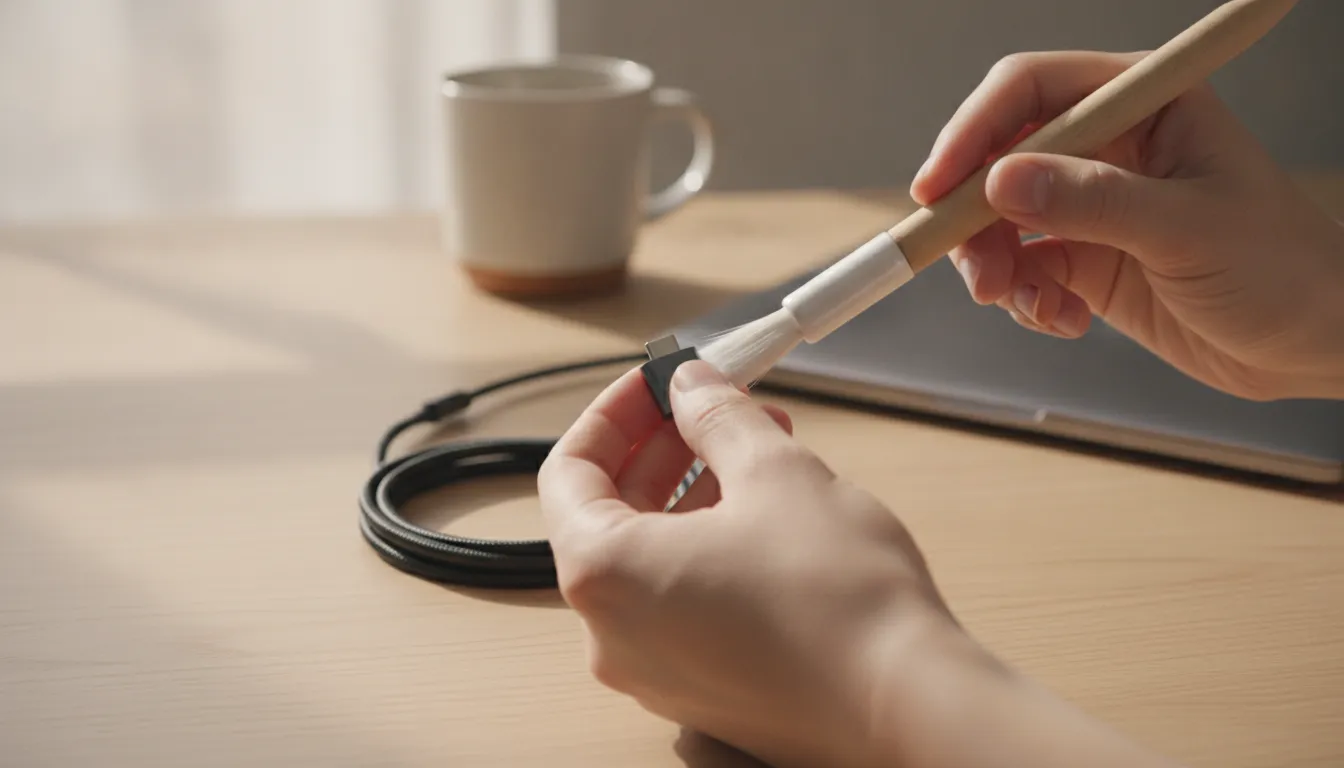
Sources: Northwestern University device-cleaning guidance and UCSB charging-issue guidance.
When Should You Replace Your Magnetic Charging Tips?
Magnetic charging tips are designed to remain in your device's charging port, where they can also help shield the port from dust. With normal use, however, the tip or its housing can eventually show signs of wear. Replacing a tip at the right time helps restore a stable connection and keeps your charging setup dependable at home, in the car, or on the road.
Signs the tip is ready for replacement
Start with the physical connection. If the magnet no longer holds the cable firmly, the cable may detach with a light touch or fail to sit squarely against the tip. A connector that feels loose in the device port is another warning sign. The fit should be secure enough for ordinary movement without making the cable difficult to attach or remove.
Pay attention to charging behavior as well. Intermittent charging, repeated connect-and-disconnect cycles, or a poor connection that continues after careful cleaning can indicate that the tip is no longer making reliable contact. Visible damage to the metal pins, connector face, or outer housing is also a reason to stop using that tip. Bent, corroded, cracked, or heavily worn components should not be forced into service.
Clean first, then evaluate
Debris can make a healthy tip appear to have failed. Lint, dust, and other buildup may prevent the magnetic surfaces or contact points from meeting properly. Before replacing anything, turn off the device and inspect both the tip and the port. Use compressed air or a soft, non-metal tool to remove accessible debris gently. Do not use significant force, and do not scrape across delicate contacts.
After cleaning, reconnect the cable and observe whether charging remains consistent. If the connection is still unstable, the magnet remains weak, or the tip continues to sit loosely, replacement is the sensible next step. The same applies when buildup is packed into an area that cannot be cleaned safely. Trying to pry out stubborn debris can damage the port or the tip, creating a more expensive problem than replacing the small accessory.
Choose a compatible replacement
Match the replacement to your device and magnetic charging system rather than assuming every tip is interchangeable. KEUTEK's replacement magnetic charging tips provide a practical way to refresh a compatible setup. If the cable itself also needs an upgrade, consider the ProSeries Max fast charging cable for a complete replacement path.
KEUTEK offers lifetime warranty coverage on its charging products. If a tip shows premature failure or you are unsure whether the issue is covered, review the warranty support options before discarding it. A quick inspection, careful cleaning, and the right replacement can keep magnetic charging convenient without compromising connection quality.
How to Organize and Store Magnetic Charging Tips
Small charging tips are easy to misplace when they are left loose in a desk drawer, backpack, or travel pouch. A simple storage system keeps each tip visible, protects the connectors, and makes it faster to charge the device in front of you. It also prevents the familiar frustration of finding the cable but not the tip that fits your device.
Use a dedicated holder for everyday organization
A dedicated tip holder or compact organizer is the most practical option for a desk, nightstand, or charging station. Choose one with separate compartments so USB-C, Lightning, and Micro-USB tips do not become mixed together. Labeling each compartment is helpful when several people share a charging kit, or when you keep multiple devices ready for work, travel, and outdoor use.
Store the tips with their connector ends protected from loose coins, keys, grit, and other objects that could cause scratches or collect debris. Keeping them in one consistent location also creates a quick visual check. If a compartment is empty, you know immediately which tip needs to be returned instead of discovering the problem when your device needs power.
Build a travel-ready charging kit
For travel, place the tips in a small carrying case with the cable and any other charging essentials. A case keeps the pieces from scattering through a luggage pocket and makes it easier to move the entire kit from a home setup to a vehicle or campsite. If you carry backup power, pair the organized tip case with the KEUTEK portable power collection so your cable, tips, and portable charging source are ready together.
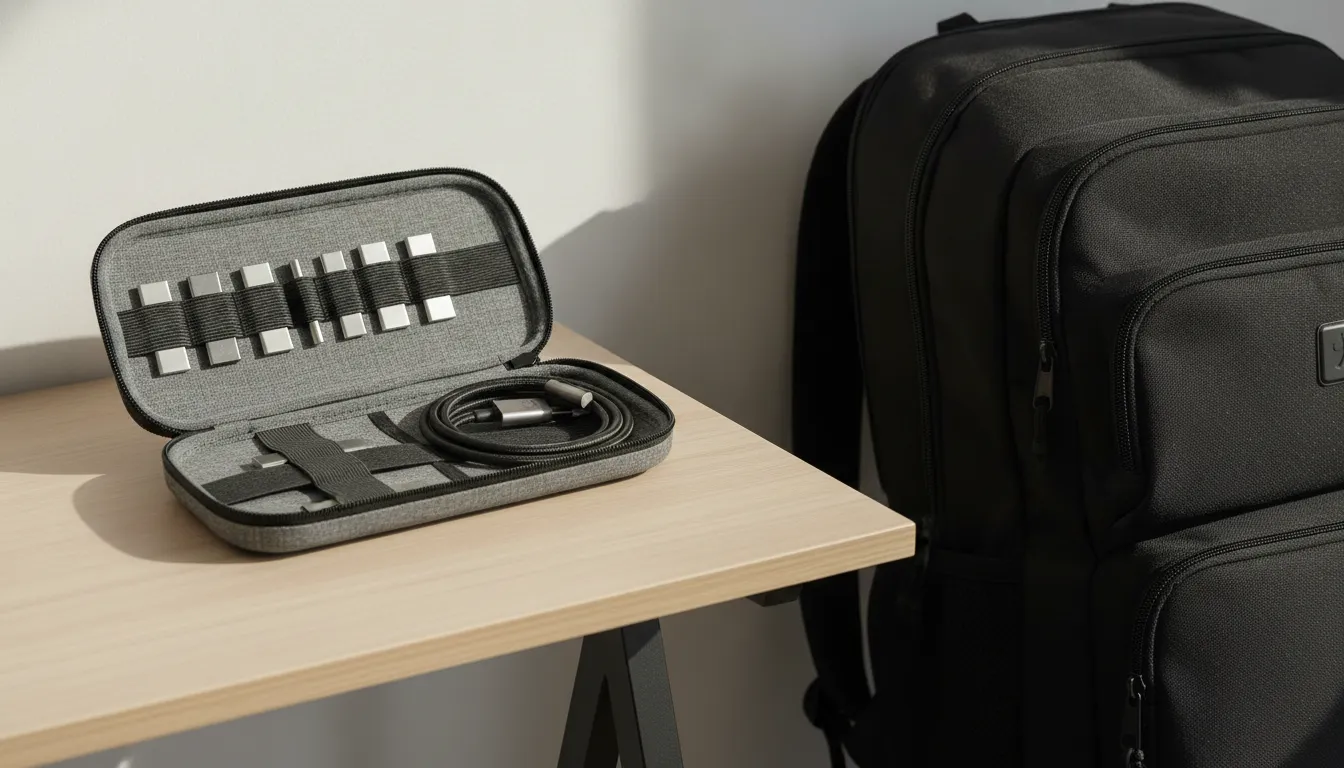
| Storage Method | Best For | Pros | Cons |
|---|---|---|---|
| Loose in bag or drawer | One-time use, spare tips | No extra equipment needed | Easy to lose, tips collect debris, hard to find the right one quickly |
| Organized case or holder | Daily use, travel, multi-device households | Tips stay clean, visible, and accessible; reduces search time and wear | Requires a small organizer or case |
Before leaving, confirm that the tip you need is in the case and that its connector is clean. This two-second check is more reliable than searching through several loose pouches after you arrive.
Create a visible desk setup
At a permanent workstation, a magnetic strip or small magnetic board can keep compatible tips visible and easy to reach. Arrange them in a fixed order, such as USB-C, Lightning, then Micro-USB, and return each one to the same position after use. Keep the organizer away from metal clutter and liquids, and inspect the tips occasionally for dust or lint.
Organization supports the larger benefit of magnetic charging tips. Because the tip can remain in the device port while the cable attaches magnetically, you reduce the mechanical wear associated with repeatedly plugging and unplugging a standard cable. That convenience does not replace routine inspection, but it helps keep everyday charging consistent. For a streamlined setup, pair organized tips with the ProSeries Max fast charging cable and return every component to its holder when charging is complete.
Keep compatible replacement magnetic charging tips ready.
Frequently Asked Questions
Should I leave the magnetic tip in my device?
Yes. The tip is designed to remain in the charging port, where it can help act as a dust plug and keep everyday charging convenient. Leaving it installed also reduces the need to repeatedly insert and remove a standard connector.
How can I prevent debris from affecting the connection?
Check the tip and surrounding port regularly, especially after using your device in a pocket, bag, vehicle, or outdoors. Remove visible lint before it interferes with the magnetic connection. Turn the device off before cleaning, use compressed air carefully, or gently lift debris with a dull wooden or plastic toothpick. Do not use significant force or metal tools. Northwestern's device-cleaning guidance recommends gentle tools and safe handling around charging ports.
Do magnetic charging tips support data transfer?
Some magnetic connectors support data transfer, but performance depends on the cable system and connected devices. Transfer speeds may be lower than those available from standard non-magnetic cables, so use a conventional cable when you need the fastest or most predictable data transfer.
When should I replace a magnetic charging tip?
Replace the tip when its magnet no longer holds securely, the connector feels loose, or the connection repeatedly fails after you have removed debris and checked the cable. Visible damage is also a reason to stop using it. If the issue appears suddenly, clean and reseat the tip first, because buildup can mimic a worn connector.
Are magnetic charging tips universal?
Not automatically. Compatibility depends on the connector type, such as USB-C, Lightning, or Micro-USB, as well as the tip's pin configuration. Confirm that the tip matches your device and magnetic cable system before ordering. A multi-tip system can support several device types, but each device still needs the correct connector.
Ready to Upgrade Your Charging Setup?
A well-organized magnetic charging setup can make everyday charging simpler and more convenient, whether you are at home, on the road, or preparing for your next trip. When you are ready to streamline your cable and tip system, explore KEUTEK's ProSeries Max magnetic charging solution. Get started with a setup designed for dependable, travel-ready charging and easier device connections.


Leave a comment