

Is Wireless Charging Faster? A Real-World Speed Test

That feeling of panic when you see your phone at 10% battery right before you need to leave is universal. In that moment, the question of is wireless charging faster than a cable becomes incredibly important. It’s not just a technical curiosity; it’s the difference between having a map for your road trip or being stranded. For busy professionals, adventurous travelers, and prepared families, reliable power is non-negotiable. This guide cuts through the marketing jargon to give you a straight answer. We’ll compare real-world charging times, explain why one method wins for speed, and show you how to build a charging setup—from a fast car charger to a powerful portable bank—that ensures you’re never caught powerless again.

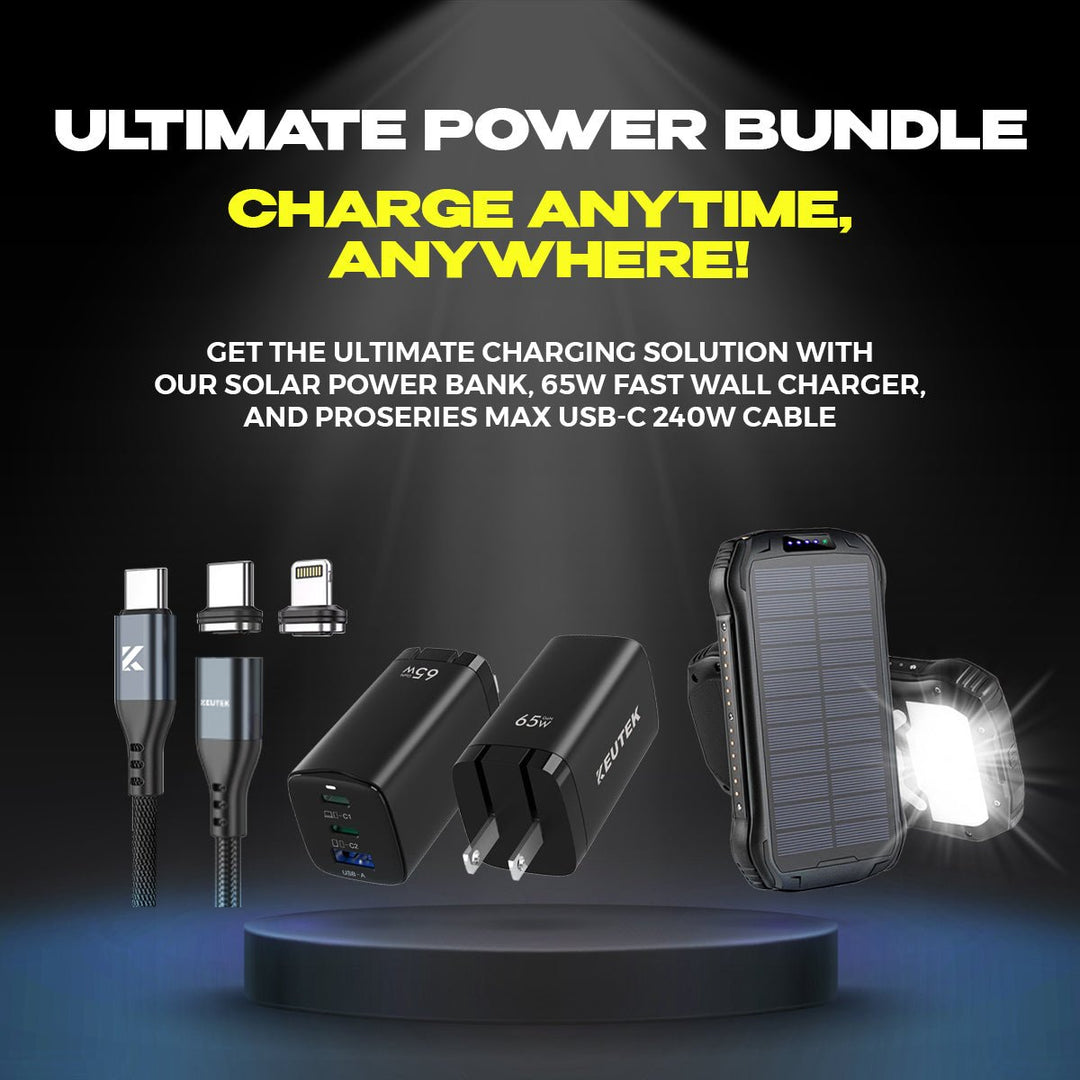
Portable Solar Power Bank 26800mAh - 99Wh Fast Charger
Lithium Polymer (Li-Po) battery. PD fast charging. Holds up to 8 days of reliable power on a single charge. Boasts a charging speed 50% faster than ordinary portable chargers.
Shop NowKey Takeaways
- Wired for Speed, Wireless for Simplicity: When you're in a rush, a direct cable connection is the fastest way to charge. For everyday convenience and overnight power-ups, the ease of a wireless pad is unmatched.
- Master Your Wireless Speed: Three things control how fast your wireless charger works: the power of your wall adapter, the alignment of your phone on the pad, and the thickness of your case. Getting these three elements right is the key to a faster charge.
- Heat is the Real Enemy, Not Wireless Charging: The main concern for battery health is excess heat, not the charging method itself. High-quality chargers, both wired and wireless, are designed with safety features to manage temperature and protect your battery for the long haul.
Wireless vs. Wired Charging: What's the Difference?
Before we get into a head-to-head speed test, let's cover the basics of how each charging method works. You’ve probably heard that plugging in is faster, but why is that? It all comes down to how the power gets from the outlet to your device. Both methods have their pros and cons, and understanding the fundamental difference between them will help you decide which one is right for your situation. Whether you prioritize the ease of dropping your phone on a pad or need the fastest charge possible before heading out the door, knowing the tech behind the charge is the first step.
The Magic of Wireless: How Induction Works
Wireless charging feels a bit like magic, but it’s all about a cool science principle called electromagnetic induction. Inside a wireless charging pad, a coil creates an electromagnetic field. When you place your phone (which has its own coil) on the pad, this field generates an electrical current inside your device, charging the battery without any physical connection. The biggest win here is convenience—no more fumbling for cables in the dark. Just set your phone down and let it power up. However, this energy transfer isn't perfectly efficient, and some power is lost along the way, which generally makes it a slower option than its wired counterpart.
The Classic Cable: A Direct Power Connection
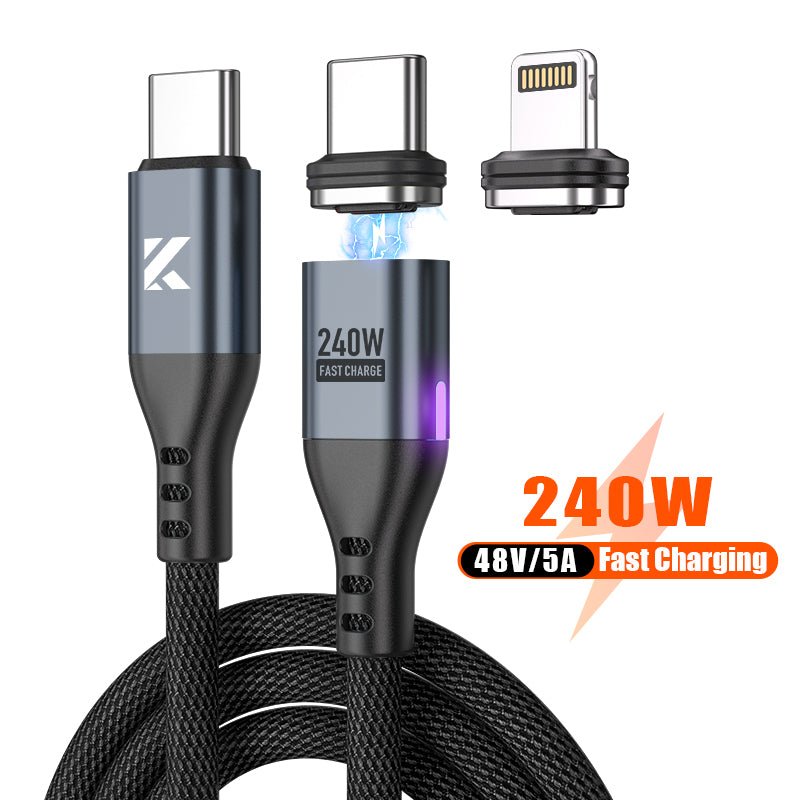
Wired charging is the straightforward, time-tested method we all know. When you plug a cable into your phone, you create a direct physical connection to the power source. This direct line allows for a much more efficient transfer of energy, with very little power lost as heat. Because of this efficiency, wired charging can deliver power at a much higher rate. A high-quality fast wall charger paired with a durable cable can push significantly more watts to your device, drastically cutting down on charging time. If you’re in a hurry and need to get your battery from 10% to 80% before you leave the house, a reliable USB-C cable is almost always your best bet.
Is Wireless Charging Really Slower Than Wired?
Let's get straight to it: yes, in most cases, charging your phone with a cable is faster than using a wireless charger. While wireless charging pads offer incredible convenience—just drop your phone and go—they trade some speed for that ease of use. The difference comes down to how the power gets from the outlet to your device. A wired connection is a direct pipeline for electricity, while wireless charging sends it through the air. This fundamental difference in technology is why you'll see a gap in charging times, but understanding the specifics can help you decide which method fits your needs best.
Wireless Charging Speeds: What to Expect
Wireless charging works through a process called magnetic induction, where an electromagnetic field transfers energy between two objects. It feels like magic, but it’s pure science. This transfer is inherently less efficient than a direct cable connection, and some energy is lost as heat along the way. Because of this, most standard wireless chargers deliver between 5W and 15W of power. While 15W is a decent speed and perfect for topping off your battery at your desk or overnight, it’s not designed to compete with the raw power of a high-speed cable. It’s all about the convenience of a cable-free setup.
Wired Charging Speeds: The Power of the Plug
When you plug in a cable, you're creating a direct, physical connection to the power source. This allows for a much more efficient and powerful energy transfer. Modern wired charging, especially with "Super Fast Charging" technology, can deliver impressive speeds. It’s common to see fast wall chargers that offer 25W, 45W, or even more, depending on what your device can handle. This direct pipeline of power is what enables you to get a significant battery charge in a very short amount of time, making it the go-to choice when you're in a hurry.
The Speed Test: Real-World Charging Times
So what do these wattage numbers mean for your daily routine? In a practical sense, a 15W wireless charger might take your smartphone from empty to 50% in about 45 minutes. That’s great if you’re not in a rush. In contrast, a powerful wired charger can often get your phone fully charged in about an hour, while the same full charge might take two hours or more on a wireless pad. When you need power and you need it now—like before heading out the door or while driving between appointments—a high-speed wired option like a fast car charger is your most reliable bet for a quick and complete battery fill-up.
What Slows Down Wireless Charging?
Wireless charging is all about convenience—just drop your phone on a pad and let it power up. But if you’ve ever felt like it’s taking forever, you’re not imagining things. Several factors can turn a fast wireless charge into a slow trickle, and most of them are easy to fix once you know what to look for.
Think of it like a Wi-Fi signal. When the connection is strong and clear, everything is fast. But when there’s interference or you’re too far from the router, it slows to a crawl. Wireless charging works in a similar way. The connection between your phone and the charger needs to be just right. Things like the charger’s power, how you place your phone on the pad, excess heat, and even your phone case can get in the way. Let’s walk through each of these common culprits so you can get the fastest, most efficient charge every time.
Your Charger's Power Output
Not all wireless chargers are built the same. The single biggest factor in charging speed is the charger's power output, measured in watts (W). A basic wireless charger might only offer 5W, which is significantly slower than the 15W or more that modern phones can handle. To get top speeds, you need a charger that can deliver a higher wattage.
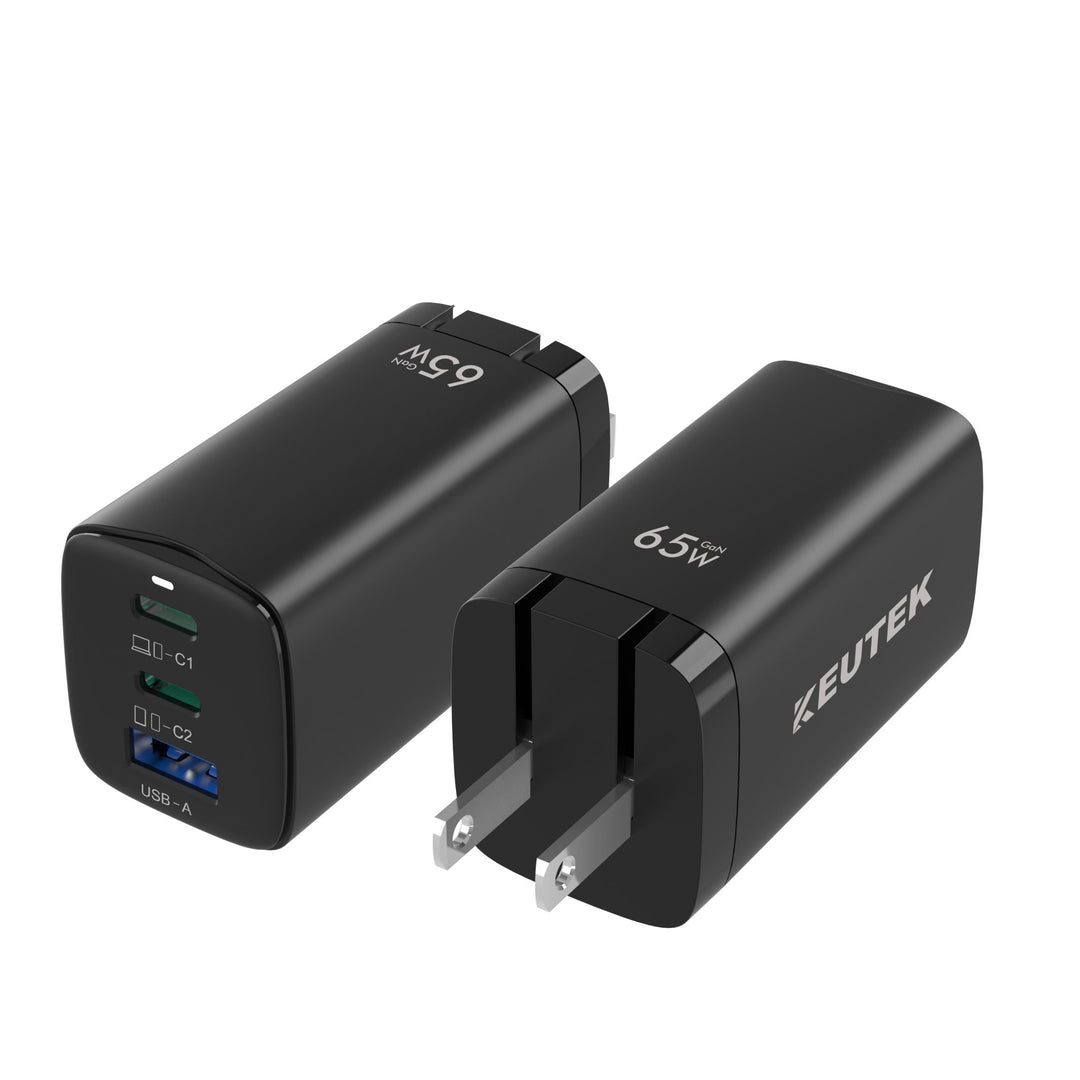
But it’s not just about the charging pad itself. The power adapter you plug into the wall is just as important. If you connect a 15W wireless charger to an old 5W power brick, you’ll only get 5W of power. To unlock its full potential, you need to pair your wireless pad with one of the market's fast wall chargers that can supply enough power.
Phone Placement and Compatibility
Wireless charging works by using a magnetic coil in the charger to send power to a matching coil in your phone. For this to work efficiently, those two coils need to be perfectly aligned. If your phone is off-center on the charging pad, the connection weakens, and the charging speed drops dramatically. You might even see your phone start and stop charging repeatedly.
Take a moment to find the "sweet spot" on your charger. You’ll know you’ve found it when your phone immediately indicates it’s charging at its fastest possible speed. Compatibility also plays a role. Your phone must be able to accept the wattage your charger is putting out. A 15W charger won’t charge any faster if your phone’s maximum wireless charging speed is only 7.5W.
Why Heat Is the Enemy of Speed
Have you ever noticed your phone getting warm during a wireless charging session? A little warmth is normal, as transferring energy wirelessly isn't 100% efficient and some energy is lost as heat. However, too much heat is bad for your battery’s health and your charging speed.
Your smartphone is smart enough to protect itself. If it detects that its internal temperature is getting too high, it will automatically slow down the charging speed to prevent damage to the battery. This is a crucial safety feature. To avoid this, try to charge your phone in a cool, well-ventilated area and keep it out of direct sunlight. Giving your phone some space to breathe can make a real difference.
Is Your Phone Case Getting in the Way?
Your phone case is great for protection, but it can also be a major obstacle for wireless charging. The magnetic field used for charging is strong, but it can only travel so far. A thick, bulky case—especially rugged ones designed for maximum drop protection—can create too much distance between the charger and your phone’s coil, weakening the connection.
Cases with metal components, magnets for car mounts, or even pop sockets on the back are common culprits. These materials can block the signal entirely. If you’re experiencing slow speeds, try a simple test: remove the case and place your phone directly on the pad. If the speed improves, your case is likely the problem. Look for cases specifically labeled as "wireless charging compatible" to avoid this issue.
What's New in Wireless Charging?
If you tried wireless charging a few years ago and felt underwhelmed, it’s time to give it another look. The technology is evolving quickly, moving beyond just being a convenient way to top off your battery overnight. The latest innovations are tackling the biggest complaints—speed and reliability—head-on. Engineers are pushing for faster charging speeds that can compete with cables, creating new standards that work across all your devices, and using clever designs to ensure you get a perfect charge every time. Wireless charging is becoming smarter, stronger, and a more practical part of our daily lives.
The Upgraded Qi2 Standard
You’ve probably seen the "Qi" logo on chargers and phones. It’s the universal standard that allows devices from different brands to use the same wireless chargers. The latest version, Qi2 (pronounced "chee-two"), is a major step forward. It essentially brings Apple's MagSafe technology to everyone by incorporating a Magnetic Power Profile. This means Qi2 chargers use magnets to snap your phone into the perfect alignment every time. This not only makes for a more satisfying user experience but also improves energy efficiency, leading to a faster and more reliable charge. The goal of the Wireless Power Consortium is to create one global standard, so you can be confident your next phone and charger will work together seamlessly.
Pushing for Faster Wireless Speeds
Let’s be honest: the biggest reason people stick with cables is speed. A powerful wired charger can deliver 25W, 45W, or even more, getting your phone back in action quickly. The wireless industry knows this and is working hard to close the gap. The push for "Super Fast Charging" in a wireless format aims to deliver speeds that are truly comparable to a cable. To get these top speeds, you need a system where both the charging pad and your device are designed for high-wattage power delivery. This means pairing a high-quality wireless charger with a compatible, modern smartphone is key to unlocking the fastest power-up possible.
Better Magnets for a Perfect Connection
The secret to a great wireless charging experience is all in the alignment. If the charging coils in your phone and the charger aren't perfectly lined up, charging can be slow or not happen at all. This is where magnets come in. By building strong magnets into the charger and the device, you get a satisfying "snap" that locks your phone into the optimal position for charging. This innovation completely removes the guesswork and ensures you’re getting the most efficient charge possible. It’s a simple change that has a huge impact on reliability, making wireless charging a technology you can finally count on, whether it's on your nightstand or in a portable power bank.
Does Wireless Charging Hurt Your Battery?
This is a huge question, and you’ve probably heard conflicting answers. The short answer is: not really, as long as you’re using quality gear. The concern isn’t about the wireless technology itself, but about a byproduct of it—heat. All charging methods generate some heat, but wireless charging can sometimes produce a bit more. Over time, excessive heat is what can degrade your phone's battery health.
Think of it like this: your phone's battery is happiest when it's cool. When it gets too warm, the chemical reactions inside speed up, which can cause it to wear out a little faster. The good news is that both your phone and modern wireless chargers are designed with this in mind. They have built-in safety features to manage temperature and prevent overheating. So, while there's a kernel of truth to the concern, it's not the battery-killer some people make it out to be. The key is understanding how heat plays a role and how to minimize it.
The Truth About Heat and Your Battery
So, why does wireless charging sometimes run warmer than plugging in a cable? It comes down to efficiency. Wired charging sends power directly into your device through a physical connection. Wireless charging, on the other hand, uses magnetic induction to transfer energy through the air. This process isn't quite as direct, and some energy is lost along the way, converting into heat. While a quality wireless charger is designed to be as efficient as possible, a little extra warmth is a normal part of the process. Your phone's internal systems work to keep temperatures in a safe range, often by slowing down the charging speed if things get too toasty.
Does It Wear Out Your Battery Faster?
Technically speaking, the extra heat from wireless charging can contribute to faster battery degradation over the long haul. Every time you charge your phone, its capacity decreases by a tiny, imperceptible amount. Consistently exposing it to higher temperatures can accelerate this process. However, for most people, the difference is negligible. We're talking about a very small percentage over the entire lifespan of your device. The convenience of dropping your phone on a pad often outweighs the minimal impact on its battery, especially when you're using reliable charging accessories that prioritize safety and temperature control.
What to Expect for Long-Term Battery Health
Here’s the reality: every battery has a finite lifespan. Whether you charge with a wire or wirelessly, your phone's battery will hold less of a charge after two or three years than it did on day one. This is just the nature of lithium-ion batteries. The best thing you can do for your battery's long-term health is to use high-quality charging equipment. A well-made charger, whether it's a fast car charger for your commute or a wireless pad for your desk, will include technology to manage heat and deliver a stable current. This prevents unnecessary stress on your battery, helping you get the most out of your device for as long as possible.
Wireless or Wired: Which One Is Right for You?
Deciding between wireless and wired charging often feels like choosing between two different lifestyles. One is about effortless convenience, and the other is about raw speed. There’s no single right answer—it all comes down to what you need in a given moment. Are you settling in for the night or rushing out the door? Understanding the core strengths of each method will help you figure out which one fits your routine best, or how to use both to your advantage.
Choose Wireless for Convenience
If you love a clean, cable-free setup, wireless charging is your best friend. The biggest advantage is its simplicity. Just place your phone on the pad, and it starts charging—no fumbling for cables in the dark or worrying about which way the connector goes. This also reduces wear and tear on your phone's charging port over time, which is a nice bonus. Some wireless chargers can even power up multiple devices at once, like your phone and earbuds, making them perfect for your nightstand or desk. It’s the ideal choice for when you’re not in a hurry and want to keep your devices topped off with minimal effort.
Choose Wired for Speed and Power
When you need to power up your phone quickly, nothing beats plugging it in. Wired charging is still the champion of speed because it delivers power directly to your device. A high-quality fast wall charger can provide 18W, 30W, or even more power, getting your battery from zero to 50% in a fraction of the time it would take a standard wireless charger. This makes it the perfect option for those moments when you’re about to head out and realize your battery is critically low. For travelers and busy professionals, having a reliable wired connection, like a fast car charger, is essential for staying connected on the move.
Finding Your Perfect Balance
The best charging method really depends on what you value most: speed or convenience. Many people find a hybrid approach works best. You might use a wireless charger on your desk for easy top-ups during the day and on your nightstand for overnight charging. Then, you can rely on a powerful wired charger for a quick power-up before leaving the house. While wireless charging can generate a bit more heat, the difference in long-term battery health is usually very small for most people. Ultimately, having both options, including a fast portable power bank for emergencies, ensures you’re always prepared for whatever the day throws at you.
How to Speed Up Your Wireless Charging
Wireless charging is all about convenience, but that convenience can feel a little less magical when your phone is taking forever to power up. If you’re tired of slow wireless speeds, don’t give up and go back to the cable just yet. A few simple adjustments to your setup and habits can make a huge difference. By paying a little attention to your gear, placement, and phone settings, you can get the fast, hassle-free charge you were promised. Let’s walk through the three easiest ways to get more power, more quickly.
Pick the Right Wireless Charger
The single biggest factor in your charging speed is the charger itself. Not all wireless chargers are built the same, and if you’re using an older or underpowered model, you’ll never get the speeds your phone is capable of. Look for a charger that explicitly supports fast charging and has a higher wattage output—at least 15W is a great benchmark. For example, a 15W fast wireless charger can power up your device 50% faster than a standard 5W charger. Before you buy, double-check that the charger is compatible with your phone’s fast-charging standard to ensure you get the best performance.
Find the Sweet Spot for Placement
Wireless charging works by aligning a coil in the charger with a coil in your phone. If they aren't lined up correctly, the transfer of power becomes inefficient, which leads to slower charging or no charging at all. You have to find that perfect "sweet spot." When you place your phone on the pad, watch for the charging indicator to light up. If it flickers or the phone buzzes repeatedly, try nudging it around until you get a solid connection. Taking a second to get the placement right ensures the most efficient power transfer and the fastest possible charge.
Check Your Phone's Settings
Your phone’s activity can slow down charging because it’s using power at the same time it’s trying to gain it. For a serious speed increase, the simplest trick is to put your phone in Airplane Mode. This shuts down battery-draining radios like cellular, Wi-Fi, and Bluetooth, allowing all the incoming power to go straight to the battery. If you need an even faster charge and don’t mind being disconnected for a bit, turning your phone off completely is the ultimate solution. This is perfect for when you need to get as much juice as possible before heading out the door.
Debunking Common Wireless Charging Myths
Wireless charging is one of the most convenient tech upgrades we’ve seen in years, but it’s also surrounded by a lot of confusing information. It’s easy to get tangled up in questions about speed, safety, and whether it’s actually good for your phone. When you’re trying to decide on the right gear for your lifestyle—whether you’re at home, in the car, or off the grid—you need clear answers.
Let's cut through the noise and tackle some of the biggest myths head-on. Understanding the truth about how wireless charging works will help you use your devices more effectively and choose the right tools for the job. We’ll look at how it stacks up against traditional cables, what it means for your battery’s long-term health, and why picking the right charger makes all the difference. This isn't just about tech specs; it's about making sure your gear is reliable when you need it most, whether you're a frequent traveler needing a quick power-up at the airport or a family preparing for an emergency. Getting the facts straight helps you build a charging setup that truly works for you.
Myth #1: It's Just as Fast as a Cable
This is probably the most common misconception out there. While wireless charging is incredibly convenient for topping off your battery at your desk or nightstand, it’s not the champion of speed. If you’re in a hurry, plugging in is still your best bet. A standard wireless charger typically offers 5W to 15W of power. In contrast, a powerful wired connection using one of today's fast wall chargers can deliver 20W, 30W, or even more, getting your device back in action in a fraction of the time. Think of wireless as the marathon runner—steady and consistent—while wired is the sprinter, built for pure speed.
Myth #2: It's Unsafe to Use Overnight
The idea of leaving your phone on a charger all night can feel a little risky, but modern technology has you covered. Your smartphone is smart for a reason; it has a built-in management system that stops pulling power once the battery hits 100%. This prevents overcharging. While it’s true that wireless charging can generate a little more heat than a cable, both your phone and quality chargers are designed with safety features to manage temperatures effectively. For most people, the convenience of waking up to a full battery far outweighs the minimal impact on long-term battery health.
Myth #3: Any Wireless Charger Will Do
Grabbing the cheapest wireless charger you can find might seem like a good deal, but not all chargers are created equal. To get the best performance, you need a charger that’s compatible with your phone’s maximum charging speed. If your phone can handle 15W wireless charging but your charger only puts out 5W, you’re going to be waiting a lot longer. It’s important to choose chargers from reputable brands that are certified for safety and performance. Investing in quality gear, like a reliable fast portable power bank with wireless capabilities, ensures you get an efficient and safe charge every time.
Related Articles
- Fast Charger With Cable: A Complete Buyer's Guide
- Power Bank Wireless Charger: The Ultimate Guide
- Wirelessly Charge Smarter: Your Ultimate 2025 Guide
- Best Wireless Charger for Cell Phone: A Buyer's Guide
Frequently Asked Questions
Will charging my phone wirelessly overnight ruin the battery? This is a common worry, but you can rest easy. Your smartphone is designed to protect itself and will automatically stop drawing power once it reaches a full charge. While it's true that wireless charging can create a little more heat than a cable, high-quality chargers and phones have safety features to manage temperature. The impact on your battery's long-term health is minimal, and the convenience of waking up to a fully charged phone is often worth it.
I bought a "fast" wireless charger, but it's still slow. What am I doing wrong? This is a super common frustration, and it usually comes down to one of three things. First, check your phone's placement on the pad; if the internal coils aren't aligned perfectly, the charging speed will drop. Second, a thick phone case or one with metal or magnets can interfere with the connection. Finally, make sure the power adapter you're plugging into the wall is powerful enough to support the charger's top speed.
Does the wall plug I use with my wireless charger actually matter? Yes, it matters a lot! The wall charger is what supplies power to your wireless charging pad. If you plug a 15W wireless charger into an old 5W power brick, you'll only get 5W of charging speed. To get the fast speeds you paid for, you need to pair your wireless pad with a powerful wall charger that can deliver the required wattage.
Can I use wireless charging with my phone case on? For the most part, yes. Most standard, slim cases made from plastic, silicone, or rubber are thin enough to allow the wireless signal to pass through without issue. However, very thick, rugged cases can create too much distance and slow things down. Cases with metal plates, pop sockets, or credit card holders on the back are the biggest culprits and will likely block the charge completely.
What's the real advantage of the new chargers with magnets? The magnets are a game-changer for reliability. The biggest hassle with wireless charging has always been finding that perfect "sweet spot" for alignment. The new Qi2 standard incorporates magnets that guide your phone into the ideal position every single time. You get a satisfying snap that confirms you have a solid connection, which ensures you're getting the most efficient and fastest charge possible.


Leave a comment