

Best USB-C Cable for Travel: A Smarter Packing Guide

A dead laptop before boarding and a frayed cable in a hotel room are avoidable travel problems. The best USB-C cable for travel is not simply the shortest cord or the one with the highest number on its package. It is a durable, easy-to-pack cable whose power rating, connector type, and length match the devices and charger in your bag.
Explore the KEUTEK Sovix 100W USB-C cable for simple, fixed-tip travel charging.
This guide gives frequent travelers a practical way to choose a cable without overpacking or relying on vague claims. It also explains why the charger, cable, and device must work as a system.
What makes the best USB-C cable for travel?
The best travel USB-C cable supports the highest power your devices need, has reinforced connectors and a durable braided exterior, fits comfortably in your organizer, and uses the connector type your gear requires. For a USB-C laptop, tablet, phone, or handheld console, a fixed-tip USB-C to USB-C cable rated up to 100W can be a versatile core cable.
Travel changes how a cable is used. At home, a cord may stay beside one outlet for months. On the road, it gets coiled, pulled from crowded bags, bent behind furniture, and connected several times a day. That makes mechanical design as important as charging performance.
A strong travel choice should pass five checks:
- Power: Its rating meets or exceeds the requirement of the most demanding compatible device you will charge.
- Connectors: Both ends fit your charger and devices without adapters you did not plan to carry.
- Construction: The jacket and connector housings are made for repeated packing and handling.
- Length: It reaches likely outlets without filling your pouch with excess cord.
- Simplicity: It is easy to identify, pack, and use when you are moving quickly.
Start with a device-to-charger audit
Before buying a travel cable, list every device, note its charging port and power requirement, then match those needs to your wall or car charger. A cable cannot make an underpowered charger faster, and an incompatible port cannot be fixed by wattage alone.
Build a simple charging map before your next trip. Write down the devices you will actually carry, not every device you own. For each one, record the port at the device, the port on the charger, and whether it needs only charging or also data transfer or video output.
This matters because USB-C describes the connector shape, not one universal performance level. Two cables can look alike while supporting different power or data capabilities. If you need file transfers or a display connection, verify that specification separately. For charging, choose a rating that covers your highest-demand device and pair it with a compatible charger.
A compact fast wall charger can reduce the number of charging blocks in your bag. Drivers can also add a compatible fast car charger for power between stops. In either case, the cable remains one part of the charging chain.
How much power should a travel USB-C cable support?
Choose a USB-C cable rated for at least the maximum charging power required by your compatible devices. A 100W cable provides useful headroom for many travel setups, but the device and charger must also support the same charging standard and power level.
The correct rating is not about forcing more power into a device. Compatible devices negotiate the power they can accept. A higher-rated cable provides capacity for demanding gear while still serving lower-power compatible devices.
For example, a traveler carrying a USB-C laptop, phone, and tablet may benefit from one 100W-rated core cable rather than separate low-power cords. The Sovix fixed-tip USB-C cable is designed for simple USB-C to USB-C charging and supports up to 100W. Its fixed connectors also mean there are no loose tips to track in a seat pocket or pouch.
Do not judge the cable in isolation. If a laptop needs more power than the charger can provide, changing only the cable will not solve the problem. Review the ratings for all three components: device, charger, and cable.
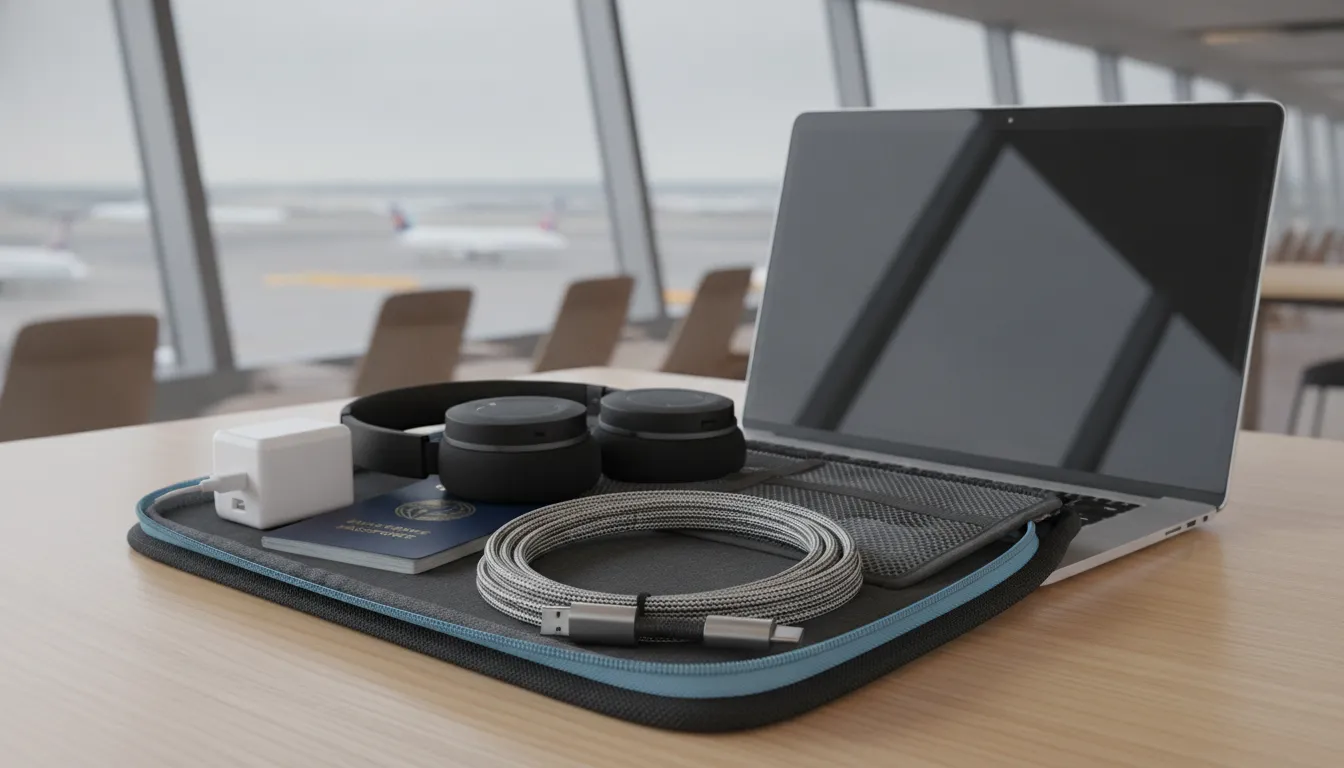
Compare the features that matter on the road
For most travelers, power fit, reinforced construction, packable length, and fixed-tip simplicity matter more than novelty features. Evaluate those traits against your itinerary and devices rather than choosing from specifications alone.
| Feature | Why it matters while traveling | What to verify |
|---|---|---|
| Power rating | Lets one compatible cable cover more of your charging kit | Highest power required by your devices |
| Fixed USB-C tips | Removes small loose pieces from your packing list | USB-C ports on both device and charger |
| Braided exterior | Helps protect the cable during repeated packing | Even jacket, clean finish, no visible damage |
| Reinforced connectors | Supports frequent plug and unplug cycles | Firm housings with no looseness |
| Practical length | Balances reach with packability | Your likely use in hotels, airports, cars, and cafes |
A cable that looks rugged but is too short for a hotel outlet is not practical. Neither is a powerful cable that does not fit your charger. Treat the table as a decision tool, then test the complete setup before departure.
See how Sovix combines up to 100W charging with a durable braided, fixed-tip design.
Match the cable to your travel pattern
The right cable depends on where you will charge and which device cannot be allowed to run out of power. Business travelers often need laptop-ready power and outlet reach, while road trippers and day hikers usually benefit from compact cables that pair neatly with car chargers or portable power.
For business travel: Start with the laptop. Confirm its USB-C charging requirement, then choose a compatible charger and cable with enough capacity. A practical-length cable is valuable when the only hotel outlet is behind a nightstand or across a desk. If you give presentations, check data and video requirements separately because charging capacity alone does not confirm display support.
For flights and international trips: Keep your core cable in your personal item rather than checked luggage. Pair it with the correct wall adapter for the destination, and remember that a plug adapter changes physical fit, not the charger's electrical capabilities. A fixed-tip cable also removes loose connector pieces from a kit that may already include a passport, adapter, and battery pack.
For road trips: Test the cable with the exact car charger and navigation device you plan to use. Place the cable so it reaches the device mount without crossing controls or creating a snag. A second short cable can be useful for a passenger or portable power source.
For outdoor days: Prioritize packability and protection from moisture, dirt, and sharp objects. Keep the cable in a dry organizer rather than loose beside tools or cookware. Portable power can extend device use away from outlets, but it should be tested with your cable before the trip.
Choose a length you will actually pack
A medium-length cable is the most useful default for many travelers because it can reach an outlet near a desk, bed, or airport seat without becoming cumbersome. Short cords are excellent for power banks and seat-back charging. Longer cords add reach, but they take more space and are easier to snag.
Match length to the trip. A business traveler working from hotels may prioritize reach. A backpacker using a compact battery pack may care more about low bulk. If you carry fast portable power, a short secondary cable can keep the battery and device together neatly while the primary cable handles wall charging.
Pack and maintain your cable correctly
Loosely coil a travel cable, secure it without a sharp bend, and keep the connectors away from keys, liquids, and debris. Inspect the jacket and connector housings before every trip, and replace a cable that shows exposed wiring, heat damage, or a loose connector.
- Test the full setup. Charge every planned device with the exact charger and cable you will pack.
- Coil it loosely. Avoid tight wraps around the charger, which can stress the cable near its connectors.
- Use a dedicated pocket. Keep the cable away from sharp objects and leaking toiletries.
- Inspect before departure. Look for fraying, crushed sections, discoloration, or looseness.
- Carry a focused backup. If charging is critical, pack one tested spare rather than several unverified cords.
Avoid public USB charging ports when you do not control the connection. A safer travel habit is to use your own wall charger and cable, or a trusted portable power source.
Run a final ten-minute test the night before departure. Charge the most demanding device from a low battery level, gently move the cable near both connectors, and confirm the connection stays stable. Then pack that tested cable in the pocket where you expect to find it. This simple routine catches mismatched ports, weak chargers, and worn cords before they become travel problems.
Common travel-cable mistakes to avoid
The most common mistake is assuming every USB-C cable performs the same because the connectors look identical. Another is buying the highest-rated cable without checking the charger or device. That can add cost without improving the actual charging setup.
- Do not pack an untested cable for a high-stakes trip.
- Do not rely on a damaged cable because it still works intermittently.
- Do not assume charging support also guarantees the data or video capability you need.
- Do not carry extra adapters unless your device audit proves they are necessary.
- Do not coil a cable so tightly that the ends remain sharply bent.
For travelers who want a straightforward USB-C to USB-C option, Sovix is positioned as a premium fixed-tip cable with reinforced aluminum connectors and durable braided construction. It is a practical fit when you value reliable power without extra pieces or compatibility confusion.
Travel USB-C cable FAQ
What wattage should a travel USB-C cable support?
Choose a cable rated for the highest power required by the devices you intend to charge. A 100W USB-C cable is a versatile choice for travelers carrying a compatible laptop, tablet, handheld gaming device, or phone.
Is one USB-C cable enough for travel?
One capable USB-C to USB-C cable can cover several compatible devices, but a short backup cable is sensible when charging access matters. Check every device and charger port before leaving.
What cable length is best for travel?
A medium-length cable offers the best balance for most trips. It reaches awkward hotel outlets without creating the bulk and tangles of an extra-long cord.
Can a USB-C cable charge a laptop while traveling?
Yes, when the laptop, charger, and USB-C cable all support the required USB Power Delivery level. The charging system is limited by its lowest-rated component.
Build a smaller, more reliable charging kit
The best travel charging kit is not the one with the most accessories. It is the one you have audited, tested, and packed for the devices you will use. Start with port compatibility and power needs, then compare durability, length, and packability. A capable fixed-tip cable can simplify the system without asking you to manage extra pieces on the road.
Choose the KEUTEK Sovix 100W USB-C cable for dependable fixed-tip charging on your next trip.


Leave a comment