

Best 6-Foot USB-C Cables: Top Picks & Buying Guide
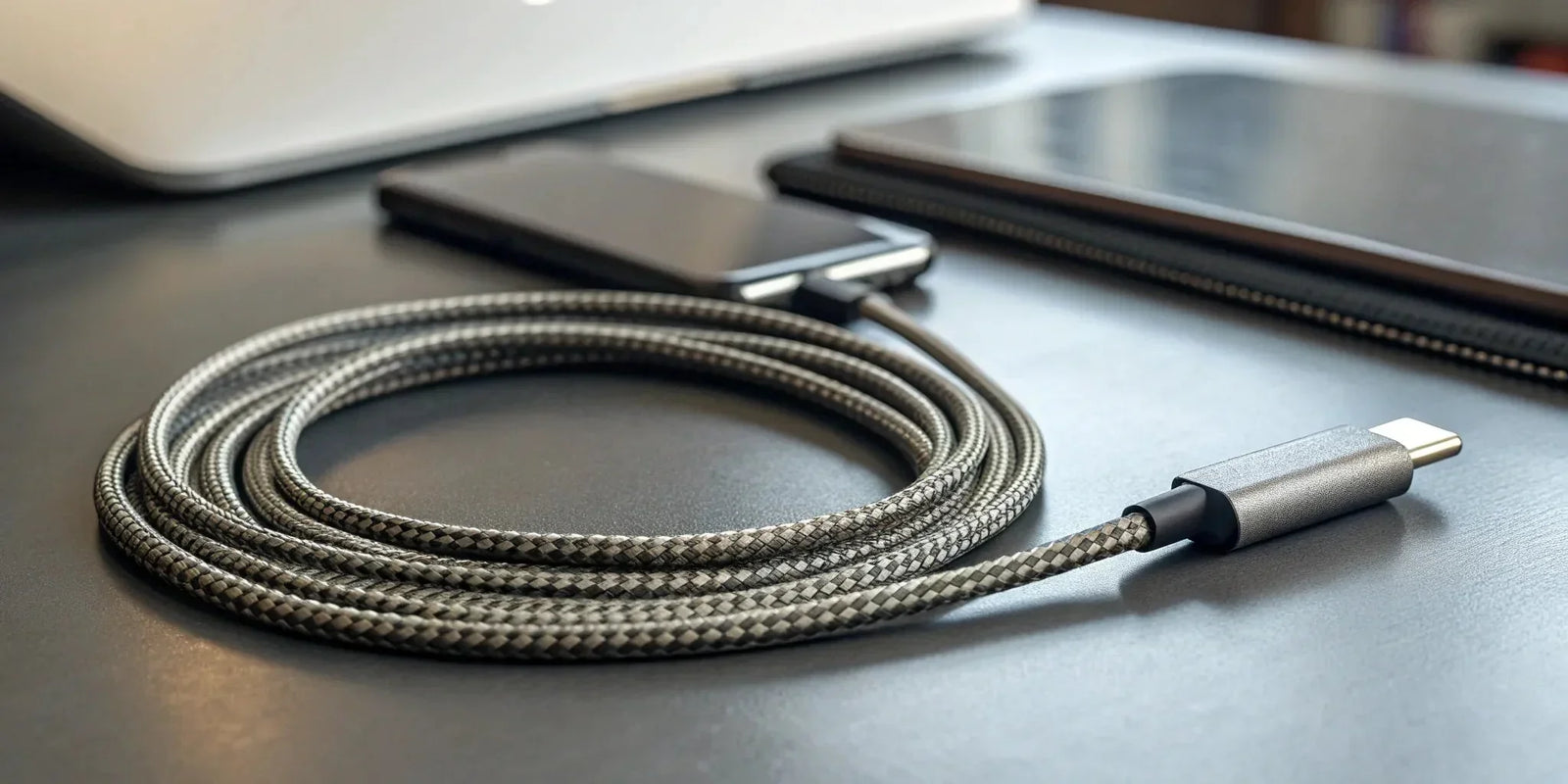
We’ve all done the awkward shuffle: trying to use our phone while it’s plugged into an outlet that’s just a little too far away. The standard 3-foot cord that comes with most devices practically tethers you to the wall, making it impossible to get comfortable. This is where upgrading to a 6 foot usb c cable completely changes the game. It’s not just about adding a little extra length; it’s about reclaiming your freedom. A longer cable lets you charge from across the room, power your laptop from a distant outlet in a coffee shop, or reach the kids in the back seat. Ahead, we’ll break down what makes a great long cable and show you the best options that deliver both convenience and performance.

Portable Solar Power Bank 26800mAh - 99Wh Fast Charger
Lithium Polymer (Li-Po) battery. PD fast charging. Holds up to 8 days of reliable power on a single charge. Boasts a charging speed 50% faster than ordinary portable chargers.
Shop NowKey Takeaways
- Prioritize Power Delivery (PD) for Fast Charging: To get the quickest charge possible, make sure your cable, wall charger, and device all support the Power Delivery standard. This is the most important feature for efficiently powering everything from your phone to your laptop.
- Invest in Durable Materials to Avoid Replacements: Look for features like a braided nylon jacket and reinforced connectors where the cable meets the plug. A well-built cable withstands daily use, saving you the cost and frustration of constant replacements.
- Match the Cable's Specs to Your Primary Use: A 6-foot cable offers valuable flexibility, but also confirm its power (wattage) and data speed (Gbps) capabilities. Choose a cable that meets your device's specific needs, whether it's for high-powered laptop charging or fast file transfers.
Why Go Long? The Case for a 6-Foot USB-C Cable
We’ve all been there: huddled next to a wall outlet, trying to use our phone or laptop while it charges. The standard 3-foot cable that comes with most devices often feels restrictive, keeping you tethered to one spot. This is where a 6-foot cable changes the game. Opting for a longer cable isn't just about a little extra length; it's about gaining the freedom and flexibility to use your devices comfortably, wherever you are.
A longer cable means you can charge your phone from an outlet across the room while you relax on the couch, or power your laptop from a distant power strip during a meeting. It’s a simple upgrade that makes a huge difference in your daily routine, eliminating the frustration of a short cord. KEUTEK's ProSeries USB-C cables, for example, are designed to provide that extra reach without compromising on charging speed or durability, so you get convenience and performance in one package.
Enjoy More Reach and Freedom
A 6-foot USB-C cable gives you the freedom to move. Instead of rearranging your furniture to be closer to an outlet, you can comfortably use your device from your favorite spot. This extra length is perfect for charging your phone on your nightstand from an outlet behind the bed or powering your tablet from across the living room. It allows you to connect devices that are further apart, making your space more functional and your charging experience far more convenient. You can work, play, or relax without feeling anchored to the wall.
When a Longer Cable Comes in Handy
The benefits of a long cable really shine when you're away from home. In hotel rooms, airports, or coffee shops, outlets can be scarce and awkwardly placed. A 6-foot cable ensures you can always reach a power source, whether you're charging a laptop to get some work done or powering up your phone during a layover. It's also a lifesaver on the road, especially when paired with a fast car charger to reach passengers in the back seat. For anyone who travels or works on the go, a longer cable is an essential accessory.
Decoding USB-C Cable Specs
Walking down the electronics aisle, you might think one USB-C cable is just like any other. They have the same reversible connector, so they should all work the same, right? Not quite. The USB-C connector is just the shape; what’s going on inside the cable is what really counts. The specs determine how fast it can charge your devices, how quickly it can transfer files, and even if it can handle video output. Think of it like a water pipe—a wider pipe can move more water, faster. Similarly, a better-built cable can handle more power and data.
Understanding a few key terms will help you choose a cable that actually delivers the performance you need. You don’t want to buy a new cable only to find it charges your laptop at a snail’s pace or takes an hour to transfer a video file. We’ll look at Power Delivery (PD), data transfer rates, and how a cable’s length can impact its performance. Knowing what to look for ensures you get a cable that’s a perfect match for your devices, whether you’re powering a MacBook Pro or just charging your phone.
What Is Power Delivery (PD)?
Power Delivery, or PD, is a charging technology that allows a USB-C cable to deliver much more power than a standard cable. It’s a smart system where your device, charger, and cable all communicate to determine the fastest and safest charging speed. This is why you can use one powerful fast wall charger to power up your phone, tablet, and even your laptop. Without PD, you’re stuck with slow, basic charging speeds. When you’re shopping for a new cable, look for "PD" or "Power Delivery" support in the product description. This is your green light for high-speed charging that gets your devices back in action quickly.
How Fast Can It Transfer Data?
Beyond charging, your USB-C cable is also a pipeline for data. But just like with power, not all cables transfer data at the same speed. The rate is measured in gigabits per second (Gbps). A basic cable might only offer slow speeds (around 480 Mbps), which is fine for syncing photos but will feel sluggish for large files. High-performance cables, like the KEUTEK ProSeries, are built with a thicker copper core that can handle data transfer speeds up to 10 Gbps. That’s fast enough to transfer a full-length 4K movie in under a minute. If you frequently move large files between devices, a high-speed cable is a must.
Does Cable Length Affect Performance?
Yes, cable length can absolutely affect charging and data transfer performance. The longer the cable, the more resistance the electrical current encounters along the way. This can result in a slight "voltage drop," meaning less power reaches your device, potentially leading to slower charging speeds. However, a well-designed cable is engineered to counteract this. Quality manufacturers use thicker internal wires and better shielding in their longer cables to minimize power loss and ensure consistent performance. So while a cheap, poorly made 6-foot cable might underperform, a high-quality one will deliver reliable power from end to end.
Check for Device Compatibility
Finally, compatibility is key. The fastest cable in the world won’t do you any good if your device or charger can’t keep up. For fast charging, your device, your power adapter, and your cable all need to support the same standard, like Power Delivery. For example, plugging a PD-capable cable into an old, low-wattage USB-A wall adapter won't give you fast charging speeds. Before you buy, take a quick look at your device’s specifications to see what it needs. Matching your cable to your gear ensures you get the performance you’re paying for, whether you’re at your desk or on the go with a fast car charger.
What Makes a Great USB-C Cable?
Not all USB-C cables are created equal. With so many options out there, it’s easy to grab the cheapest one and call it a day. But a great cable does more than just charge your device—it does it quickly, safely, and reliably for years to come. Investing in a quality cable protects your expensive tech and saves you the frustration of slow charging, failed data transfers, and constant replacements. So, what should you actually look for? It comes down to a few key features that separate the best from the rest.
Look for Durable Materials
A cable is only as strong as its weakest point. That’s why durability is non-negotiable. The best cables are built with robust materials from the inside out. Look for internal wiring made of tinned copper, which resists corrosion and extends the cable's lifespan. On the outside, a braided nylon jacket offers superior protection against fraying and tangling compared to standard plastic coatings. These materials ensure your cable can handle the daily grind of being tossed in a bag, bent around furniture, or used by the whole family.
Prioritize Fast Charging
The main reason we all love USB-C is its potential for incredibly fast charging. To get those speeds, you need a cable that supports Power Delivery (PD). This technology allows the cable to negotiate with your device and a compatible wall adapter to deliver the maximum possible power safely. Without PD support, even the most powerful charger won’t give you a quick battery top-up. KEUTEK’s ProSeries USB-C cables are designed specifically for this, ensuring you get the most efficient charge for everything from your smartphone to your laptop.
Confirm Data Transfer Speeds
Do you ever need to transfer photos, videos, or large files from your phone to your computer? If so, data transfer speed is a critical factor. High-quality USB-C cables use a thicker gauge copper wire core, which is essential for moving data quickly and efficiently. Cheaper cables often skimp on this, resulting in painfully slow transfers or no data capability at all. A well-built cable can handle both fast charging and high-speed data syncs, making it a versatile tool for all your devices.
Don't Skip Safety Certifications
Plugging a low-quality cable into your expensive smartphone or laptop is a huge risk. A poorly made cable can overheat, short-circuit, or damage your device's battery over time. Always choose cables from reputable brands that prioritize safety. While there isn't one single "certification" for cables, look for brands that are transparent about their safety features, like overcurrent protection and heat resistance. A reliable cable is part of a complete charging system, so pairing it with one of KEUTEK's fast wall chargers ensures both your devices and your home are protected.
Find Features That Signal Durability
Beyond the cable itself, pay attention to the connectors. The connector heads are high-stress areas, and a flimsy design is a recipe for failure. Look for cables with a sturdy aluminum shell, which protects the internal connections from wear and tear. Another great feature is reinforced strain relief—that flexible bit where the cable meets the connector. This reinforcement prevents the cable from fraying at its most vulnerable point, adding to its longevity and saving you from having to buy a replacement anytime soon.
The Best 6-Foot USB-C Cables
With so many USB-C cables on the market, finding the right one can feel like a chore. They might all look similar, but performance, durability, and safety can vary wildly from one brand to the next. A low-quality cable can charge slowly, fail to transfer data correctly, or even damage your devices. That’s why it’s so important to choose a cable from a reputable brand that’s built to last and perform reliably.
To make your search easier, I’ve put together a list of the best 6-foot USB-C cables available. Whether you need something ultra-durable for your outdoor adventures, a high-speed cable for your laptop, or a dependable option for everyday charging, there’s a perfect fit for you here. We’ll look at what makes each one stand out, from its construction and charging speed to its overall value. Let’s break down some of the top contenders so you can find the right cable to keep your gear powered up and ready to go.
KEUTEK ProSeries USB-C
If you’re looking for a cable that perfectly balances speed, durability, and reliability, the KEUTEK ProSeries USB-C is a top-tier choice. Designed to support Power Delivery (PD), it delivers efficient and fast charging to a wide range of devices, from the latest iPhones and Samsung Galaxy phones to tablets and laptops. The 6-foot length gives you plenty of freedom to charge your device from a comfortable distance, whether you’re at your desk or relaxing on the couch. Built with premium materials, this cable is made to withstand the daily grind of plugging, unplugging, and coiling, making it a long-lasting investment for all your charging needs.
Anker PowerLine
Anker has built a strong reputation for reliable charging accessories, and its PowerLine series is a fan favorite for good reason. The Anker PowerLine III is often considered the best all-around USB-C cable for most people. It’s powerful enough to fast-charge both phones and laptops, making it an incredibly versatile tool to have in your bag. Anker focuses on creating durable products, and this cable is no exception, featuring a tough build that can handle thousands of bends. For a dependable cable that works well with just about any USB-C device, the PowerLine is a solid choice.
Belkin E-Series
When you need a cable that you can count on day in and day out, Belkin is a name that consistently delivers. Belkin’s USB-C cables are known for their durability and reliability, making them a great option for everyday use. They are rigorously tested to ensure they meet high standards for performance and safety. While they may not always have the most rugged, adventure-proof designs, they provide consistent, safe power for your essential devices. If you’re looking for a straightforward, no-fuss cable from a trusted brand to charge your phone, tablet, or other accessories, the Belkin E-Series is a dependable workhorse.
UGREEN Nylon Braided
Tired of dealing with tangled, frayed cables? UGREEN’s nylon-braided USB-C cables are designed to solve that problem. The braided exterior not only looks great but also adds a significant layer of durability, protecting the internal wires from damage caused by bending and twisting. This design also helps prevent the cable from tangling into a frustrating knot in your bag or drawer. UGREEN offers a great combination of toughness and performance, supporting fast charging and data transfer for a wide variety of devices. It’s an ideal choice for anyone who needs a resilient cable for daily commutes or travel.
ToughTested Pro
For those who need a cable that can keep up with a demanding lifestyle, the ToughTested Pro is built to handle just about anything. As the name suggests, these cables are engineered for extreme durability. They feature a heavy-duty, tangle-free nylon braiding and an extended strain relief collar, which protects the cable’s most vulnerable point from breaking. This rugged construction makes it a perfect companion for outdoor adventurers, field workers, or anyone who is notoriously hard on their gear. If you’ve had cables fail on you in the past, the ToughTested Pro is designed to be the last one you’ll need for a long time.
Cable Matters
Cable Matters is a brand that tech enthusiasts trust for high-quality, reliable connectivity solutions. Their USB-C cables are no exception, offering excellent performance for both charging and data transfer. These cables are built to support fast charging protocols and high-speed data sync, making them a versatile option for connecting everything from smartphones to external hard drives. They provide a great balance of performance and price, delivering features you’d expect from more expensive brands. If you need a solid, all-purpose cable that you can rely on for more than just charging, Cable Matters is a fantastic choice.
Amazon Basics
If you’re looking for a functional, no-frills cable that gets the job done without breaking the bank, Amazon Basics is hard to beat. These cables have become incredibly popular due to their affordability and surprisingly solid performance. While they might not have the reinforced braiding or premium feel of more expensive options, they are well-reviewed and certified for safety and compatibility. For a spare cable to keep in your car, at the office, or in your travel bag, the Amazon Basics USB-C cable offers incredible value and dependable charging for your everyday devices.
Nekteck
Nekteck is another brand that delivers high-performance cables without the premium price tag. Their USB-C cables are designed for high-speed charging and data transfer, often featuring USB-IF certification, which means they’ve been tested to meet official USB standards for quality and safety. Nekteck cables are typically built with a robust construction to ensure they last, making them a reliable choice for powering up laptops, tablets, and smartphones. If you’re looking for a certified cable that you can trust to deliver safe and fast power, Nekteck offers a great combination of performance and peace of mind.
Apple USB-C
For those who are fully invested in the Apple ecosystem, using an official Apple USB-C cable is often the easiest path to guaranteed compatibility and performance. Apple’s cables are specifically designed and optimized to work flawlessly with their devices, including MacBooks, iPads, and iPhones. While they come at a higher price point, you’re paying for the assurance that the cable will support the fastest charging speeds and data transfer rates your Apple device can handle. If you want to avoid any potential compatibility issues and ensure seamless performance, sticking with an official Apple cable is a safe bet.
Samsung Super Fast Charge
Just as Apple users might prefer Apple cables, Samsung users can get the most out of their devices with an official Samsung Super Fast Charge cable. These cables are engineered to deliver the maximum charging speeds that Samsung’s latest smartphones and tablets are capable of, thanks to their compatibility with the company’s proprietary charging protocols. Using a third-party cable might result in slower charging speeds, so if you want to power up your Galaxy device as quickly as possible, this is the cable to get. It’s the best way to ensure you’re taking full advantage of Samsung’s Super Fast Charging technology.
How to Avoid Compatibility Problems
Picking the right USB-C cable can feel like a pop quiz you didn't study for. Since the USB-C connector is used for everything from simple charging to high-speed data transfer and video output, not all cables are built the same. A cable that works perfectly for your headphones might not be able to fast-charge your laptop or connect it to a monitor. Taking a moment to check a few key specs before you buy can save you from the frustration of slow charging, failed data transfers, or a blank screen. Here’s what to look for to make sure you get a cable that does exactly what you need it to.
Match the Cable to Your Device
The first step is to know what your device requires. A high-powered laptop has very different needs than a pair of wireless earbuds. When you're shopping for a cable, always read the product details closely. The description will tell you what the cable is designed for, including its charging speed, data transfer rate, and whether it can handle video. For example, if you need to charge a MacBook Pro, you'll want a cable that can handle at least 60W of power. Using a lower-rated cable will result in painfully slow charging, if it charges at all.
Confirm Power Delivery Support
If fast charging is a priority, look for cables that support Power Delivery (PD). PD is a charging standard that allows your devices to communicate with the charger to determine the optimal power level, ensuring a fast and safe charge. For this to work, your device, your wall charger, and your cable must all be PD-compatible. High-quality cables like KEUTEK's ProSeries USB-C are specifically designed with Power Delivery support, making them a reliable choice for quickly charging everything from your phone to your laptop.
Understand Data Speed Limits
Do you plan on using your cable to transfer large files, like photos from your camera or backups from your external hard drive? If so, data speed is a critical factor. The USB-C connector is just the physical shape; the technology inside determines how fast it can move data. You’ll see speeds listed in gigabits per second (Gbps). A cable with USB 2.0 speeds (480 Mbps) is fine for charging but will feel incredibly slow for file transfers. For faster performance, look for cables rated for USB 3.1 (5-10 Gbps) or higher.
Check for Video Output Capability
One of the most versatile features of USB-C is its ability to transmit video, allowing you to connect your laptop or tablet to an external monitor with a single cable. However, this feature, often called DisplayPort Alt Mode, isn't standard in every USB-C cable. If you want to use your cable for an external display, you must choose one that explicitly lists video output or DisplayPort support in its specifications. Grabbing any old charging cable won't work, so be sure to double-check if this is a feature you need.
How to Pick the Perfect Cable for You
With so many options out there, choosing the right USB-C cable can feel a little overwhelming. But it doesn't have to be complicated. The "perfect" cable is simply the one that best fits your devices and your lifestyle. By thinking through a few key factors, you can confidently pick a cable that will charge your gear quickly, transfer files without a hitch, and stand up to daily use. Let's walk through exactly what you need to consider to find the right match.
Start With Your Device's Needs
Before you add any cable to your cart, take a moment to think about what you'll be plugging it into. Your smartphone, laptop, tablet, and camera all have different power and data requirements. A cable that’s great for your phone might not be powerful enough to charge your MacBook Pro efficiently, leading to slow charging or even error messages. To avoid this, check your device’s specifications—usually found on the manufacturer's website or the original power adapter. Most will list the required wattage for charging and the supported USB standard for data transfer. Making sure the cable is compatible from the start is the most important step to getting the performance you expect.
Figure Out Your Power Requirements
If fast charging is a priority, you need to pay attention to power output. Look for cables that support Power Delivery (PD), a technology that allows for much faster and more efficient charging than older USB standards. A PD-enabled cable can intelligently communicate with your device to deliver the optimal amount of power, protecting your battery while charging it rapidly. For example, KEUTEK’s ProSeries USB-C cables are designed with Power Delivery to quickly charge everything from your phone to your laptop. This ensures you spend less time tethered to an outlet and more time getting things done.
Decide if You Need Fast Data Speeds
Are you just charging your phone, or are you a creative professional who regularly transfers huge video files to your computer? Not all USB-C cables are created equal when it comes to data transfer. If you frequently move large files, you’ll want a cable built for high-speed data transfer, like USB 3.1 or higher. These cables typically use a thicker gauge copper wire to handle both rapid charging and quick data syncing. However, if you only use your cable for charging your devices overnight, you can save a bit of money by opting for one that prioritizes power over data speed.
Inspect the Build Quality
A cable is only as good as the materials it's made from. Durability is essential, especially if you’re a frequent traveler, an outdoor adventurer, or just tired of flimsy cables. Look for features that signal a long lifespan, like a braided nylon exterior that resists tangling and fraying, and reinforced stress points where the cable meets the connector—the most common point of failure. High-quality internal components, like tinned copper wire, also contribute to better performance and longevity. A well-built cable is a smart investment that will save you from the frustration and cost of constant replacements.
Compare Price and Performance
While it can be tempting to grab the cheapest cable you can find, price often reflects quality and performance. A budget cable might charge slowly, fail to transfer data correctly, or simply fall apart after a few months. When comparing your options, consider the long-term value. Investing a little more in a reliable cable from a reputable brand often means getting faster charging, better durability, and safety certifications that protect your devices from overheating or power surges. To get the most out of your new cable, pair it with one of our fast wall chargers to create a complete charging system you can depend on.
How to Make Your Cable Last
Investing in a high-quality USB-C cable is a great first step, but making it last comes down to how you treat it. With a little care, you can extend the life of your cable, saving you money and keeping your devices powered up reliably. Think of it as protecting your gear—and your peace of mind.
Store It Properly
We’ve all been there: you toss your cable into a bag and hope for the best, only to pull out a tangled mess later. Proper storage prevents the internal wires from bending and breaking. Instead of wrapping your cable tightly around your hand or a power brick, gently coil it in a loose circle. Use a cable tie or a small pouch to keep it neat and protected, especially when you’re on the go. The key is to avoid sharp bends and kinks, particularly near the connector ends where the cable is most vulnerable.
Handle With Care
The golden rule of cable care is simple: pull by the plug, not the cord. Yanking on the cable itself puts immense strain on the delicate connection point between the wire and the connector head, leading to internal damage over time. It’s also a good idea to keep your cables from getting pinched in drawers, crushed by chair wheels, or bent at extreme angles. While features like tangle-free nylon braiding and reinforced connectors add a ton of durability, good habits are what truly make a cable last for years.
Know the Warning Signs
Sometimes a cable starts to fail before it shows any physical damage. Pay attention to how it performs. Is your phone charging slower than it used to? Do you have to wiggle the connector to get it to work? Does your computer intermittently lose connection to an external drive? These are all signs that the internal wiring might be compromised. Since USB-C cables vary in how much power they can deliver, a sudden drop in performance is a clear signal that something is wrong and it’s time to start looking for a replacement.
When to Get a New Cable
If you can see visible damage, it’s a no-brainer: replace the cable immediately. Look for fraying along the cord, exposed wires, or a connector that’s bent or loose. Using a damaged cable isn’t just unreliable; it’s a safety risk. A faulty cable can short out, potentially damaging your expensive devices or even creating a fire hazard. Don’t take the chance. Recognizing when a cable is past its prime and replacing it is a smart, simple way to avoid potential hazards and ensure your gear stays safe and charges efficiently.
Related Articles
- The Ultimate USB-C USB-A Cable Guide
- USB-A to USB-C Cable: Ultimate Guide (2023)
- USB A to C Cable: Your Essential Buying Guide
- USB 2.0 to USB C Cable: The Ultimate Guide
Frequently Asked Questions
Will a 6-foot cable charge my device slower than a shorter one? That’s a common concern, but with a well-made cable, the answer is no. While it's true that power can decrease over a longer distance, reputable manufacturers design their 6-foot cables with thicker internal copper wires to compensate. This ensures a consistent and strong current reaches your device, so you get the same fast charging speeds you'd expect from a shorter cord without any noticeable drop in performance.
Can I really use the same USB-C cable for my laptop and my phone? Yes, you absolutely can, and it’s one of the best things about the USB-C standard. The key is to choose a cable that can handle the power requirements of your most demanding device, which is usually your laptop. Look for a cable that supports Power Delivery (PD) and is rated for at least 60W. This ensures it has enough capacity to charge your laptop efficiently, and it will intelligently scale down the power to safely charge your phone or tablet.
What's the most important feature to look for if I just want fast charging? If your top priority is speed, the single most important feature to look for is Power Delivery, often abbreviated as PD. This is the technology that allows your cable, charger, and device to communicate to deliver the fastest possible charge safely. Without PD support, even the most powerful wall charger won't be able to power up your devices quickly. Always check the product description to confirm the cable is PD-compatible.
Do I really need a braided cable, or is a standard plastic one fine? While a standard plastic cable can get the job done, a braided nylon exterior is about much more than just looks. It provides a significant boost in durability by protecting the internal wires from the daily stress of bending, twisting, and being tossed in a bag. This reinforcement prevents fraying and tangling, which are the most common reasons cables fail. Think of it as an investment in a cable that will last much longer.
How do I know if my charger and device are compatible with a fast-charging cable? The easiest way to check is to look at the original power adapter that came with your device. It will have the wattage printed on it (e.g., 20W, 45W, 65W). For fast charging, you'll want to see support for "Power Delivery" or "PD." To get the best speeds, your device, your power adapter, and your new cable all need to be compatible with the same fast-charging standard. Matching them up ensures the whole system works together perfectly.


Leave a comment