

240W USB C Cable Guide: PD 3.1 Explained

Powering a high-performance laptop used to require a heavy, custom power brick and a thick cord. Today, a 240W USB-C cable can deliver up to 240 watts through USB PD 3.1, giving compatible laptops, monitors, and other demanding devices a shared charging standard.
Shop the ProSeries Max fast-charging cable for a durable, travel-ready charging setup.
A 240w usb c cable is a high-performance cord that delivers up to 240 watts of power through the USB Power Delivery 3.1 standard. This technology more than doubles the old 100 watt limit. It increases the voltage to 48 volts to safely charge power-hungry devices like gaming laptops and large monitors. Every certified 240 watt cable must include an E-marker chip. This chip talks to your charger and device to find the safest charging speed without overheating. The USB Promoter Group says this update allows one universal connector to replace many custom laptop chargers. These cables also work with older tech, meaning they can safely charge your smartphone or tablet at lower speeds.
240w Usb C Cable: What is a 240W USB-C cable?
A 240W USB-C cable is a high-power charging cord built to meet the newest power standards. It uses the USB Power Delivery (USB PD) Revision 3.1 update. This change allows the cable to move up to 240W of power between a charger and a device. Before this update, most cables were capped at 100W. This new limit means you can use one cable to power large laptops and gaming rigs. It also works for high-end screens that once needed bulky power bricks.
These cables are not just about raw power. They are part of a push toward a common charging standard. Technical teams at schools like the University of Texas use these specs to build new power tools. By using new steps in 240W USB-C cable technology, makers can phase out old power ports. This helps reduce waste. It also makes it easier for you to keep your gear charged with fewer cords.
The Role of PD 3.1 Extended Power Range
The jump to 240W comes from a tool called Extended Power Range (EPR). Under the old PD 3.0 rules, power was limited to 20V and 5A. The PD 3.1 update adds new voltage levels to reach higher totals without needing more current. These new levels include 28V, 36V, and 48V. This shift allows a a cable built for high-power USB-C charging to handle much more work than older cords. It creates a safe way for power-hungry devices to get the juice they need at full speed.
Understanding the 48V/5A Ceiling
To reach the 240W mark, the PD 3.1 standard uses a 48V and 5A setup. Keeping the current at 5A is vital because it keeps the cable from getting too hot. Instead of pushing more amps, the system raises the voltage. This method is safer and works better for long charging sessions. Both your charger and your device must support these high voltages for the system to work. If one part of the chain is not ready, the cable will drop to a lower power level. It picks a speed that all parts can safely handle.
Importance of the E-Marker Chip
Every 240W cable must have a tiny smart chip inside called an E-marker. This chip acts like a traffic guard for power. It tells your charger and your device exactly what the cable can handle. It ensures that charging is safe by stopping the flow of too much power. This helps keep the cord from getting too hot. Without this chip, a device might try to pull more power than the cord can safely carry. KEUTEK builds these chips into rugged, military-grade cables that are rated for over 30,000 bends. This makes them a trusty choice for travel and daily use.
How does USB PD 3.1 deliver up to 240W?
The USB Power Delivery (USB PD) 3.1 update is a big step for charging tech. Before this update, USB cables could only handle up to 100W of power. This was enough for most phones and small laptops, but large gaming PCs and screens still needed special plugs. Now, the USB PD 3.1 standard allows a single cable to provide up to 240W. This change makes it easier to use one cord for almost every device you own.
New power range tiers
To reach 240W, the USB group added a new mode called Extended Power Range. Old cables were stuck at 20V and 5A. To get more power without making the cable too thick or hot, makers had to raise the voltage. A high-quality a versatile USB-C cable for multiple devices can now use new fixed voltage levels of 28V, 36V, and 48V. These tiers allow the cable to carry more energy while keeping the current at a safe 5A limit.
These new tiers mean your charger can talk to your laptop to find the best speed. If your laptop needs 140W, the charger can switch to 28V. If it needs the full 240W, it can move up to 48V. This smart system helps your gear charge fast without wasting power as heat. It also helps tech brands move away from old, bulky power bricks that only work with one machine.
The role of E-marker chips
Safety is the key part of high-power charging. You cannot just push 240W through any old cord. That is why every safe cable rated for 240W must have an E-marker chip. This tiny chip lives inside the plug and acts like a brain for the cable. It tells the charger and the device just how much power the cable can safely handle. Without this chip, the charger might try to send too much power, which could lead to fire or damage.
The E-marker chip also sets the speed of the charge. It checks the heat and the health of the link in real time. If something feels wrong, it can slow down the power flow to keep you safe. This tech is why you should always look for steps in 240W USB-C cable tech when you buy a new cord. Cheap cables often skip these safety chips, which puts your costly laptops at risk.
Safe power negotiation
Wattage is a top limit, not a forced output. When you plug in a device, the charger and the cable start a handshake. They use a strict plan to agree on the right voltage and current. This talk happens in a split second. The charger asks the device what it needs, and the E-marker chip confirms the cable can do it. Only then does the high-power flow begin. This keeps small devices from getting fried by a high-wattage charger.
Because of this handshake, a 240W cable is fully safe to use with old gear. You can use it to charge a small phone that only needs 18W or a tablet that takes 30W. The cable will simply provide the lower amount of power requested by the device. This makes the 240W standard a truly all-in-one tool for your home or office. You no longer need to worry about which cable goes with which charger.
240W vs. 100W and 140W USB-C cables
Choosing a USB-C cord can be hard for many shoppers. You see many numbers like 60W, 100W, and 240W on boxes. These ratings show how much power the cord can carry safely. A 240w usb c cable is now the best choice for fast charging high-end gear. It works with new power rules to keep your phones, tablets, and laptops full and ready for work.
New power standards
USB Power Delivery (USB PD) 3.1 is a new set of rules for charging. It lets cords carry up to 240W of power through one link. Before this, most cords only handled up to 100W. This big jump helps you charge large laptops and fast tools with just one cord. You can read more about advancements in 240W USB-C cable technology in our full guide. The USB Promoter Group made these rules to help make charging simple for all people. These new rules use higher volts like 28V, 36V, and 48V to reach the top speeds.
Most 240W cords also carry data, but they often move it at basic speeds. If you need to move large files fast, you may need a cord rated for high-speed data. But for charging, the 240W rating is the top tier you can get right now. It is built to last and handles the most power-hungry gear you own today.
Find your power level
Most phones and small tablets use 60W or less. Laptops for school or office work often need 100W to charge at full speed. Pro laptops and high-end gaming gear may need 140W or even 240W. A 240W cord is the best choice if you want to be ready for any device. These cords have a small chip inside called an E-marker. This chip helps the charger and your device talk to each other. They find the best power level to use for a fast, safe charge. This makes sure your tech stays safe while it gets power as fast as it can take it.
| Rating | Best For | Max Power | PD Version |
|---|---|---|---|
| 60W | Phones, Tablets | 20V / 3A | PD 3.0 |
| 100W | Main Laptops | 20V / 5A | PD 3.0 |
| 140W | Pro Laptops | 28V / 5A | PD 3.1 |
| 240W | High-End Tech | 48V / 5A | PD 3.1 |
Safety and fit
You might worry about using a 240W cord on a small phone. Do not fret. These cords fit older or smaller gear with no risk. The cord will only give the power your device asks for from the wall. High-power cords also must meet very tough safety tests. These rules help stop heat and keep your home safe. It is wise to look for the right logo on the cord or box to be sure it is safe to use. Many cheap cords lack these chips and can be a risk to your tech.
At KEUTEK, we build our cords to a high standard. Our products feature military-grade parts and can handle over 30,000 bends. This makes them great for travel and daily use in tough spots. We also give a lifetime warranty on all our gear. This means you can trust your high-power cord to work for years to come. Choosing a top-tier cord keeps your gear safe and your life moving fast.
What should you check before buying a 240W cable?
Buying the right 240W USB-C cable requires checking more than just the price. Since these cables move a lot of power, you must make sure they are safe. A top 240w usb c cable should be tough. It must also protect your gear from harm while you charge at high speeds.
Look for the E-Marker chip
The most vital part of a high-power cable is the E-Marker chip. This small chip acts as a brain for the cord. As noted by Plugable, the chip tells your gear how much power the cable can take. Without this chip, your phone or laptop might not charge fast. It could even get too hot. KEUTEK uses these chips to help 240W of power flow with no risk to your tools.
Find the USB-IF logo
You should always look for the right logos on the box. The USB-IF gives out logos that show if a cable supports 60W or 240W. These marks mean the cable passed hard tests for safety. Buying a certified cord means it will work with many brands. It also shows the cord meets strict rules for power levels over 100W.
Check the build and length
Fast charging needs a strong cord. Look for cords with braided covers and tough ends to stop breaks. KEUTEK makes cords with a 30,000+ bend rating. This helps them last for years of use. You should also pick the right length. Note that most 240W cables are best for power but have slow data speeds. They often use USB 2.0, which works well for most but is not for fast file moves.
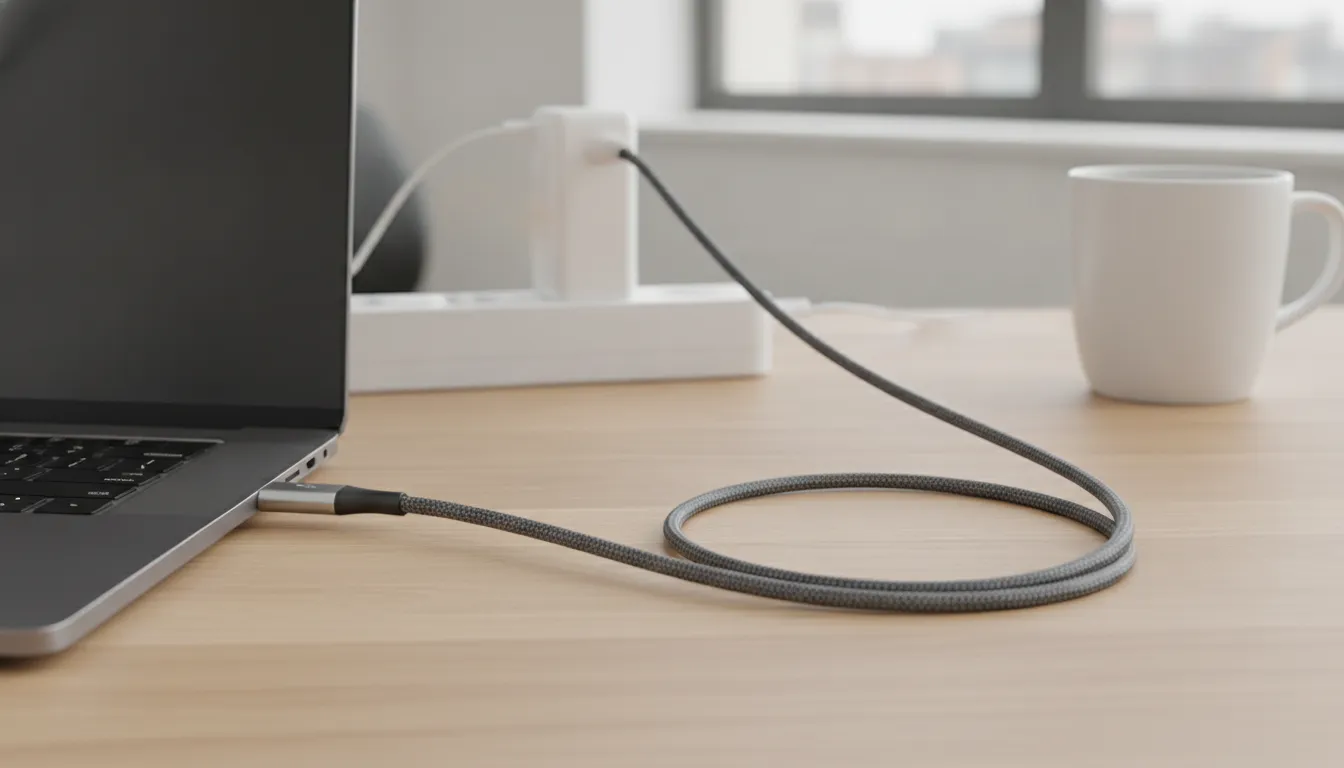
Pair your cable with a compatible fast wall charger.
Does a 240W rating guarantee fast data transfer?
Charging power vs data speed
Many people think a high wattage cable will also be fast for data. This is not always true. The 240W rating on a 240W USB-C cable only tells you how much power it can carry. It does not mean it will move your files quickly. Power and data are not the same thing in the USB world. Charging depends on how much current the cable can handle. Data speed depends on how the wires inside are built. You can have a cable that charges your laptop in minutes but takes hours to move a big video file. It is vital to check both specs before you buy.
The wires that carry power are often thick and strong. This helps them stay cool while they move lots of energy. Data wires are much thinner and have a harder job. They must be shielded to stop noise from spoiling the signal. In most cases, a cable that is great at one task might not be built for the other. This is why you see many types of USB-C cables on the shelf today. Knowing the gap between power and speed will help you avoid slow transfers.
The USB 2.0 speed limit
Most standard 240W cables are made for fast charging first. To keep them thin and easy to bend, they often use the USB 2.0 spec for data. This means they can only move data at about 480 Mbps. This speed is fine for syncing a phone or moving a few small files. But it will feel very slow if you want to back up a big drive. Moving a high-res video could take many minutes instead of just seconds.
The USB-IF logos help you see what a cable can do. A cable might have a 240W logo for power but no logo for fast data. If you need to move big files, look for cables that also list 20 Gbps or 40 Gbps. These fast cables often use USB4 or Thunderbolt tech to hit those marks. They have more internal wires to handle the extra load. This makes them costly, but they are worth it for pro work.
Finding the best cable for your setup
To get the most out of your gear, you should match the cable to your task. If you only need to charge a laptop, a standard 240W cable is a great choice. It will give you all the power you need safely. These cables are often very strong and last a long time. They are great for travel or home use where speed is not the main goal. But if you work with video, you will want a cable that handles both high power and fast data.
You can find the right cable for charging and data needs by reading the fine print. Look for the data transfer rate in the product details. Cables that support both 240W and fast data are mostly thicker. They have extra layers to protect the fast signals from noise. While they cost more, they save you time. For most users, a tough cable that focuses on power is the best value. If you are a pro user, always check for that extra data speed label.
How to build a complete fast-charging setup
Fast charging works like a chain. You need a device, a charger, and a cable that all work well together. If one part is slow, the whole link slows down. This happens because the parts must agree on a safe speed before they start. When you build your kit, start with the part that needs the most power.
Find your device power needs
Start with the device you want to charge. A small phone might only need 20W of power. A large laptop could need 140W or more to charge fast. Look at the bottom of your laptop or check the manual to see its max input. Modern tools can use the USB PD 3.1 rules to reach up to 240W.
You should also think about the future. Even if your phone is small, a high-power setup will work for your next big laptop too. Buying a strong kit now saves you from buying more gear later. Most people find that one good set of tools can power every device they own.
Check the charger port output
Not all ports on a charger are the same. A wall plug might have three ports, but only one might be fast. Look for a port with the "PD" sign. Check the box to see the max power for just one port. A charger might say 100W on the box, but that might be the total for all ports at once.
If you use a port that is too weak, your device will charge slow. It might not even charge at all if the laptop needs more power than the plug gives. Always make sure the single port output matches what your laptop needs for the best speed.
Pick a rated 240w usb c cable
The cable is the most common place where a charging chain fails. To get the best speed, you need a 240w usb c cable. These cables use a small chip to talk to your charger. This chip tells the charger that the cable is safe to use at high power. It also helps stop the cable from getting too hot.
Without this chip, your charger will drop the speed to a safe low level. This chip is needed for any cable that handles high rates, as noted in the Plugable guide. Using the right cable ensures you get the speed you paid for when you bought your charger.
- Look up the max power input for your device in the manual or on the case.
- Find a wall charger that has a single port that meets that power level.
- Pick a high-quality cable that is rated for the full power your device needs.
- Plug your laptop into the main port to get the best speed.
- Check the screen of your device to see if it shows a fast charge icon.
If you follow these steps, you can build a setup that works for all your tools. A single kit can handle your phone, tablet, and big laptop. This makes travel easy and keeps your desk clean. You will also spend less time waiting for your tools to get back to a full charge.
Is a 240W USB-C cable worth it for your setup?
Deciding if you should buy a 240W USB-C cable depends on the gear you use now and what you plan to buy later. These cables are built for the USB Power Delivery 3.1 standard, which allows for much higher power than older versions. If you own a high-end laptop or a workstation, this type of cable is often a must-have to get the best speed.
Power for high-end laptops
Most standard cables used to stop at 100W. This was enough for many devices, but larger laptops and professional tools often need more. New laptops that use the PD 3.1 protocol can now take in more energy to stay charged during heavy work. A 240W cable ensures your power-hungry laptop gets the full current it needs without the limits found in older 100W options. Using a certified USB-C cable helps you avoid slow charging when you are on a tight deadline.
Future-ready your tech kit
Even if your phone or tablet only needs 20W or 30W, buying a higher-rated cable is a smart move. One major benefit is that a backwards-compatible high-power cable is fully backwards compatible with all your older devices. This means you can carry one single cord to charge everything from your earbuds to your large notebook. It simplifies your travel bag and ensures you are ready for the next wave of high-power gadgets that will hit the market soon.
Durability for daily use
High-wattage cables often have better build quality because they must handle more heat and current safely. KEUTEK cables use military-grade materials and have a rating of over 30,000 bends to handle active daily use. This makes them more reliable than cheap, mass-market parts that might fail or fray quickly. When you choose a cable like the ProSeries Max, you also get a lifetime warranty. This protects your tech kit and gives you peace of mind for years to come.
Build a travel-ready charging kit with KEUTEK portable power.
Frequently Asked Questions
Can I charge my phone with a 240W cable?
Yes, you can use this cable to charge your phone safely. Most new phones only take about 20 to 30 watts of power. The cable and charger work as one to give your phone the total power it needs. You do not have to worry about the high power hurting your tool. Based on KEUTEK, these cables are safe for any USB-C gear, like phones and items you use every day.
What is the purpose of the E-Marker chip in a 240W cable?
A 240W cable needs a small part called an E-Marker chip to manage high power safely. This tiny chip tells your charger and tool how much power the cable can carry. It helps the charger send the right flow and keeps the cable from getting too hot. As said by Plugable, this chip is key for high charging rates. Without it, the charger would slow down the speed for safety.
Is a 240W cable backwards compatible with lower wattage devices?
Yes, a 240W cable works with all older USB-C gear. You can use it for tools that only need 60 watts or 100 watts of power. The cable will just pass the lower flow of power that your tool asks for. You will not have any issues using a high-power cable with a low-power tool. KEUTEK shows that these cables work with any gear that uses less power, like your phone or a small laptop.
Can USB-C handle 240W?
Yes, the new USB PD 3.1 rules allow USB-C to carry up to 240 watts. In the past, these cables could only handle 100 watts. This change uses higher power levels to send more energy without needing thicker wires. The USB Promoter Group says this update helps power large laptops and screens. This makes USB-C a true standard for almost all your home and office gear, which makes charging much more simple for all.
Ready to shop reliable fast-charging solutions for every device?
Sticking with weak cables means you will spend more time plugged into a wall and less time working with the tech you love right now. Prevent power drops by getting a cable rated for the future so you are ready for every new laptop that launches in the coming years. Starting now ensures your devices stay safe and you can enjoy the peace of mind that comes with using the best tools on the market. Do not wait for your current cable to fail when you can upgrade to a more trusted choice that will last for a long time. You can get the full power of PD 3.1 today with a cable that is built for both high speed and great long term durability.
Ready to shop reliable solutions? Contact our team to buy your ProSeries cable to shop reliable fast-charging solutions for all your devices right now.


Leave a comment